Description
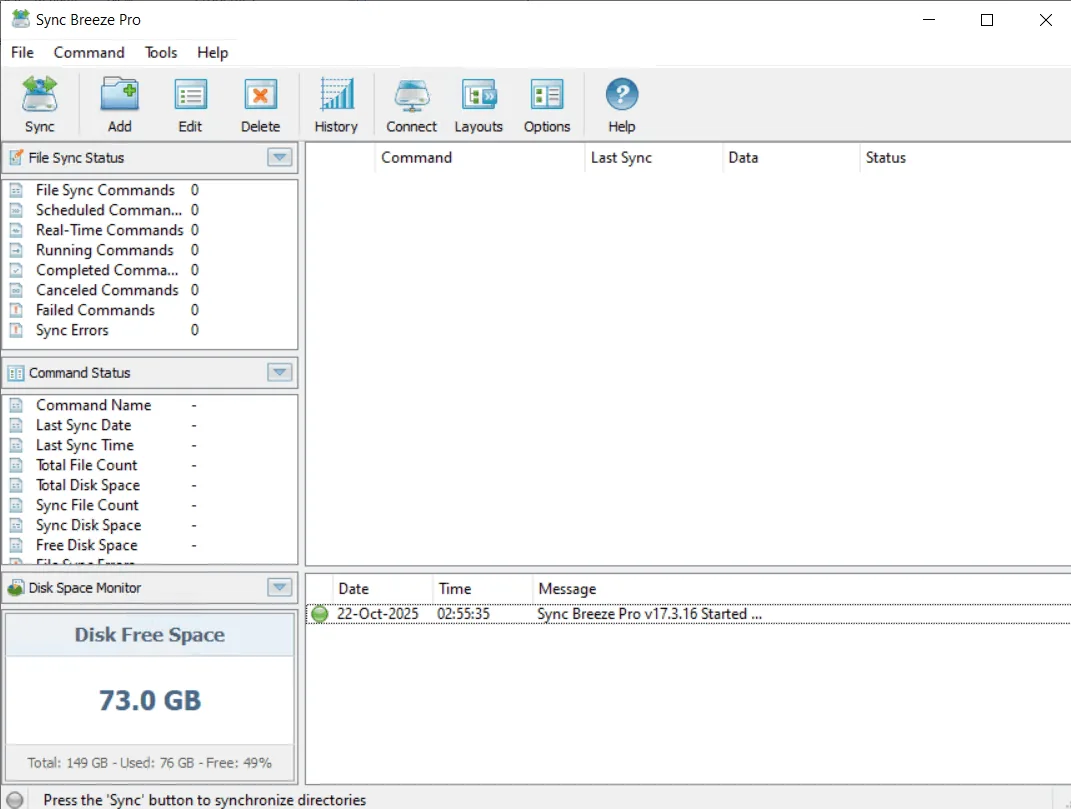
Sync Breeze is a fast, powerful and reliable file synchronization solution for a wide range of storage devices including local disks , network shares , network attached storage (NAS) devices and enterprise storage systems. The software provides users with a comprehensive set of tools and features to fully and flexibly manage the file synchronization process. Users can take advantage of multiple file synchronization modes: one-way and two-way, periodic synchronization, real-time synchronization , bit-level synchronization, multi-stream synchronization and background synchronization. The main goal of SyncBreeze is to provide a robust platform to maintain file integrity and up-to-dateness across various storage environments.
Program features and functions
- SyncBreeze offers a variety of one-way and two-way synchronization modes optimized for various application scenarios. Users have the ability to set up multiple synchronization commands, each of which is pre-configured to synchronize files according to the user’s specific needs and requirements.
- The File Sync Preview dialog displays all the sync operations that are about to be performed and allows the user to select or deselect specific actions. This preview dialog is displayed in ‘Preview’ sync mode and can be used effectively for small to medium sized file systems. For large file systems containing millions of files, SyncBreeze provides a ‘Stream’ sync mode that synchronizes files in real time without displaying the preview dialog.
- The File Sync Schedule tab allows you to set up periodic sync operations, scheduled sync operations, real-time sync operations, and also allows the user to control the file sync timeout .
- The File Sync Advanced Options tab allows the user to control the file copy mode , file copy verification mode , file sync performance mode , number of parallel file sync streams , and configure recoverable file copy operations.
- The File Sync Rules dialog provides the ability to synchronize only specific file types or groups of files using one or more flexible file matching rules. In addition to positive match rules that specify which file types should be synchronized, the user can also configure negative match rules that specify which file types or groups should be excluded from the file synchronization process .
System requirements
- Windows 7, 8, 10, 11
- Windows Server 2003, 2008, 2008 R2, 2012, 2012 R2, 2016, 2019, 2022, and 2025
- Both 32-bit and 64-bit versions are supported
Pictures

Installation Guide and Tips
It is included in the instruction file in the Crack folder.
Download link
Download Sync Breeze 17.5.18 All Editions
File(s) password: www.downloadly.ir
File size
71 MB