Description
Debugging in iOS 17 course. This course teaches you how to effectively identify, troubleshoot, fix bugs in your application and prevent them from recurring.
What you will learn:
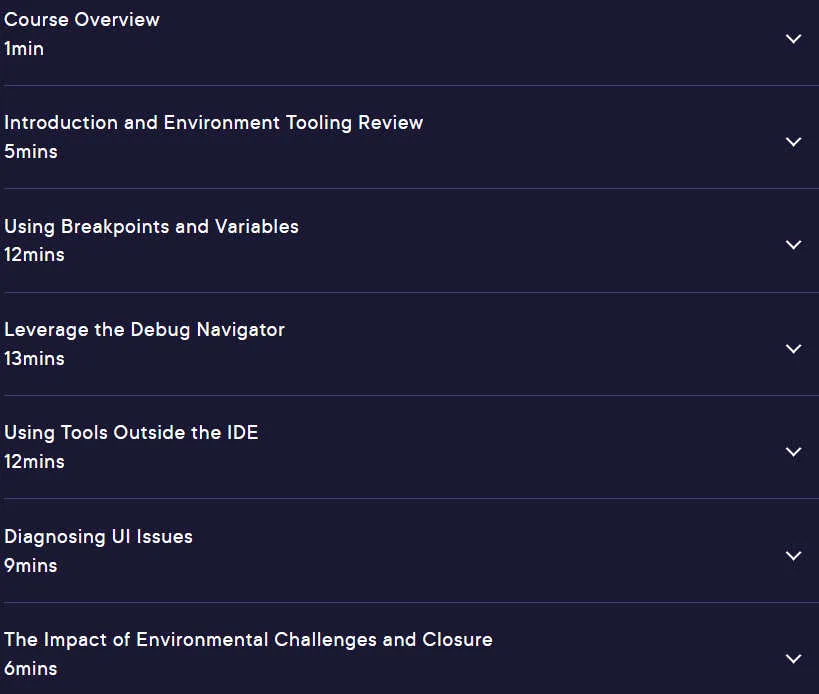
- Introduction and review of environment tools: You will get to know the tools and environment you need for troubleshooting in iOS 17.
- Using breakpoints and variables: You will learn how to use breakpoints to stop code execution at specific points and check the value of variables at that moment.
- Using the debug navigation: Using the debug navigation, you can easily navigate through your code and find the cause of errors.
- Using tools outside the IDE: You will learn how to use tools outside the IDE to analyze error logs and troubleshoot the application.
- Diagnosing user interface problems: You will learn about environmental challenges and their impact on the user interface.
This course is suitable for people who:
- Want to improve your iOS 17 troubleshooting skills?
- Looking for ways to find and fix complex bugs in their code.
- Want a deeper understanding of Xcode’s debugging tools.
- They want to make sure that their application works stably.
Specifications of Debugging in iOS 17 course
- Publisher: Pluralsight
- Teacher: Corneile Britz
- Training level: beginner to advanced
- Training duration: 1 hour and 1 minute
Course headings

Course images

Sample video of the course
Video Player
00:00
00:00
Installation guide
After Extract, view with your favorite Player.
Subtitle: English
Quality: 720p
download link
File(s) password: www.downloadly.ir
File size
122 MB