Description
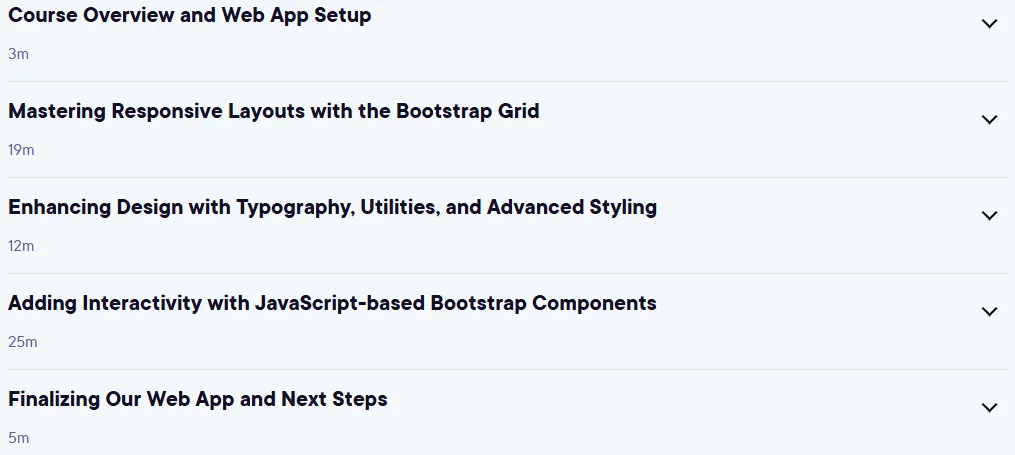
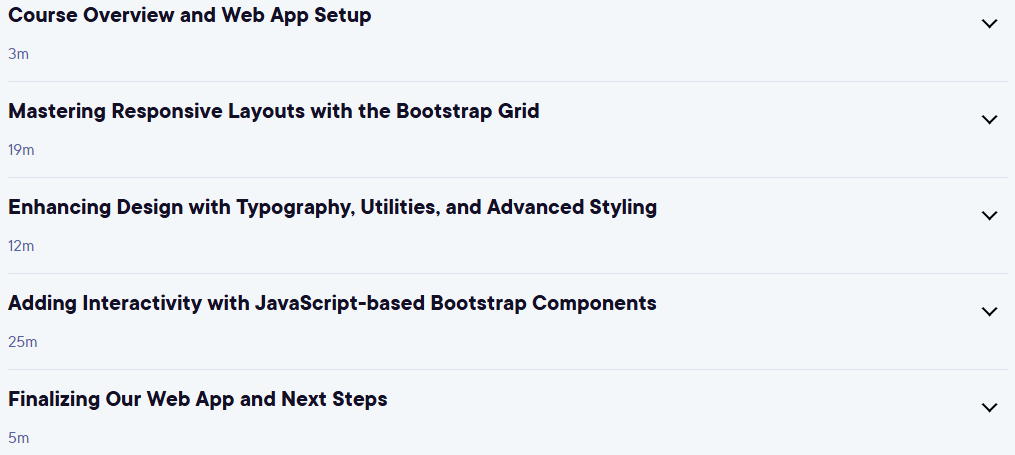
Bootstrap: Build Interactive and Responsive Web Apps. The Bootstrap course teaches you how to build interactive and responsive web apps using this framework. The course starts with a tutorial on the Bootstrap grid system and teaches you how to build and customize complex, fully responsive layouts. You’ll learn about Bootstrap’s typography tools, helper classes, and styling tools to easily manage text, colors, and spacing. You’ll then learn how to use pre-built JavaScript-based components like carousels, modals, and dropdown menus to add dynamic and interactive features to your pages. This course goes beyond adding rows and columns, but focuses on creating seamless, professional user experiences. Finally, you’ll apply these skills to a practical project, such as building a product display, to ensure you can build beautiful, user-friendly web applications that display correctly on all devices. By the end of this course, you’ll have mastered the knowledge and skills needed to build more interactive web applications with Bootstrap.
What you will learn
- Fully utilize and customize Bootstrap grids for complex, responsive layouts.
- Easily style web pages and add interactivity using components like modals and carousels.
- Mastering the Bootstrap grid system and optimizing design for any screen size.
- Use Bootstrap’s typography, usability, and styling tools to adjust text, colors, and spacing.
- Create dynamic user experiences using JavaScript-based components.
- Applying the skills learned to building a real page to showcase products.
This course is suitable for people who:
- Are interested in learning how to build interactive and responsive web applications.
- Looking to master the Bootstrap framework for web design.
- Want to learn how to combine and optimize layouts for display on different devices.
- Want to add dynamic, user-friendly features to their web pages.
- Want to increase their skills to build real web projects.
Bootstrap: Build Interactive and Responsive Web Apps Course Details
- Publisher: Pluralsight
- Instructor: Jeff Batt
- Training level: Beginner
- Training duration: 1 hour and 6 minutes
Course headings
Course images

Sample course video
Installation Guide
After Extract, view with your favorite player.
Subtitles: English
Quality: 720p
Download link
File(s) password: www.downloadly.ir
File size
226 MB