Description
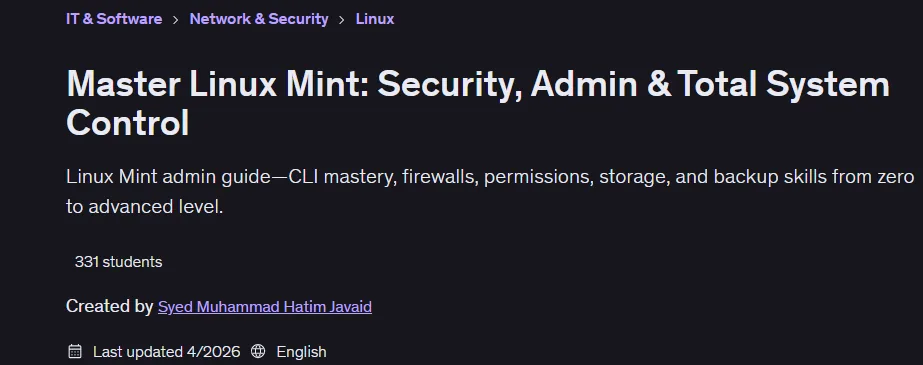
Master Linux Mint: Security, Admin & Total System Control is a course on mastering Linux Mint for everyday use, system administration, and security management published by Udemy Online Academy. Linux is the backbone of modern IT. Servers, cloud infrastructure, cybersecurity tools—it all runs on Linux. And if you’re serious about building a career in system administration, IT, or cybersecurity, knowing how to actually administer a Linux system is a no-brainer. It’s a basic expectation.
Designed for beginner and intermediate Linux users, this course teaches you how to install, configure, secure, and maintain a Linux Mint system while developing practical administration skills. Individuals will learn command-line operations, user and permission management, software installation, system updates, networking, firewall configuration, backup strategies, performance optimization, and troubleshooting techniques. By the end of this Linux Mint system administration course, you will be able to install, configure, secure, and administer Linux systems completely independently. That’s the goal. This is what we build.
What you will learn in Master Linux Mint: Security, Admin & Total System Control:
- Master the Linux terminal – navigate, manage files and run essential admin commands fluently
- Create and manage users, install packages and monitor resource usage effectively
- Configure Iptables firewall rules, sudo access, file permissions and password security settings
- Manage storage: partitions, RAID, logical volumes and automount volumes at boot
- Create system snapshots and restore backups to protect against data loss and system crashes
- Monitor system processes, create command aliases and reliably handle unresponsive applications
- Build Linux Mint system administration skills that are directly applicable to real IT and security jobs
- And…
Course specifications
Publisher: Udemy
Instructors: Syed Muhammad Hatim Javaid
Language: English
Level: Introductory to Advanced
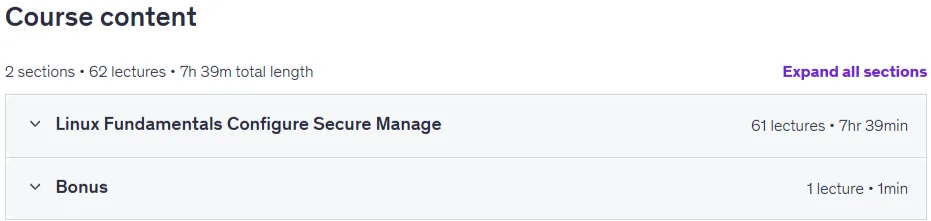
Number of Lessons: 62
Duration: 7 hours and 39 minutes
Course topics

Master Linux Mint: Security, Admin & Total System Control Prerequisites
A computer with an internet connection—Windows, Mac, or an existing Linux machine works fine
No prior Linux experience required whatsoever—we start from the absolute basics, nothing assumed
Willingness to practice in the terminal (we make it approachable from the very first command)
Pictures

Master Linux Mint: Security, Admin & Total System Control introduction video
Installation guide
After Extract, watch with your favorite Player.
English subtitle
Quality: 1080p
Downloadly link
Rapidgator link
File password (s): www.downloadly.ir
Size
3.9 GB