Description
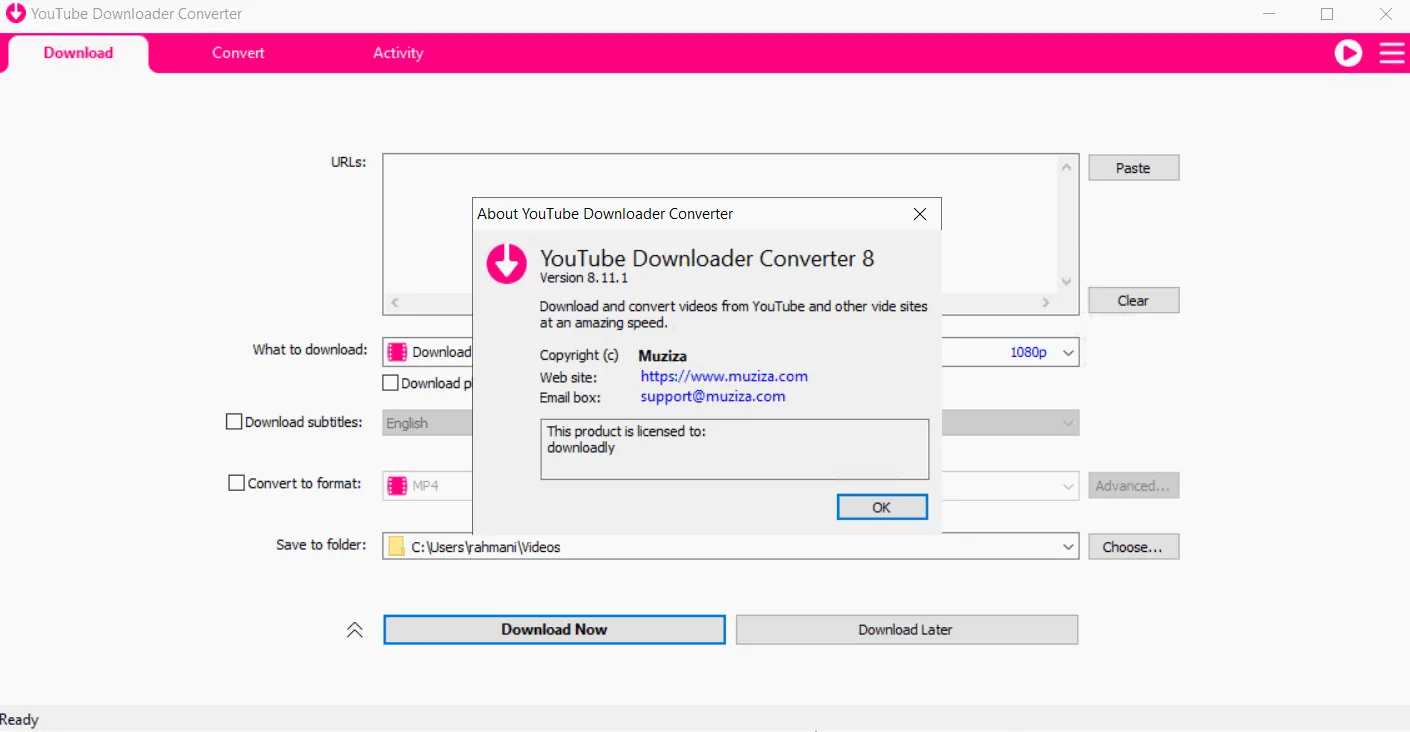
Muziza YouTube Downloader Converter is a tool with an attractive user interface and many features that helps the user download videos from websites such as YouTube, Facebook, Dailymotion, Instagram, and other sites.
Program features and functions
- Online video downloader: The program is able to download videos from thousands of video sites including YouTube, Facebook, Instagram, Dailymotion.
- HD video downloader: This app can download videos from YouTube in UHD 8K, 5K, 4K, QHD 2K, HD 1080p, and 720p quality.
- YouTube to MP3 converter: The program allows the user to download only the audio stream of a video from YouTube and save it in MP3 format; so there is no need to download the entire video file.
- Playlist downloader: The app allows the user to download all or part of a playlist with just a few clicks.
- Download accelerator: The program uses a multi-threaded engine to accelerate downloads, which increases download speeds by 500% or more.
- Download multiple videos at a time: This app supports simultaneous downloading and allows the user to download multiple videos at the same time.
- Pause and resume downloads: The user can pause and resume their downloads at any time.
- Drag-and-drop support: The user can simply drag and drop the video link from their browser into the dedicated section or program window to start the download; there’s no need to even copy and paste the video URL.
- Preview video/audio while downloading: While downloading, the user can click the Preview button to view the incomplete file and make sure the content being downloaded is what they want.
- Video and audio converter: This program is capable of converting video or audio files on the hard drive to MP4, FLV, AVI, WMV, MOV, MP3, AAC, and other formats for any device.
- Video optimizer: The app automatically optimizes downloaded videos for popular mobile devices so that the user can easily watch videos on devices such as iPhone, iPad, Android phone and other devices.
- Video to MP3 converter: The program allows the user to extract the audio stream from the video and save it in MP3, WAV, AC3 or other audio formats.
- Ready-made presets: This program has ready-made presets for all video and audio formats. The user can also customize the video or audio formats of their choice.
- iTunes compatible: Optionally, the app can automatically add downloaded videos and music to the iTunes library so that the user can easily synchronize them with devices such as iPhone, iPad, iPod.
- Media Player: This program includes an easy-to-use media player for playing files that Windows Media Player cannot play.
System requirements
- Operating System: Windows 7+
Pictures

Installation Guide and Tips
Read the Readme.txt file in the Crack folder.
Download link
Download Muziza YouTube Downloader Converter 9.5
File(s) password: www.downloadly.ir
File size
152 MB