Description
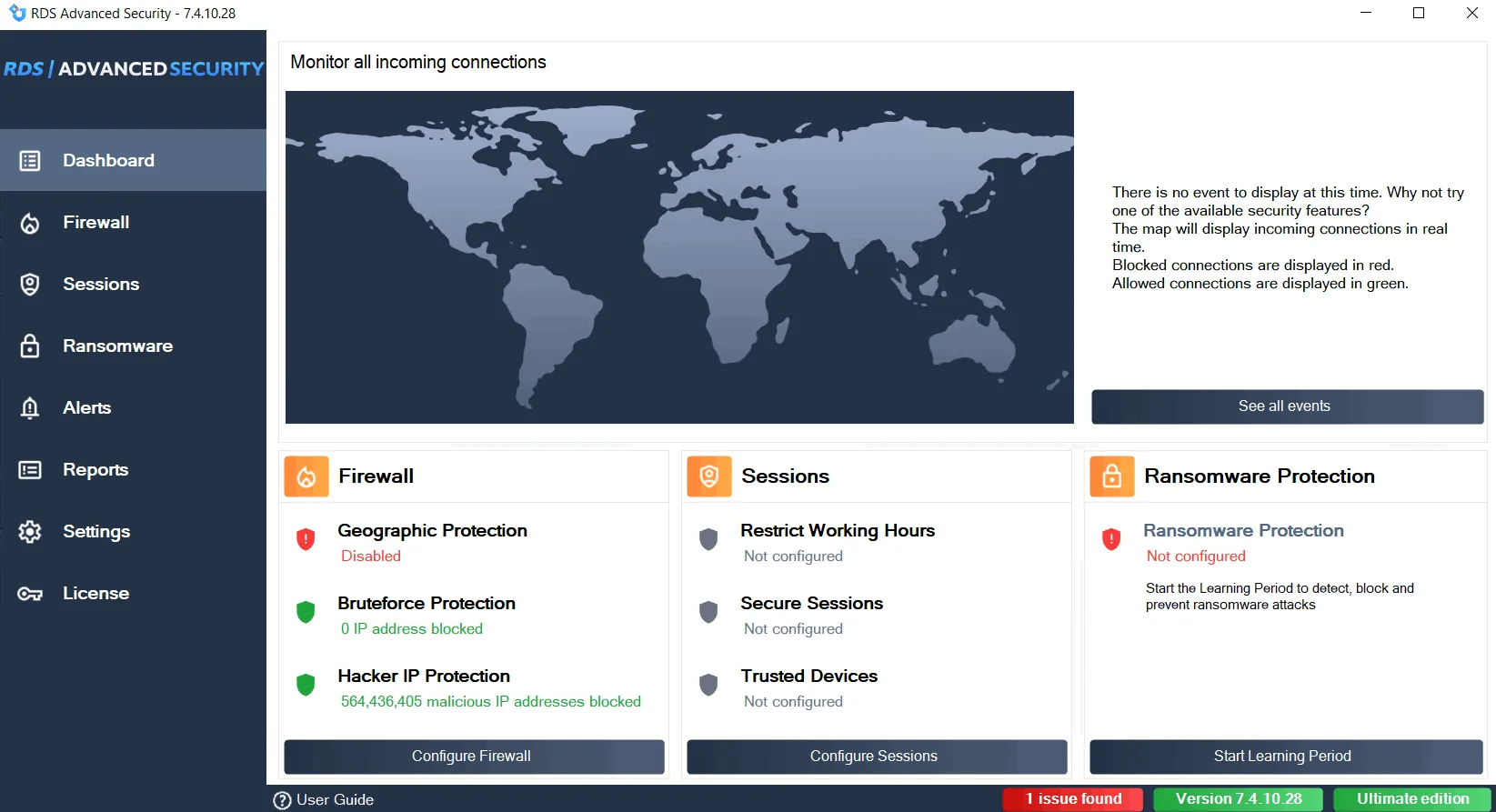
RDS Advanced Security Software. Any connection of a computer to the “outside world” can lead to infection. Whether it is a work or personal computer, it is of utmost importance to implement a strong security policy when running Remote Desktop Sessions, especially considering that Remote Desktop Protocol (RDP) is one of the preferred channels for malware distribution.
RDS Advanced Security consists of various modules that work in harmony with each other to prevent, protect against, and combat cyberattacks. After running the software, the user is presented with a modern user interface that displays all modules and provides one-click access to all of them. The tool is designed to increase security and reduce the risks of application hacking during RDP sessions.
Program features and functions
- By default, the PC is configured to accept connections from anywhere in the world. RDS-Knight is able to filter locations based on user preferences. By implementing this feature, the software adds a layer of protection. RDS Advanced Security can also go further and apply restrictions to individual users or entire groups. The Scheduler section allows administrators to define which users are allowed or blocked at different times of the day and according to the specified specifications.
- There are three security levels that users can choose from. Kiosk mode brings the highest number of usage restrictions, Secured Desktop mode imposes restrictions on browsing server resources within the RDP session, and the default Windows security model is also available.
- RDP Defender runs as a dedicated Windows service that is responsible for protecting the Host PC. The service constantly monitors computer activity and blocks incoming connection attempts from IP addresses on its blacklist or from computers that have had consecutive failed logon attempts. As expected, there is also the option to create a whitelist of addresses. In this section, users can add multiple IP addresses that they are confident are safe.
- RDS Advanced Security is an interesting piece of software that promises to secure RDP sessions and reduce the risk of applications being hacked. Not only can it filter RDP requests based on location, but it can also identify the device and use that as a filtering criterion.
System requirements
- Windows 7: Requires Service Pack 1 (build 6.1.7601) or higher.
- Windows Server 2008 R2: Requires Service Pack 1 (build 6.1.7601) or higher.
- Other supported versions: Windows 8/8.1/10/11 Pro, Windows Server 2012, 2012 R2, 2016, 2019, and 2022 are also compatible.
- .NET Framework: Version 4.5.3 or higher is required.
Pictures

Installation Guide and Tips
It is included in the Readme file.
Download link
Download RDS Advanced Security Ultimate 7.4.10.28 Multilingual
File(s) password: www.downloadly.ir
File size
17.0 GB