Description
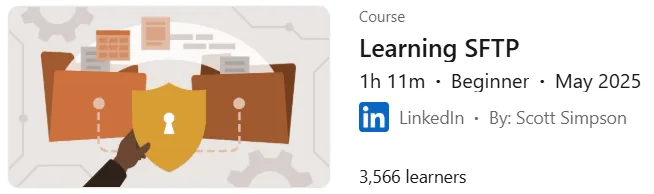
Learning SFTP course. This course provides the principles and techniques for securely transferring files between computers using the SFTP protocol. Instructor Scott Simpson explains the essentials of the protocol and shows how SFTP leverages SSH to create a secure file transfer channel. Participants will learn how to set up and connect to various servers, navigate directory structures, and perform common file operations, including uploading, downloading, and managing permissions. The course compares command-line interfaces and graphical clients so that individuals can choose the most appropriate tool for their needs. It also teaches practical skills such as troubleshooting common connection problems and properly managing file permissions. Other topics covered in this course include understanding network security concepts and familiarity with server configurations, whether cloud-based or on-premises. By the end of the course, learners will be able to effectively and securely manage file transfers in a variety of operating environments.
What you will learn
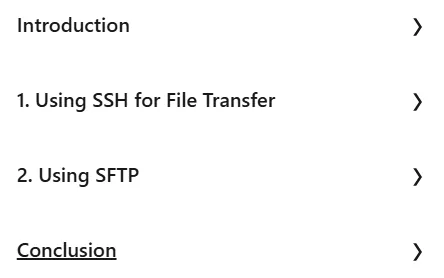
- Using SSH for file transfer:
- Using SSH to transfer files.
- Review of SCP (Secure Copy Protocol) and SSHFS (SSH File System).
- Using SFTP:
- Connect to an SFTP server.
- SFTP commands.
- Using SFTP on the command line.
- Using the Cyberduck SFTP client for Windows and macOS.
- Using the WinSCP SFTP client for Windows.
- Using SFTP in the VS Code editor.
- Using SFTP in GoCoEdit on a Mobile Device.
- Work with files remotely.
- Managing a website with SFTP.
- Troubleshooting SFTP connection.
- General principles:
- Understand the differences between command line and graphical clients.
- Gain skills in troubleshooting connection issues and managing file permissions.
- Strengthen understanding of network security.
- Explore different server configurations, including cloud and on-premises setups.
- Ability to manage file transfers effectively and securely in different environments.
This course is suitable for people who:
- Web developers and site administrators who need to securely manage website files.
- IT and administrative systems professionals who regularly perform secure file transfers between servers and clients.
- Anyone looking to understand and master secure file transfer using SFTP.
- Power users who want to differentiate between command-line and graphical SFTP clients and choose the best tool for their workflow.
- Those who want to improve their knowledge of network security and server configurations (cloud and on-premises).
Learning SFTP course details
- Publisher: LinkedIn
- Instructor: Scott Simpson
- Training level: Beginner
- Training duration: 1 hour and 11 minutes
Course topics

Course images

Sample course video
Installation Guide
After Extract, view with your favorite player.
Subtitles: English
Quality: 720p
Download link
Downloadly
Rapidgator link
File(s) password: www.downloadly.ir
File size
136 MB