Descriptions
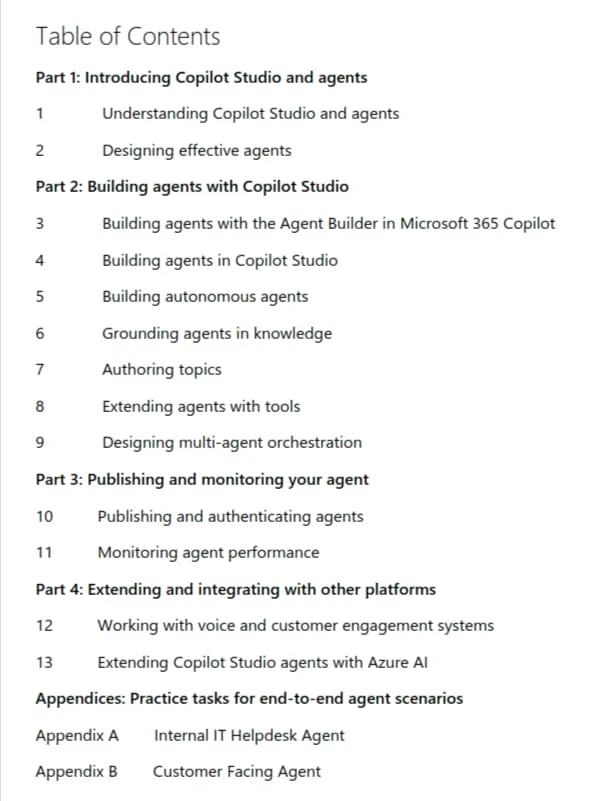
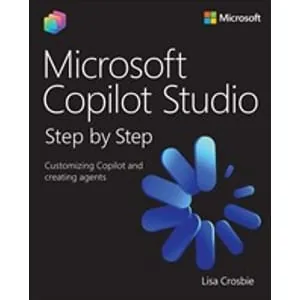
Microsoft Copilot Studio Step by Step: Customizing Copilot and creating agents, Renowned Microsoft AI authority Lisa Crosbie unveils an essential guide to mastering agent building and business process automation with Microsoft Copilot Studio. Microsoft Copilot Studio Step by Step: Customizing Copilot and creating agents is the definitive, hands-on guide for professionals seeking to master Microsoft’s low-code agent-building platform. The book combines reference material with step-by-step tutorials, making complex AI concepts accessible to low-code makers, consultants, and IT pros. You will learn to design, build, and deploy AI-powered agents that automate workflows, transform business processes, and integrate with Microsoft 365 Copilot and your line of business systems. Through practical scenarios, best practices, and end-to-end examples, this book equips users with the skills to leverage Copilot Studio for organizational value, offering the depth and clarity needed to turn ideas into working solutions, and emerging as the essential resource for this rapidly growing technology.
Book features
- Understand the foundational concepts and architecture of Microsoft Copilot Studio and AI agents
- Create AI-powered agents using natural language and low-code tools for internal and customer-facing scenarios
- Configure autonomous agents with event-driven, scheduled, and data-based triggers
- Ground your agents in organizational knowledge by connecting to multiple data sources
- Author structured conversational topics using advanced tools like branching logic and adaptive cards
- Extend agent capabilities with connectors, prompts, MCP servers, and workflow automation
- Design multi-agent orchestration using child and connected agents to delegate tasks across specialized domains
- Publish and authenticate agents across Microsoft 365 Copilot, Teams, websites, and other external channels
- Monitor agent performance using built-in analytics to optimize user experience
- Expand your solutions with advanced capabilities for integration with voice channels, customer engagement hubs and Azure AI
Who this Book is for
- Low-code makers, consultants, and IT professionals seeking to master Microsoft Copilot Studio
- Business process automation specialists and solution architects
- Anyone interested in building, customizing, and deploying AI-powered agents for Microsoft 365 and beyond
Specificatoin of Microsoft Copilot Studio Step by Step: Customizing Copilot and creating agents
- Publisher : Microsoft
- Teacher : Lisa Crosbie
- Language : English
- Level : All Levels
- Pages : 658
- Chapters: 4
- Format: EPUB
Content of Microsoft Copilot Studio Step by Step: Customizing Copilot and creating agents

Pictures

Installation Guide
Extract the files and watch with your favorite Software
Download Links
Downloadly
Rapidgator
Password file(s): www.downloadly.ir
File size
100 MB