Description
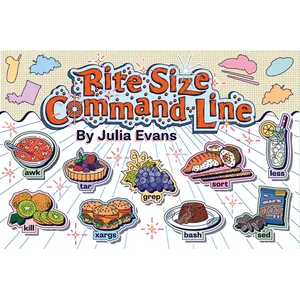
Bite Size Command Line (Wizard Zines) serves as a quick reference for essential Unix and Linux command line tools. Many users complain about the lack of practical examples in the system’s man pages; the author understands this and has compiled a collection of the most useful commands, along with real-world examples and arguments that are needed 80% of the time.
The book’s approach is based on the idea that you don’t need to memorize every option in a command, but knowing a few key options can give you tremendous power in file management and text processing. From searching through thousands of files to extracting specific information from system logs, this illustrated pocket guide is all there is to speed up your work with the terminal.
Book Features
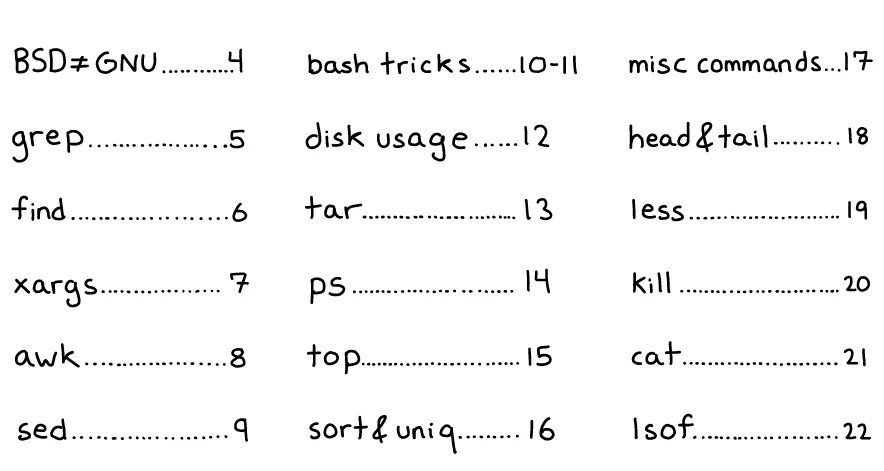
- Learn powerful text processing tools like grep, awk, and sed with simple examples.
- Review file management and search tools such as find, xargs, and tar.
- Guide to system monitoring and process management with the ps, top, and kill commands.
- Teaching techniques for viewing and combining files using cat, less, head, and tail.
- Explain the use of the lsof command to identify files opened by different processes.
- Providing incredibly useful tricks in the Bash environment to increase daily productivity.
- Compact visual design that allows each page to be dedicated to an independent tool.
Book specifications
- Publisher: Julia Evans
- Instructor: Julia Evans
- Number of pages: 24
- Number of chapters: 9
- Format: PDF
Headlines

Pictures

User Guide
Extract the file and run it with the appropriate software.
Download link
File(s) password: www.downloadly.ir
File size
21 MB