Description
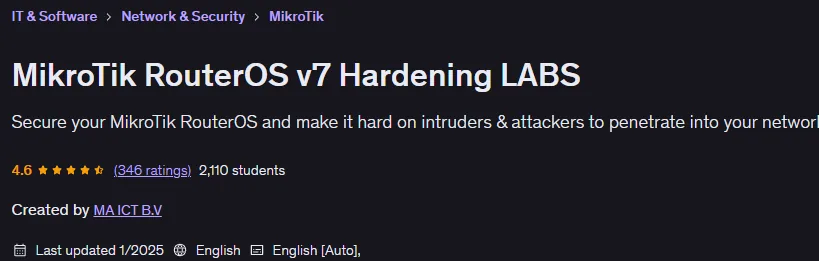
MikroTik RouterOS v7 Hardening LABS is a MikroTik RouterOS v7 Hardening Labs course published by Udemy Online Academy. It is a focused, hands-on training program that teaches you how to secure and harden MikroTik devices running RouterOS v7 against real-world threats. You will learn the fundamentals of network security and how to implement them using RouterOS tools and features, including firewall configuration, secure access control, protection against common attacks, VPN setup, and best practices for managing sensitive services. The course emphasizes lab-based learning and guides you through practical scenarios where you will implement security policies, audit configurations, and troubleshoot vulnerabilities in a controlled environment.
MikroTik routers are great routers with various packages installed by default and features that you can configure, but they can also be very dangerous if we do not secure them properly. Throughout the course, I will be using the latest MikroTik RouterOS v7 for all labs. To be able to follow this course and repeat the LABS, you only need one MikroTik router (you only need 2 MikroTik routers in 1 LAB). You can also use CHR virtual images to follow this course, so you do not need to buy a physical MikroTik router.
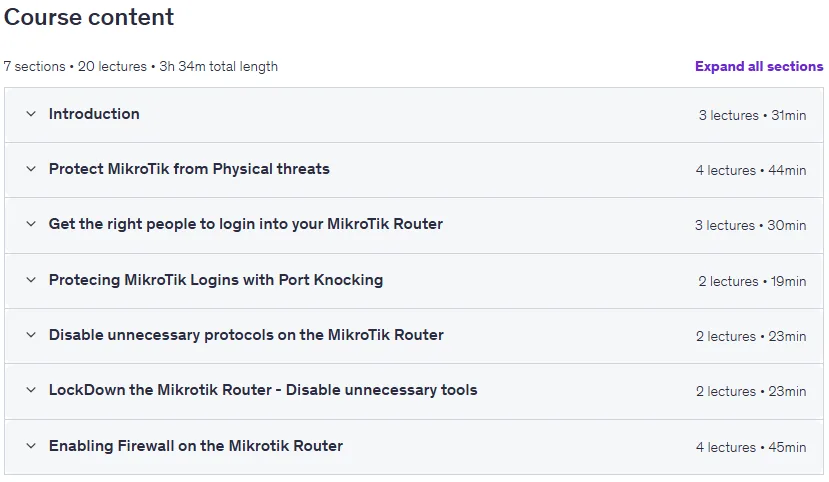
What you will learn in MikroTik RouterOS v7 Hardening LABS:
- Configuring Port Knocking for Login Security
- Disabling Insecure Protocols like FTP, Telnet, www, api…
- Securing MikroTik LCD Screentouch Access
- Allowing Users to Login to the Router at a Timed Interval
- Creating Different User Levels and Managing User Groups
- Exploiting MikroTik Security Holes and Securing Them
- Using “Address-List” for Port Knocking Security
- Using NMAP Software to Scan for Vulnerabilities and Open Ports on MikroTik Router
- Understanding the Different Chains in MikroTik Firewall
- Understanding How to Properly Use Firewall Chains: Inbound, Outbound, Forward
- And…
Course specifications
Publisher: Udemy
Instructors: MA ICT B.V
Language: English
Level: Introductory to Advanced
Number of Lessons: 19
Duration: 3 hours and 32 minutes
Course topics on 2025/1

MikroTik RouterOS v7 Hardening LABS Prerequisites
You should be familiar with winbox for MikroTik RouterOS
You should have basic networking knowledge
You should know the TCP/IP protocol
Pictures

MikroTik RouterOS v7 Hardening LABS introduction video
Installation guide
After Extract, watch with your favorite Player.
English subtitle
Quality: 720p
Downloadly link
Rapidgator link
File password (s): www.downloadly.ir
Size
2 GB