Description
Build an AI Robot Using Android Phone with ESP32 & micro:bit is a course published by Udemy Online Academy. This is a hands-on course that teaches you how to design and build an intelligent robot by combining the power of an Android smartphone with popular microcontrollers. The course shows how an Android phone can act as the robot’s brain for vision, voice, and AI processing, while the ESP32 and micro:bit handle sensors, control, and communication. You’ll learn how to connect hardware components, integrate sensors and motors, and use wireless communication to create an intelligent and interactive robot that can respond to its environment.
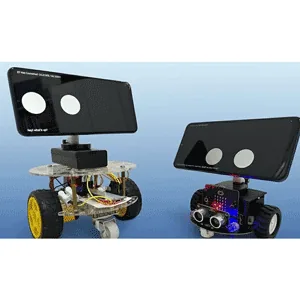
In this hands-on course, you’ll learn how to build an interactive, speaking robot called SAM (Simulated Autonomous Multiple Intelligence), powered by an Android smartphone and an ESP32 development board or a Micro:bit kit. Using MIT App Inventor as your main development tool, you’ll discover how easy it is to build complex AI applications through its intuitive block-based coding system – perfect for beginners and anyone with no prior programming experience. By the end of this course, you’ll have a fully functional, AI-powered robot that combines hardware, software, creativity, and conversational intelligence – all built by you from scratch!
What you will learn in Build an AI Robot Using Android Phone with ESP32 & micro:bit:
- Build a fully functional AI-powered robot using an Android phone with an ESP32 or micro:bit kit, or just a standalone phone.
- Use MIT App Inventor block-based coding to create an interactive Android app without any prior programming experience.
- Understand and implement Bluetooth communication between an Android phone (the brain) and an ESP32 (the body) or micro:bit kit.
- Integrate LLM-based conversation so your robot can speak, respond, and have meaningful interactions.
- Display expressive digital eyes that blink, track users, and show emotions using the phone’s screen.
- Add facial recognition and object tracking so your robot can automatically face and follow the user.
- And…
Course specifications
Publisher: Udemy
Instructors: Paul Chin, PhD
Language: English
Level: Introductory to Advanced
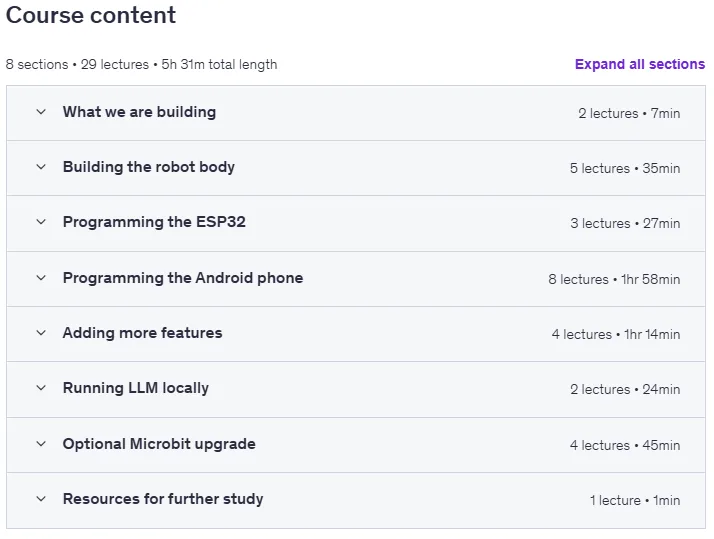
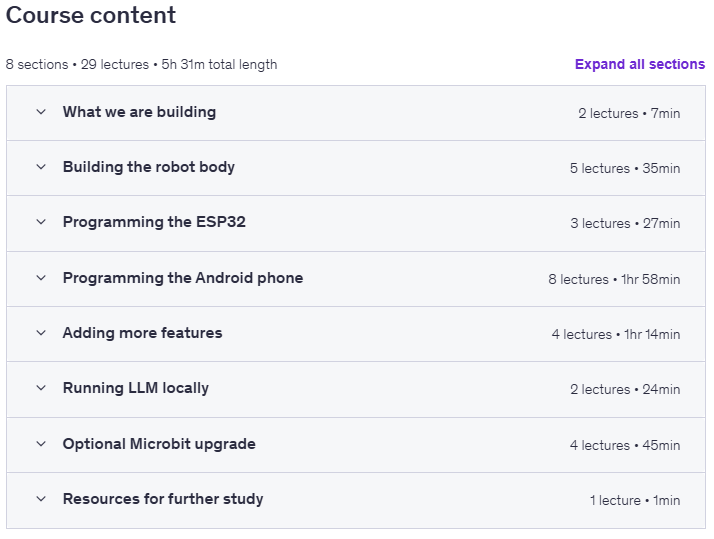
Number of Lessons: 17
Duration: 2 hours and 56 minutes
Course topics on 2025/12
Build an AI Robot Using Android Phone with ESP32 & micro:bit Prerequisites
An Android phone. This is the only required device. Electronics hardware (ESP32 or a micro:bit kit) is optional
A windows PC. Used for MIT App Inventor, Microsoft MakeCode, and ESP32 setup (if applicable)
Optional: Basic electronics knowledge (beginner level). Only needed if you choose to build a physical robot using an ESP32 or micro:bit. Just enough to connect simple components.
Willingness to learn block-based programming. No prior coding experience required. MIT App Inventor and Microsoft MakeCode are beginner-friendly and block-based (visual)
An interest in AI, robotics, or DIY projects. Curiosity is more important than technical background.
Optional (ESP32 users only): Beginner-level Arduino IDE familiarity is helpful if you choose the ESP32 robot path. All required steps are fully guided in the course.
For advanced AI features, you may optionally choose to use the OpenAI API, which requires creating an API key. This is optional, and usage costs are typically very low. Free or local alternatives can also be used depending on your setup.
Pictures

Build an AI Robot Using Android Phone with ESP32 & micro:bit introduction video
Installation guide
After Extract, watch with your favorite Player.
Subtitle: None
Quality: 720p
Downloadly link
Rapidgator link
File password (s): www.downloadly.ir
Size
2 GB