Description
WindowTop Pro is a useful tool that allows the user to manage various windows. This software allows the user to pin any window to all other windows, change its transparency, even click on the lower windows through transparent windows, enable Dark Mode or Read Mode for windows, minimize the size of windows and many other features. This software is especially useful for those who need to multitask and want to do several things at the same time. This tool allows the user to have more control over their workspace and easily switch between programs.
Program features and functions
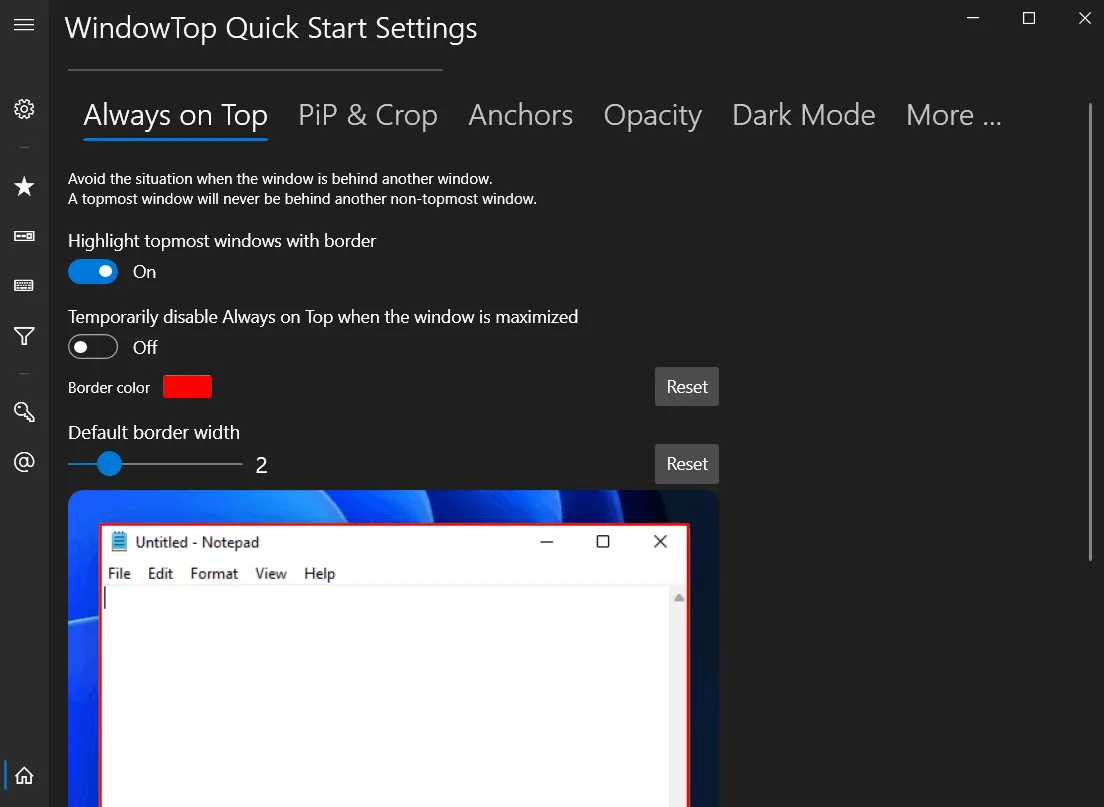
- Always on Top: Allows the user to always keep a window on top. It can even mark the topmost window with a red frame. The user can change this behavior in the settings, including the frame color.
- Anchors: For those who want to quickly return to a specific window, Anchors are a great tool. Instead of using Always-on-Top , users can use Anchors to access the desired window with a single click, which is faster than ALT+TAB and is great for touch screens. Anchors automatically move away from text or images so they don’t get in the way.
- PiP for any window: With this feature, the user can minimize any window to enter PiP (Picture in Picture) mode. In this mode, the user can do other tasks while watching a video and even interact with the window in PiP mode.
- PiP Auto-Move: PiP mode also has an auto-move option. This feature automatically keeps the window away from text or images.
- Opacity: Allows the user to adjust the transparency of a window. This feature is very useful for those who want to see the final result in the background while working on a design.
- Opacity + Click Through: In addition to adjusting transparency, this feature also provides the ability to click through a transparent window to view underlying windows. This option is very useful for designers and graphic artists.
- Dark Mode: This feature is very useful for those who work at night or are tired of too much screen light. If the software in question does not support dark mode, WindowTop can enable this feature. This feature is stable in Windows 11 but may not work well in Windows 10.
- Glass Mode: This smart transparency mode allows the user to take transparency to a higher level. Unlike regular transparency, the user can set different levels of transparency for the background around text or controls and images. They can also set the amount of blur. This feature may be slow on 4K displays and works best on NVIDIA graphics cards that use CUDA capabilities .
System requirements
Windows 10 (version 17763.0 or higher) or Windows 11
Pictures

Installation Guide and Tips
Copy and replace the contents of the crack folder in the software installation path.
Download link
Downloadly
Download WindowTop Pro 5.28.6 Multilingual
Rapidgator
Download WindowTop Pro 5.28.6 Multilingual
File(s) password: www.downloadly.ir
File size
65 MB