Description
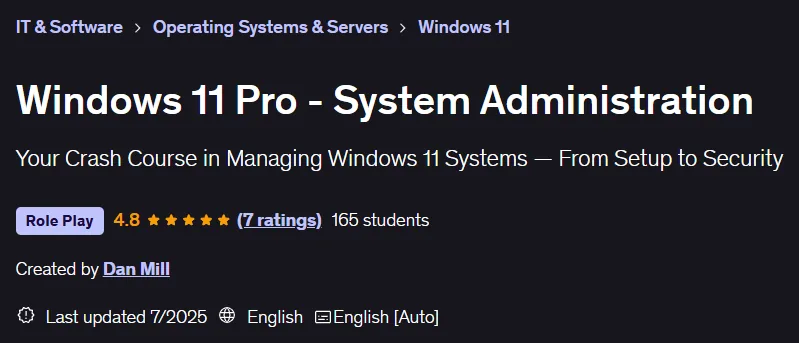
Windows 11 Pro – System Administration Course. This course covers essential topics from initial installation to using advanced IT tools in a hands-on manner. A great starting point for those new to system administration or those looking to gain expertise in Windows 11 professional administration, this course teaches the most important tools and tasks needed to support and administer the operating system in real-world environments in a compact timeframe. Designed for beginners or those with basic Windows knowledge, the training content begins with a step-by-step installation of Windows 11 on a virtual machine so that participants can practice all the steps with complete confidence and without the need for additional hardware. The main goal is to emphasize experiential learning and build the confidence needed to effectively manage Windows 11 in work environments or IT roles, whether supporting small teams, preparing for specialist positions, or managing personal systems. At the end of the course, a professional certificate of completion is awarded that can be added to a resume and LinkedIn profile. This certificate helps individuals stand out in the competitive IT market and demonstrate their ability to contribute effectively from the start, which is of particular interest to employers.
What you will learn
- Understand the key features, editions, and system requirements of Windows 11.
- Configure and manage Windows 11 settings, networking, updates, and built-in tools.
- How to connect Windows 11 devices to Active Directory and Entra ID (formerly Azure AD).
- Use essential system tools such as Task Manager, Services, Group Policy, and PowerShell.
- Employing practical security practices using tools such as Windows Defender, BitLocker, UAC, and third-party solutions.
- Understand the different editions of Windows 11 and which version is suitable for business use.
- Familiarity with key system tools such as Control Panel and Settings.
- Understand how Windows Updates work and how to manage them properly.
- Use Windows Defender and built-in security tools to protect the system.
- Get an introduction to PowerShell and basic command-line tools.
- Familiarity with Services, Group Policy, Disk Management, and more.
- Familiarity with useful third-party tools like WSUS, Intune, and Antivirus applications that businesses use to securely manage multiple systems.
This course is suitable for people who:
- Aspiring system administrators who want to gain practical skills in managing Windows 11.
- IT support professionals looking to upgrade their knowledge for modern Windows environments.
- Students preparing for IT certifications or interviews related to Windows system administration.
- Small business owners or tech enthusiasts managing their Windows 11 networks.
- Anyone who is transitioning from Windows 10 to Windows 11 and needs a structured and practical learning approach.
Course details
- Publisher: Udemy
- Instructor: Dan Mill
- Training level: Beginner to advanced
- Training duration: 2 hours and 52 minutes
- Number of lessons: 40
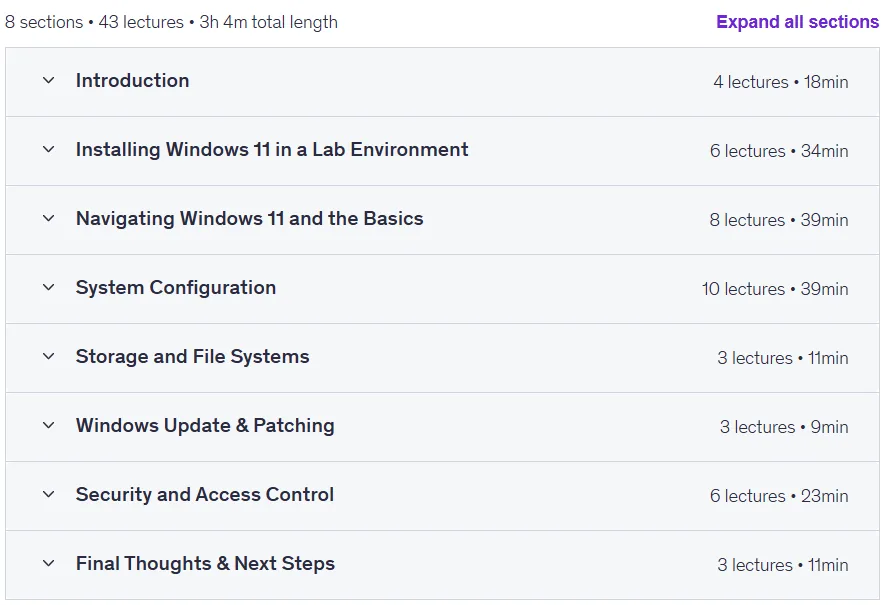
Course syllabus in 2025/7

Windows 11 Pro – System Administration Course Prerequisites
- Basic familiarity with using Windows operating systems (Windows 10 or earlier preferred).
- (Optional but recommended) Access to virtualization software such as VMware Workstation, VirtualBox, or Hyper-V.
- No prior IT admin experience is required, but a willingness to learn technical concepts will help.
- Access to Windows 11 ISO and tools like VMware Workstation or VirtualBox for lab practice is beneficial.
Course images

Sample course video
Installation Guide
After Extract, view with your favorite player.
Subtitles: None
Quality: 720p
Download link
Downloadly
Rapidgator link
File(s) password: www.downloadly.ir
File size
1.1 GB