Description
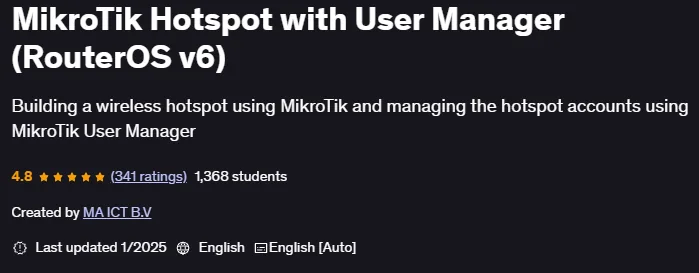
MikroTik Hotspot with User Manager (RouterOS v6) is a course on how to set up, configure, and manage MikroTik Hotspot services published by Udemy Online Academy. This is a hands-on course designed to teach you how to set up, configure, and manage MikroTik Hotspot services using RouterOS v6 with User Manager for authentication and billing. This course is ideal for network administrators, ISP technicians, and IT professionals who want to implement secure, efficient, and scalable hotspot solutions.
This course covers the basics of MikroTik RouterOS, introduces the Hotspot feature, and guides learners through configuration steps such as IP addressing, DHCP setup, NAT, and firewall rules. It explains how to integrate User Manager for centralized authentication, user account management, bandwidth control, and usage tracking. Individuals will also explore customizing login pages, session management, and coupon systems to provide flexible access for different users. Troubleshooting techniques, performance optimization, and real-world deployment scenarios are included to ensure practical knowledge. By the end, individuals will be able to design and deploy user-managed MikroTik hotspot networks that are secure, reliable, and fit into small and large environments.
What you will learn in MikroTik Hotspot with User Manager (RouterOS v6):
- Ability to understand the different options available in Mikrotik hotspot and when and where to use them
- Understand how to create profiles and create user accounts for users to connect to the internet with the hotspot
- Understand what is Walled Garden and where to use it
- Understand what is IP Binding and where to use it
- Limit bandwidth for hotspot users using bandwidth profiles
- Install a new Captive Portal theme for Mikrotik hotspot
- Know how to create automatic coupons for users to connect to the internet via hotspot
- Be able to connect User Manager to Mikrotik hotspot router
- Know how to backup the User Manager database
- Be able to recover the User Manager password if lost
- Configure QOS for users connected to the internet via hotspot
- And…
Course specifications
Publisher: Udemy
Instructors: MA ICT B.V
Language: English
Level: Introductory to Advanced
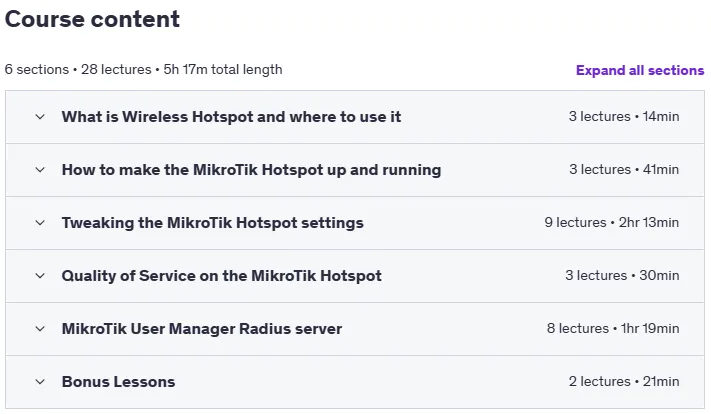
Number of Lessons: 28
Duration: 5 hours and 17 minutes
Course topics

MikroTik Hotspot with User Manager (RouterOS v6) Prerequisites
You are familiar with TCP/IP protocol
You have basic knowledge in networking
You have basic knowledge in wireless technology
Pictures

MikroTik Hotspot with User Manager (RouterOS v6) introduction video
Installation guide
After Extract, watch with your favorite Player.
English subtitle
Quality: 1080p
Download link
Downloadly
Rapidgator
File password (s): www.downloadly.ir
Size
8.8 GB