![Udemy – Microsoft Excel: Hands-On Learning Labs [MO-210 Exam Prep] 2025-3](https://nokobox.com/wp-content/uploads/dgi-import/images/183036-udemy-microsoft-excel-hands-on-learning-labs-mo/Microsoft_Excel__Hands-On_Learning_Labs__MO-210_Exam_Prep_-Copy.webp)
Description
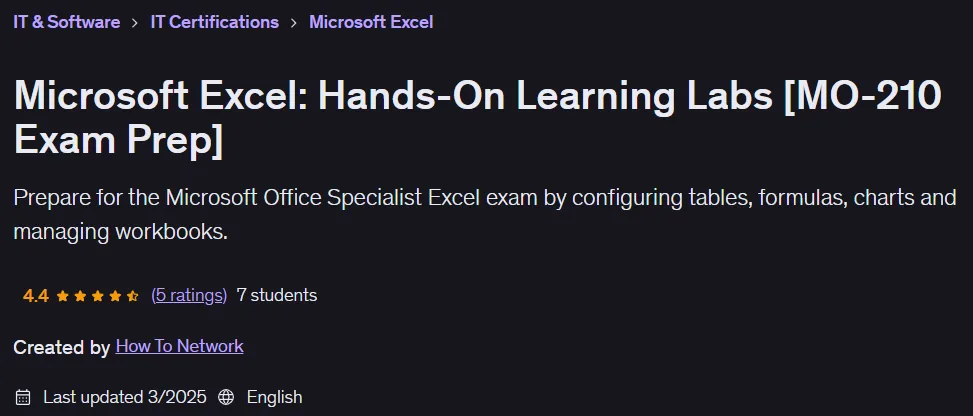
Microsoft Excel: Hands-On Learning Labs [MO-210 Exam Prep]. This course provides hands-on practice to prepare participants for success on the MO-210 certification exam and to use Excel effectively in the workplace. Designed specifically for this exam, this course equips participants for practical challenges in the corporate environment and the exam itself by teaching them how to configure and troubleshoot commonly used Excel tools and features. The exam is designed to advance users from beginner to intermediate levels, and success in this exam leads to the prestigious Microsoft Office Specialist: Excel Associate certification. This course requires no prior knowledge and even teaches basic access to the software. The training labs start with the basics and gradually build participants’ knowledge, skills, and confidence to face the exam and real-world situations. An experienced Excel expert with over 15 years of experience using and teaching Excel will lead the course, sharing his hands-on experience using Excel in consulting projects such as management reporting, ROI analysis, and data-driven decision support. The course concludes with a practice exam that simulates the real-world conditions of the MO-210 exam; in this section, participants are given a set of tasks within a specified time frame and then the solution and method for completing it are fully demonstrated. This course is suitable for everyone, from those who want to learn Excel for personal or professional use to candidates for the Microsoft Office Specialist international certification.
What you will learn
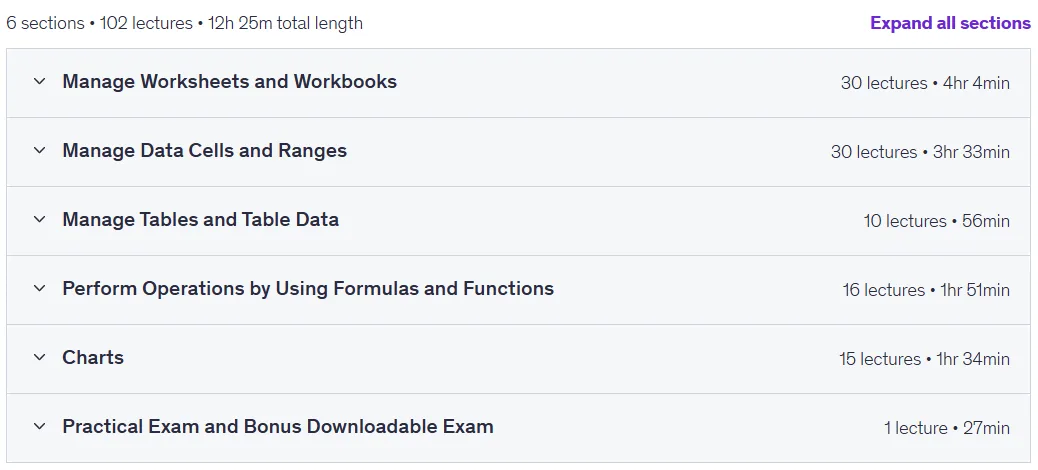
- Manage Worksheets and Workbooks.
- Create and format cells professionally. Change contents, insert Sparklines, and more.
- Create Excel tables from cell ranges, filter records, and apply styles.
- Understand how to perform operations using formulas and functions.
- Create charts and add data to them.
- Preparing for the Microsoft MO-210 exam.
- Managing Data Cells and Ranges.
- Manage charts, tables and table data.
- Performing operations using formulas and functions.
This course is suitable for people who:
- Students preparing for the Microsoft Office Specialist: Excel Associate (Microsoft 365 Apps) exam.
- Office workers who need to use Excel.
- Anyone who wants to learn the most popular Excel tools and features.
Course details
- Publisher: Udemy
- Instructor: How To Network
- Training level: Beginner to advanced
- Training duration: 12 hours and 25 minutes
- Number of lessons: 102
Course headings
![Microsoft Excel: Hands-On Learning Labs [MO-210 Exam Prep]](https://downloadly.ir/wp-content/uploads/2025/11/Microsoft-Excel-Hands-On-Learning-Labs-MO-210-Exam-Prep-1.png)
Microsoft Excel: Hands-On Learning Labs [MO-210 Exam Prep] Course Prerequisites
- Suitable for complete beginners. Download Excel and get started today!
- Access to a home computer and internet connection.
Course images
![Microsoft Excel: Hands-On Learning Labs [MO-210 Exam Prep]](https://downloadly.ir/wp-content/uploads/2025/11/Microsoft-Excel-Hands-On-Learning-Labs-MO-210-Exam-Prep.png)
Sample course video
Installation Guide
After Extract, view with your favorite player.
Subtitles: None
Quality: 720p
Download link
Downloadly
Rapidgator link
File(s) password: www.downloadly.ir
File size
7.07 GB