Description
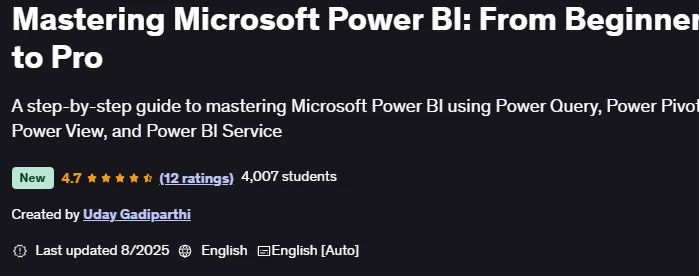
Mastering Microsoft Power BI: From Beginner to Pro is a course on basic concepts to advanced data analysis using Microsoft Power BI published by Udemy Online Academy. This is a comprehensive course designed to take people from basic concepts to advanced data analysis using Microsoft Power BI. The course provides hands-on training for building interactive dashboards, creating detailed reports, and transforming raw data into actionable business intelligence, making it ideal for data analysts, business professionals, and anyone who wants to use data-driven decision-making.
This course covers the complete Power BI workflow, starting with importing, cleansing, and transforming data using Power Query, followed by exploring robust data models and defining relationships for detailed analysis. Students explore DAX (Data Analysis Expressions) to perform complex calculations, measures, and custom aggregations. This course teaches how to design visually appealing dashboards and reports with effective data visualization techniques and how to implement filters, slicers, and granular actions for interactive exploration. Additional topics include publishing and sharing reports in the Power BI service, managing workspaces, setting up scheduled refreshes, and applying security roles to control access. By the end, participants will have the skills to manage real-world data projects, deliver clear insights, and make strategic business decisions using Microsoft Power BI.
What you will learn in Mastering Microsoft Power BI: From Beginner to Pro:
- Use Power Query to clean, transform, and shape raw data.
- Write basic and advanced DAX formulas for calculations and key performance indicators (KPIs).
- Design professional reports and visualizations using Power View.
- Publish, manage, and share reports securely using Power BI Service.
- Build a true end-to-end dashboard project.
- Apply best practices for data visualization and storytelling.
- Understand Power Query and its role in Power BI workflows.
- Connect to multiple data sources (Excel, CSV, SQL Server, web, APIs, and more).
- Perform data cleaning tasks such as removing duplicates, filtering rows, splitting and merging columns.
- Use transformations such as rotating, unrotating, grouping, and transposing data.
- Apply conditional logic to create new columns and advanced calculated fields.
- And…
Course specifications
Publisher: Udemy
Instructors: Uday Gadiparthi
Language: English
Level: Introductory to Advanced
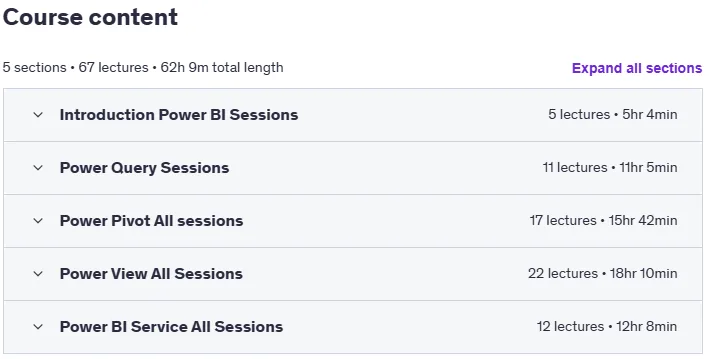
Number of Lessons: 67
Duration: 62 hours and 15 minutes
Course topics on 2025/8

Mastering Microsoft Power BI: From Beginner to Pro Prerequisites
No prior Power BI experience required.
Basic Excel knowledge is helpful (but not mandatory).
Windows PC required (Power BI Desktop doesn’t run natively on Mac).
Internet connection for Power BI Service features.
Pictures
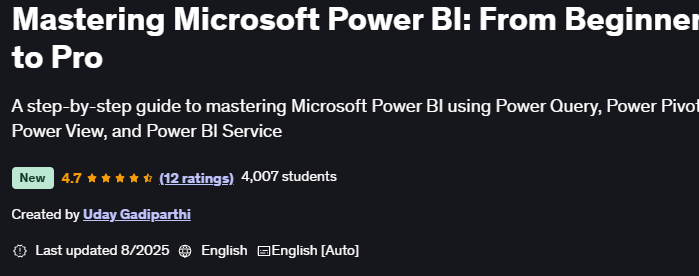
Mastering Microsoft Power BI: From Beginner to Pro introduction video
Installation guide
After Extract, watch with your favorite Player.
Subtitle: None
Quality: 1080p
Download link
File password (s): www.downloadly.ir
Size
57.5 GB