Descriptions
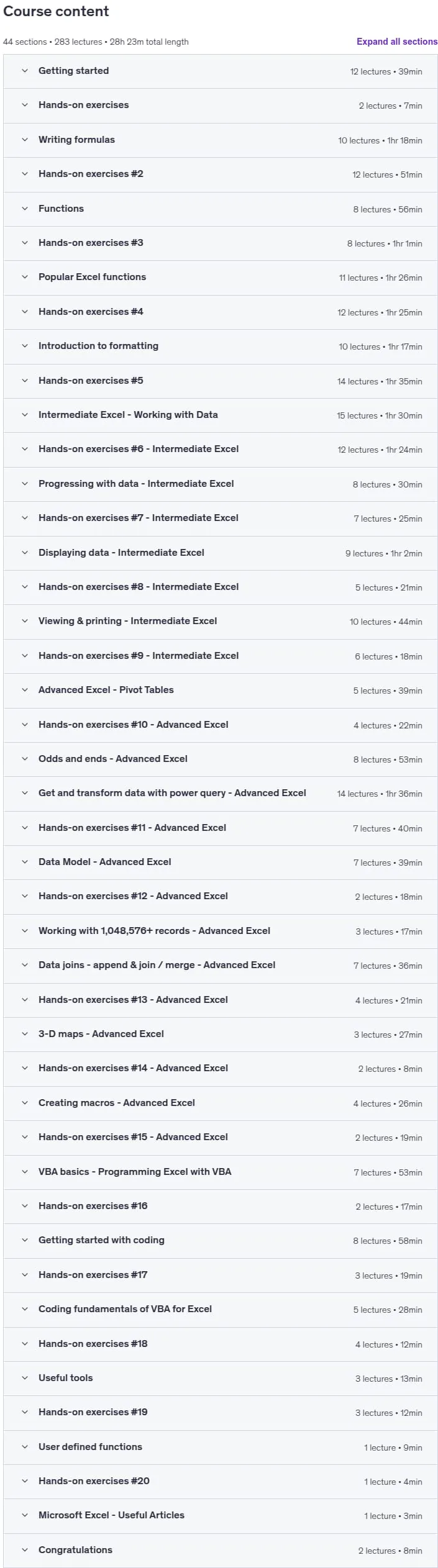
Master Microsoft Excel – A Comprehensive Excel Master Class, This comprehensive Excel course covers everything you need to know about Microsoft Excel, from the fundamentals to the most advanced features. After completing this class, you will be able to use Excel at an expert level. Beginners can start from the basics and progress to mastery, while intermediate and advanced users can focus on the sections they need. The course is developed by a best-selling Udemy author, Microsoft Certified Educator, Microsoft Office Specialist Expert, tenured college professor, and Udemy Instructor Partner. You will learn to navigate Excel, enter and edit data, adjust data display, write formulas using point-and-click, use relative, absolute, and mixed references, create calculations with functions, and work with every function using documentation. The course teaches you to visually represent data with charts, trendlines, sparklines, and combo charts, use data tools like sorting, subtotaling, and filtering, freeze columns and rows, remove duplicates, transpose data, leverage Pivot Tables and Pivot Charts, format worksheets including conditional formatting, automate tasks with macros, integrate Excel with Word, protect your work with passwords, use printing and sharing features, harvest data from the web, create random data generators, and apply advanced filtering. You will also learn sensitivity analysis tools like goal seek, scenarios, and data tables, use multiple windows and selection panes, print worksheets in various formats including PDF, apply styles, themes, stats, accessibility, watch and calculation options, use get & transform and the power query editor, create relationships in the data model, work with data joins and append data, use 3D maps and recorded scenes, and program Excel with VBA. All project files used in the videos are available for download. This Excel training will transform the way you work with numbers and help you master Microsoft Excel quickly and easily.
What you’ll learn
- The Ultimate Microsoft Excel Course – Master Microsoft Excel – formulas and functions – shortcuts and tips – charts and graphs – for beginners to advanced users
- Taught by a best-selling Udemy author, Udemy Instructor Partner, Microsoft Certified Educator, Microsoft Office Specialist Expert, & Tenured College Professor
- From the fundamentals to the most advanced features, this training covers everything about Microsoft Excel including automation & VBA programming
- Presented with high-quality video lectures, this Microsoft Excel comprehensive course will visually show you how to do everything in Excel
- 128 page course outline included with the course, along with lifetime access, allowing you to review material at any time and learn new material
- Hands-on exercises with video solutions, including all Excel files, allow you to apply what you are learning and grow your abilities with Microsoft Excel
- Extensive coverage of Excel functions & the Top 10 functions: SUM, IF, LOOKUP, VLOOKUP, XLOOKUP, MATCH, CHOOSE, DATE, DAYS, FIND, FINDB, INDEX, AVERAGE, COUNT
- Excel charts, graphs, & sparklines – data visualization – conditional formatting – spreadsheet formatting – Excel tips & tricks – data entry shortcuts
- Data management & analysis – pivot tables – get & transform – power query editor – data validation – goal seek – macros & VBA (Visual Basic for Applications)
- Data cleaning and transformation – filter & sort data – formula tracing – learn to read Excel’s documentation so that you are empowered to find answers
- Over 400,000 students taught, Lifetime course access, Hands-on exercises with solutions
- 100% satisfaction guaranteed, Learn at your own pace, This course is tested and proven
Who this course is for
- This Microsoft Excel Comprehensive course serves all ability levels – from beginners to advanced users
- BEGINNERS can begin at the beginning, work their way through the course, and master everything about Microsoft Excel
- INTERMEDIATE users can drop into the sections they need to master, then advance forward with their Microsoft Excel skills
- ADVANCED users can also drop into the sections they need to master, then advance forward with their Microsoft Excel skills
Specificatoin of Master Microsoft Excel – A Comprehensive Excel Master Class
- Publisher : Udemy
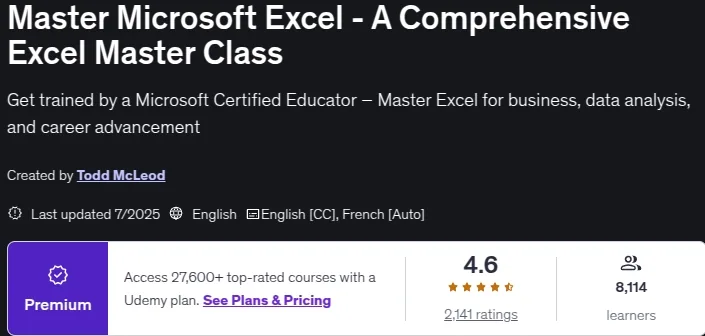
- Teacher : Todd McLeod
- Language : English
- Level : All Levels
- Number of Course : 283
- Duration : 28 hours and 23 minutes
Content of Master Microsoft Excel – A Comprehensive Excel Master Class

Requirements
- No prior experience is needed. This Comprehensive Microsoft Excel course covers every aspect of Microsoft Excel.
Pictures

Sample Clip
Installation Guide
Extract the files and watch with your favorite player
Subtitle : English
Quality: 720
Download Links
Downloadly
Rapidgator
Password file(s): www.downloadly.ir
File size
24.29 GB