Description
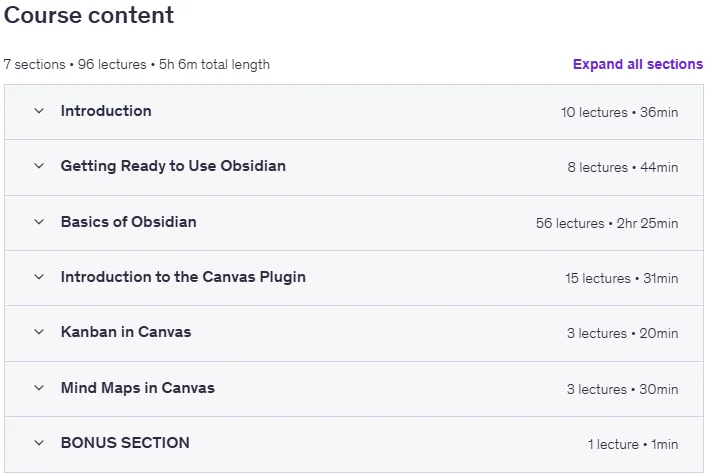
Learn Basics of Obsidian: The Canvas Plugin is a course on Obsidian Canvas, published by Udemy Online Academy. This course introduces you to the basics of the Obsidian Canvas plugin, a powerful visual tool for organizing ideas, notes, and projects in Obsidian. You’ll learn how Canvas works, how to visually organize and connect notes, and how to create workflows that transform scattered thoughts into structured knowledge maps. The lessons focus on hands-on demonstrations—creating boards, linking notes, embedding files, setting up layouts, and using Canvas for brainstorming, planning, studying, and project tracking.
Whether you’re new to Obsidian or exploring advanced features, this course provides a smooth, hands-on introduction to visual thinking in your knowledge management system. This course covers Canvas basics, creating and linking notes visually, building knowledge maps, organizing workflows, embedding files and media, using boards for brainstorming and planning, customizing layouts, and using Canvas for studying, productivity, and project management.
What you will learn in Learn Basics of Obsidian: The Canvas Plugin:
- What is Obsidian
- How to use Obsidian correctly
- Different note-taking methods
- The importance of the graph view
- How to organize your notes in folders
- How to use the Canvas plugin
- What are Kanban boards
- What is a mind map
- How to create Kanban boards in Obsidian using Canvas
- How to create a mind map in Obsidian using Canvas
- Useful shortcuts in Obsidian
- Using Markdown to write in Obsidian
- What is the graph view and why you should use it
- How to create a chart in Obsidian
- How to create and use templates in Obsidian
- How to use daily notes correctly
- How to create notes in Obsidian
- How to install Obsidian
- How to format text in Obsidian
- Getting to know Obsidian settings
- And…
Course specifications
Publisher: Udemy
Instructors: Fahad Masood Reda
Language: English
Level: Introductory to Advanced
Number of Lessons: 88
Duration: 4 hours and 49 minutes
Course topics on 2025/11

Learn Basics of Obsidian: The Canvas Plugin Prerequisites
You Need To Have an Internet Connection to Download The Software
Obsidian is available on Windows and Mac and Linux ( this course is using Windows 10)
This course is using the Free version of Obsidian ( the Personal use version)
Pictures

Learn Basics of Obsidian: The Canvas Plugin introduction video
Installation guide
After Extract, watch with your favorite Player.
English subtitle
Quality: 720p
Downloadly link
Rapidgator link
File password (s): www.downloadly.ir
Size
1.7 GB