Descriptions
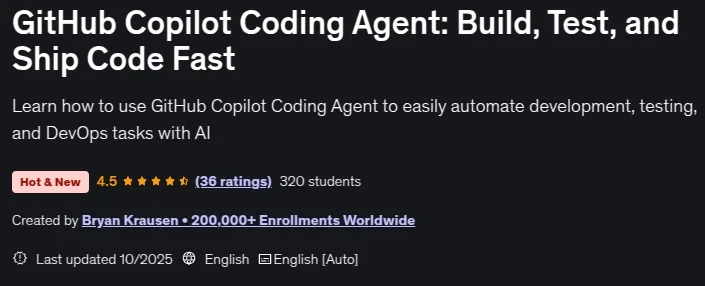
GitHub Copilot Coding Agent: Build, Test, and Ship Code Fast, What if you could open a GitHub issue, describe the outcome you want, and come back to a draft PR with tests run and changes ready to review? That’s the promise of the GitHub Copilot Coding Agent. This course is a hands-on guide to delegating real work to an agent that operates in the cloud—planning tasks, updating multiple files, running checks with GitHub Actions, and iterating based on your feedback—so you ship faster with less context-switching. You’ll learn best practices for using the GitHub Copilot Coding Agent, when to use Agent Mode versus Copilot and how to combine both for maximum efficiency, and which tasks are ideal for the Coding Agent. The course covers enabling and configuring the Coding Agent for repositories in your GitHub Organization or Enterprise, writing high-signal issues with clear goals and acceptance criteria, providing additional context to ensure the agent follows your organization’s standards, guiding runs by reviewing plans and diffs, giving feedback, and safely re-running tasks. You’ll automate multi-file changes, test execution, and CI workflows without leaving your IDE, and learn how to configure the Coding Agent to work with MCP for external data integration and expanded capabilities. By the end, you’ll confidently direct the Coding Agent from idea to issue to draft PR, maintaining control over quality while offloading repetitive work.
What you’ll learn
- Enable and configure GitHub Copilot Agent Mode in Visual Studio Code and Visual Studio
- Write effective prompts to guide Agent Mode through coding, testing, and deployment tasks
- Automate multi-step workflows, including multi-file edits, bug fixes, and running tests
- Identify when to use Agent Mode vs. Edit Mode for maximum productivity
Who this course is for
- Developers curious about AI-powered coding tools
- Teams adopting GitHub Copilot and seeking real-world Agent Mode examples
- Anyone who wants to write, test, and ship code faster and more efficiently
Specificatoin of GitHub Copilot Coding Agent: Build, Test, and Ship Code Fast
- Publisher : Udemy
- Teacher : Bryan Krausen 200,000+ Enrollments Worldwide
- Language : English
- Level : All Levels
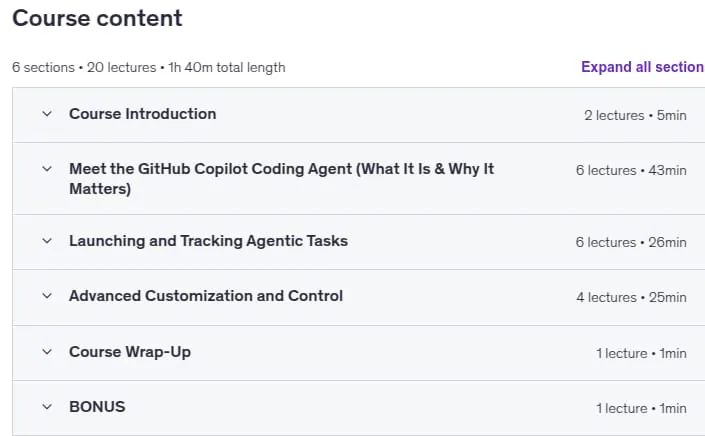
- Number of Course : 20
- Duration : 1 hours and 40 minutes
Content of GitHub Copilot Coding Agent: Build, Test, and Ship Code Fast

Requirements
- Basic familiarity with writing and editing code in any language (JavaScript, Python, Java, etc.)
- Experience using Visual Studio Code or Visual Studio is helpful but not required
- A GitHub account (free or paid) to access GitHub Copilot features
- An interest in using AI-powered tools to improve productivity and streamline workflows
Pictures

Sample Clip
Installation Guide
Extract the files and watch with your favorite player
Subtitle : Not Available
Quality: 720p
Download Links
Downloadly
Rapidgator
Password file(s): www.downloadly.ir
File size
683 MB