Description
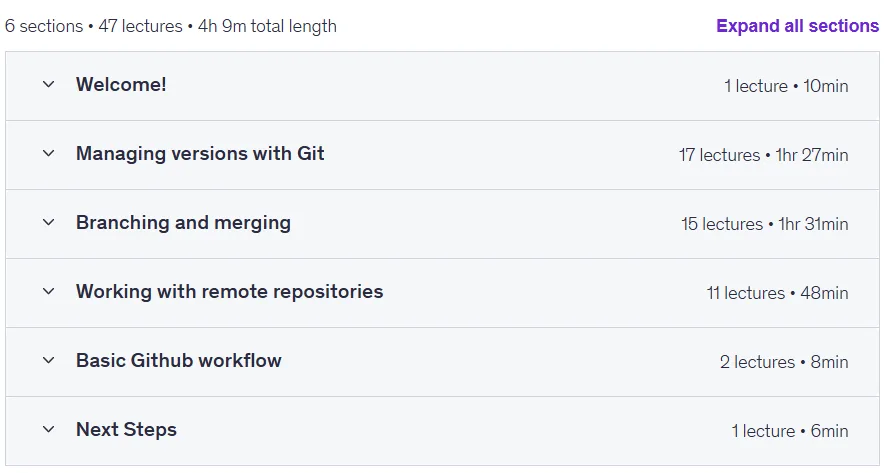
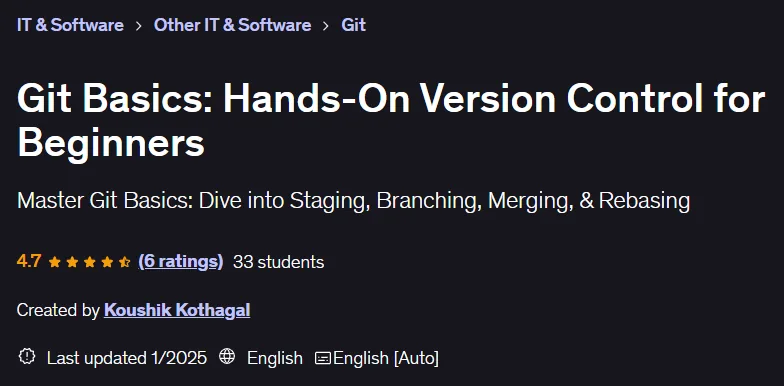
Git Basics: Hands-On Version Control for Beginners. This course provides a hands-on introduction to the Git version control system, the global standard for managing open source projects to enterprise codebases. The course starts with basic concepts like setting up repositories, preparing files, and tracking changes to build a solid understanding of the Git architecture. It then moves on to more advanced topics like branching, merging, and rebuilding to maintain a clean, linear history. It also provides practical solutions for resolving merge conflicts. In the collaboration section, learners are introduced to the workflow on a platform like GitHub and learn how to branch, clone projects, create push requests, and stay in sync with remote teams. It also covers managing unwanted files, viewing commit history, and reverting to previous states. Packed with real-world examples and practical tips, this course is designed for developers who want to use Git professionally in the workplace or prepare for job interviews. By the end, participants will have the ability to confidently manage code, collaborate effectively with others, and maintain order and efficiency in projects.
What you will learn
- Master the basics of version control and “time travel” with Git.
- Initialize repositories, track changes, and maintain a clean commit history.
- Understand Git’s three-state architecture for Staging and Commit.
- Practice Branching, Merging, and Conflict Resolution for effective code management.
- Use Commits to save, revert, and compare Snapshots of your project.
- Check out the Rebase command to keep your commit history clean and optimized.
- Selectively Stage changes and undo mistakes with Checkout, Restore, and Amend.
- Set up remote repositories on GitHub for collaborative development.
- Fetch, Pull, and Push updates to keep local and remote branches in sync.
- Fork repositories, open Pull Requests, and contribute to Open-Source projects.
- Use .gitignore to manage build artifacts and untracked files.
- Visualize branch histories, inspect diffs, and revert to older commits.
- Use Branching, Merge, and Rebase strategies for smoother code collaboration.
This course is suitable for people who:
- Programmers preparing for technical interviews and want a strong Git foundation.
- Software developers who aim to optimize their Version Control workflows.
- Anyone looking to effectively manage project files and collaborate with teams.
- Students or professionals transitioning into coding roles who need real-world Git skills.
Course details
- Publisher: Udemy
- Instructor: Koushik Kothagal
- Training level: Beginner to advanced
- Training duration: 4 hours and 10 minutes
- Number of lessons: 47
Course syllabus as of 2025/1

Prerequisites for the Git Basics: Hands-On Version Control for Beginners course
- Basic familiarity with any programming language or coding environment
- A computer running Windows, macOS, or Linux
- Internet connection to download Git and access GitHub
- Willingness to use a command-line interface (terminal)
Course images

Sample course video
Installation Guide
After Extract, view with your favorite player.
Subtitles: None
Quality: 1080p
Download link
Downloadly
Rapidgator link
File(s) password: www.downloadly.ir
File size
3.1 GB