Description
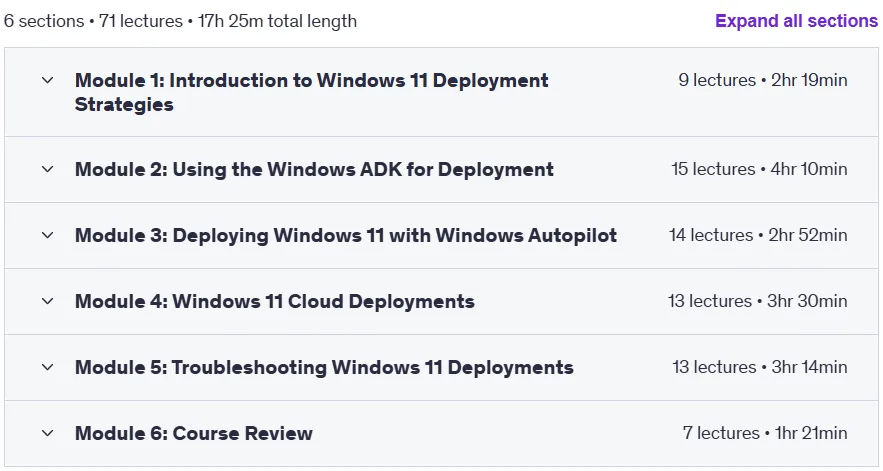
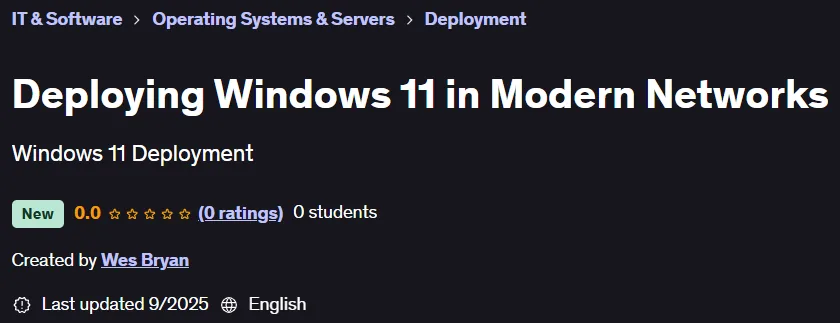
Deploying Windows 11 in Modern Networks. This technical and hands-on course is designed for IT professionals who plan, deploy, and manage Windows 11 in enterprise environments. The course begins by reviewing traditional, modern, and cloud deployment models and covers organizational requirements and licensing considerations. Students then compare traditional imaging with modern provisioning and learn about hardware standards, security metrics, and compliance requirements to meet business objectives. Windows ADK tools such as Windows PE, DISM, and Sysprep are taught to provide the skills needed to customize and service images for large-scale deployments. The main focus of the course is on modern deployments with Windows Autopilot and Microsoft Intune, which includes creating deployment profiles, enrolling devices, and integrating identity management with Microsoft Entra ID. Cloud deployments including Windows 365 Cloud PCs, Azure Virtual Machines, and Azure Virtual Desktop are also explored, and architectural concepts such as the control plane and management plane are taught. Finally, the course concludes with structured troubleshooting solutions for common issues in Autopilot, Intune, and cloud environments, using tools like Event Viewer and SetupDiag, to prepare learners to manage secure, efficient, and scalable Windows 11 infrastructures in a variety of environments.
What you will learn
- Comparing traditional and modern Windows 11 deployment strategies.
- Implementing appropriate Windows Assessment and Deployment Kit (ADK) tools in various scenarios.
- Deploy Windows 11 with Autopilot in Microsoft Intune.
- Deploy Windows 11 with cloud-based solutions.
- Troubleshooting Windows 11 deployments in various scenarios.
This course is suitable for people who:
- Helpdesk technicians.
- Support teams.
- IT managers.
- This course is designed for individuals who want to gain the ability to deploy the Windows 11 operating system using various tools in various scenarios.
Course details for Deploying Windows 11 in Modern Networks
- Publisher: Udemy
- Instructor: Wes Bryan
- Training level: Beginner to advanced
- Training duration: 17 hours and 25 minutes
- Number of lessons: 71
Course topics
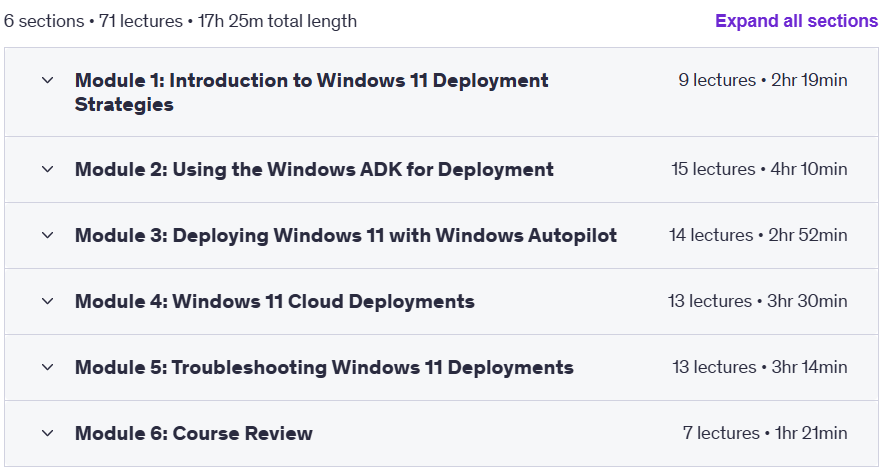
Prerequisites for the Deploying Windows 11 in Modern Networks course
- (Recommended, not required) Understanding of Windows 11 desktop environment, working knowledge of basic networking and cloud skills
Course images

Sample course video
Installation Guide
After Extract, view with your favorite player.
Subtitles: None
Quality: 720p
Download link
File(s) password: www.downloadly.ir
File size
20.4 GB