Description
Computer Vision Web Development: YOLOv8 and TensorFlow.js is a course on how to integrate advanced AI-based vision models into web applications published by Udemy Online Academy. This course teaches you how to integrate advanced AI-based vision models into web applications. It covers the basics of computer vision, real-time object recognition using YOLOv8, and deploying machine learning models with TensorFlow.js directly in a browser. Learners will explore the concepts of deep learning, model training, optimization techniques, and web-based inference, enabling them to build interactive, AI-based applications.
The Computer Vision Web Development course will guide you from scratch until you are comfortable enough to create your own web applications. This course includes hands-on projects, hands-on programming, and real-world use cases, making it ideal for developers, data scientists, and AI enthusiasts looking to use computer vision in web development. By the end of the course, you will have the skills and knowledge to develop your own computer vision applications on the web.
What you will learn in Computer Vision Web Development: YOLOv8 and TensorFlow.js:
- Web Development Fundamentals
- Computer Vision Fundamentals
- OpenCV js Fundamentals
- Computer Vision and Web Integration
- Graphical Interface
- Video Processing in the Browser Using OpenCVjs
- Object Detection
- Custom Object Detection
- TensorFlow for JavaScript
- Deep Learning on the Web
- Create 10+ Computer Vision Web Applications
- Real-time Object Detection in the Browser Using YOLOv8 and TensorFlowjs
- Personal Protective Equipment (PPE) Detection in the Browser Using YOLOv8 and TensorFlowjs
- And…
Course specifications
Publisher: Udemy
Instructors: Muhammad Moin
Language: English
Level: Introductory to Advanced
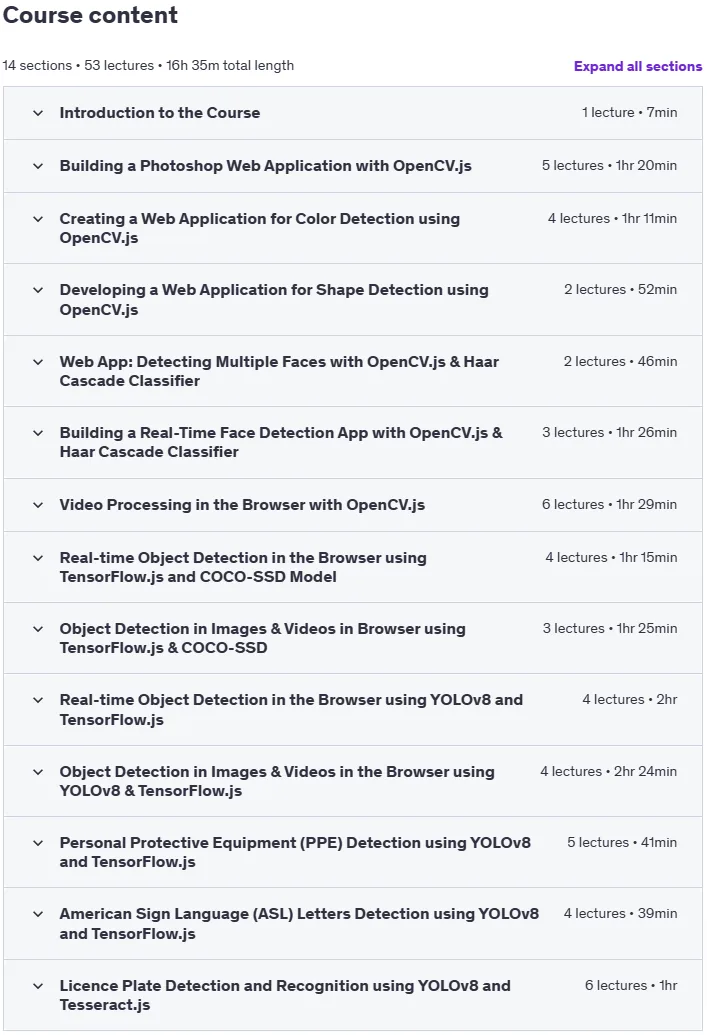
Number of Lessons: 53
Duration: 16 hours and 35 minutes
Course topics
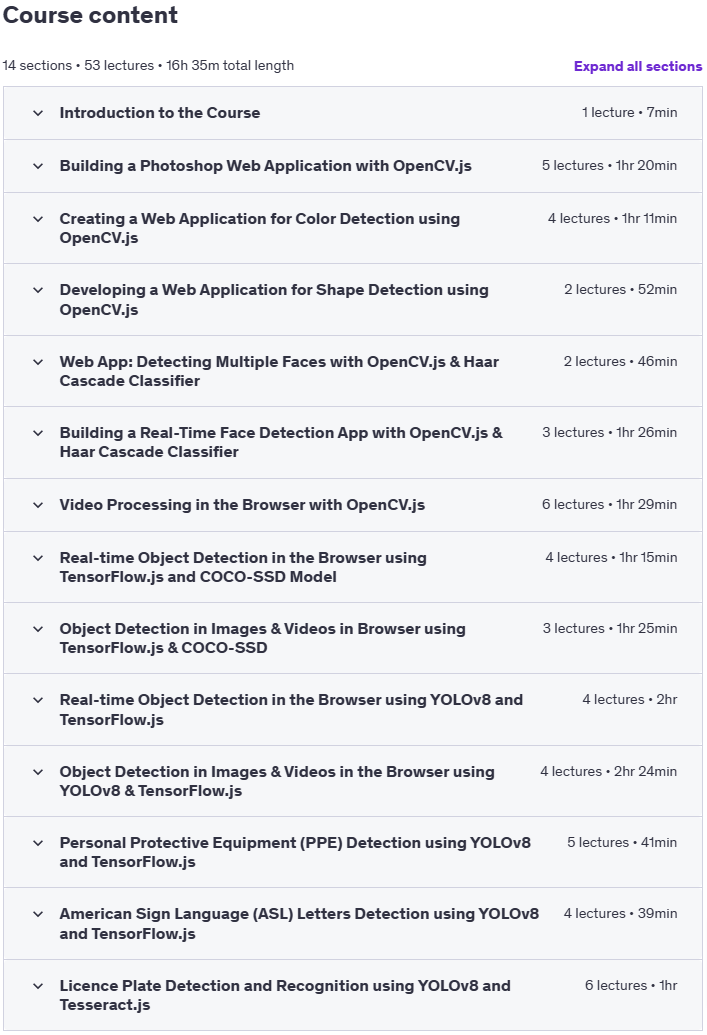
Computer Vision Web Development: YOLOv8 and TensorFlow.js Prerequisites
Laptop/PC
Pictures

Computer Vision Web Development: YOLOv8 and TensorFlow.js introduction video
Installation guide
After Extract, watch with your favorite Player.
Subtitle: None
Quality: 720p
Download link
File password (s): www.downloadly.ir
Size
10.3 GB