Descriptions
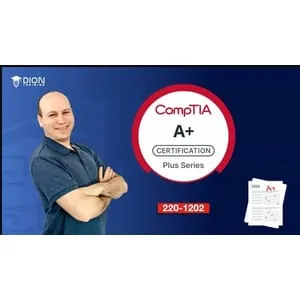
CompTIA A+ Core 2 (220-1202) 6 Practice Exams, This comprehensive CompTIA A+ certification exam preparation course is designed to equip aspiring IT professionals with the skills and knowledge required to pass the CompTIA A+ Core 2 (220-1202) exam. Covering essential IT concepts, this course ensures proficiency in installing, configuring, and maintaining computer hardware and software. Participants will also gain expertise in troubleshooting, security best practices, and operational procedures—aligning with the latest industry standards to prepare for real-world IT environments. Practice Exams Included: The course includes six full-length practice exams, meticulously crafted to mirror the structure and difficulty of the official CompTIA A+ Core 2 (220-1202) certification exam. These practice tests allow learners to gauge their readiness, identify knowledge gaps, and gain confidence before taking the official exam. Exam Structure and Timing: Each practice exam consists of up to 90 questions, designed to assess knowledge across all domains of the certification. The exams are timed at 90 minutes, simulating the real testing experience to help students build time management skills and perform optimally under exam conditions. Scoring and Feedback System: After completing each practice exam, students receive a detailed performance report outlining their final score. The report breaks down performance by domain, highlighting strengths and areas needing improvement. This targeted feedback enables learners to focus on weaker topics, ensuring thorough preparation for the certification exam. Domains Covered in the Exams: Each practice exam aligns with the official CompTIA A+ Core 2 (220-1202) exam objectives, ensuring full coverage of all knowledge areas: Operating Systems (28%) – Covers installation, configuration, and management of Windows, Linux, macOS, and mobile operating systems. Security (28%) – Explores security best practices, threat prevention, malware protection, and access controls. Software Troubleshooting (23%) – Focuses on diagnosing and resolving common software issues in different environments. Operational Procedures (21%) – Includes best practices for documentation, safety, professionalism, and troubleshooting methodologies. Course Summary: This course is a one-stop solution for mastering the CompTIA A+ Core 2 (220-1202) certification exam. With structured lessons, full-length practice exams, and detailed performance analysis, students will develop the expertise needed to succeed in the IT field. Whether you’re an entry-level technician or looking to enhance your IT credentials, this course provides the essential tools for certification success.
What you’ll learn
- Install, configure, and maintain Windows, macOS, Linux, and mobile operating systems
- Troubleshoot common software, hardware, and network-related issues
- Implement cybersecurity best practices, including malware prevention and data protection
- Apply effective customer service and communication skills in IT support roles
- Understand system administration tasks such as backups, recovery, and change management
- Configure security settings for SOHO networks, mobile devices, and cloud applications
- Utilize command-line and GUI-based tools for system diagnostics and performance optimization
Who this course is for
- Help Desk Technicians
- IT Support Specialists
- System Administrators
- Field Service Technicians
- Desktop Support Technicians
- Network Support Professionals
- Aspiring IT Professionals looking to enter the tech industry
- Professionals seeking to validate their IT skills with an industry-recognized certification
Specificatoin of CompTIA A+ Core 2 (220-1202) 6 Practice Exams
- Publisher : Udemy
- Teacher : Jason Dion
- Language : English
- Level : All Levels
- Number of Course : 540 questions
Content of CompTIA A+ Core 2 (220-1202) 6 Practice Exams

Requirements
- Basic knowledge of computer hardware and software
- Familiarity with Windows operating systems (recommended but not required)
- A willingness to learn and apply IT troubleshooting concepts in real-world scenarios
Pictures

Installation Guide
Extract the files and watch with your favorite player
Download Links
Password file(s): www.downloadly.ir
File size
239 KB