Descriptions
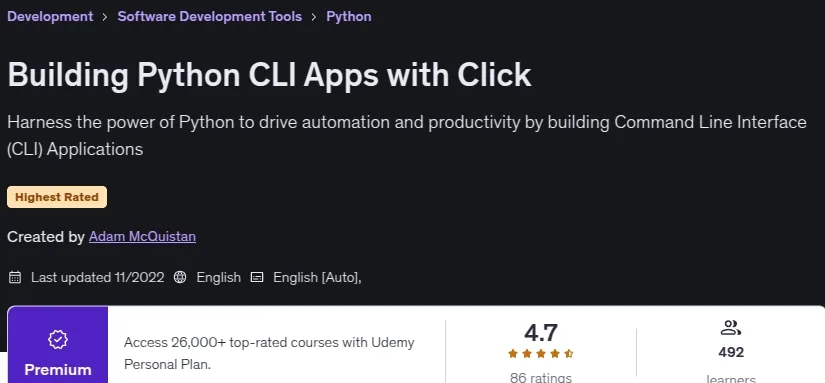
Building Python CLI Apps with Click, This is a practical, example‑heavy course on building Python‑based Command Line Interface (CLI) applications and utility programs. CLI tools taught here automate a wide range of tasks — from simple scripts to complex workflows — freeing users from repetitive work and improving productivity and output quality. The course centers on the Click library, which empowers Python developers to build rich, user‑friendly CLI tools with significantly less code than using the standard library or many other languages.
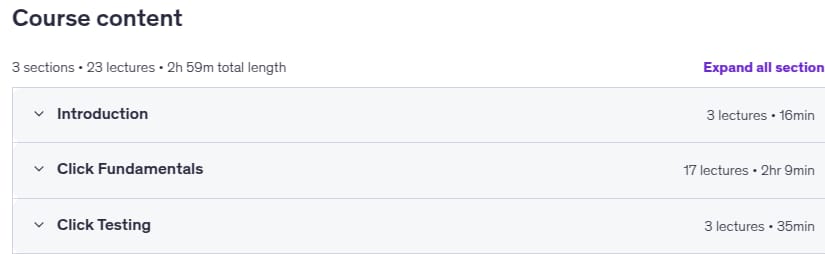
You will learn to build programs that handle all common argument and option types (strings, numbers, flags, file I/O), collect user input via plain and masked prompts, compose nested commands and pass shared context, and implement progress bars and styled colored output. Emphasis is placed on high‑quality, testable code: the course shows how to write automated tests for CLI apps using Click’s testing utilities and covers setup, enabling Click, arguments and advanced argument types, options (including choice and typed options), prompt functions and confirmations, grouped commands and shared context, file arguments, progress bar basics and advanced usage, colored output, and testing techniques.
What you’ll learn
- CLI Applications with Python
- Tools for Automation
- Click CLI Framework
- Software development
Who this course is for
- Software developers and Dev Ops professions with a desire to build CLI applications
Specificatoin of Building Python CLI Apps with Click
- Publisher : Udemy
- Teacher : Adam McQuistan
- Language : English
- Level : Intermediate
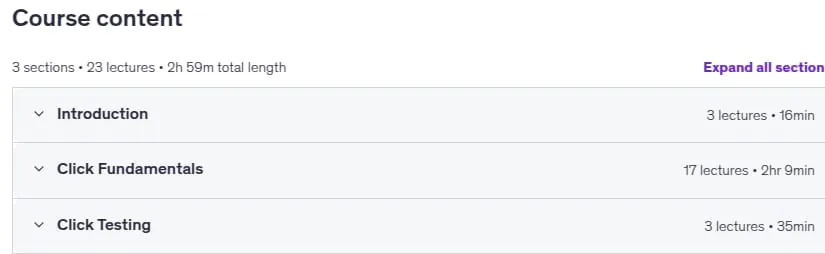
- Number of Course : 23
- Duration : 2 hours and 59 minutes
Content of Building Python CLI Apps with Click
Requirements
- Basic understanding of Python
- Familiarity with CLI Applications
Pictures

Sample Clip
Installation Guide
Extract the files and watch with your favorite player
Subtitle : English
Quality: 720
Download Links
Password file(s): www.downloadly.ir
File size
523 MB