Description
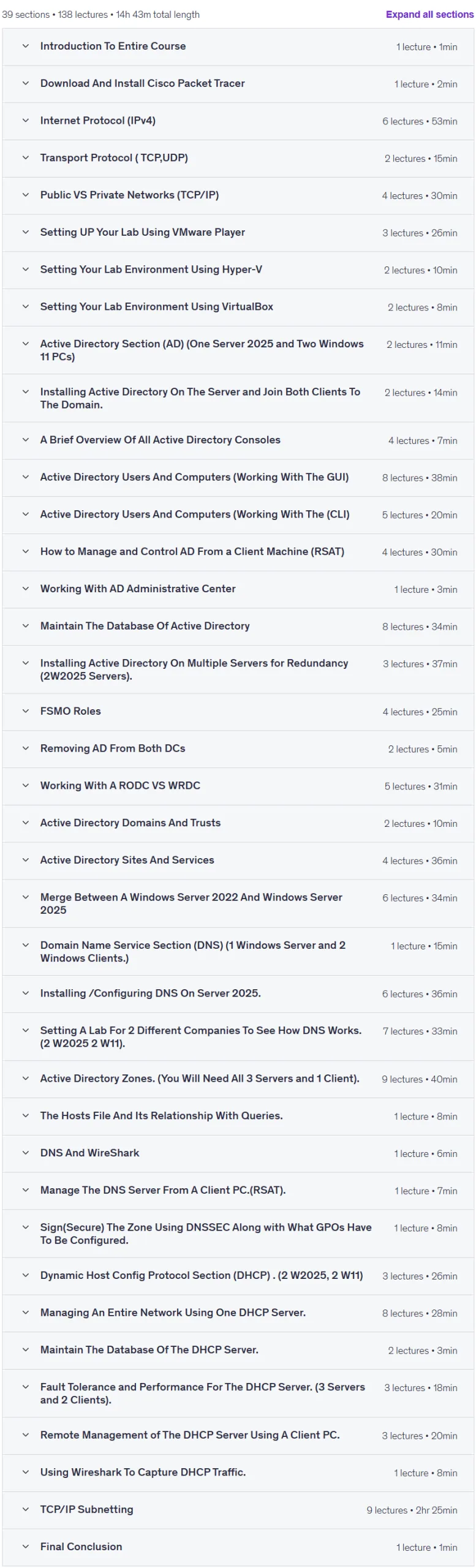
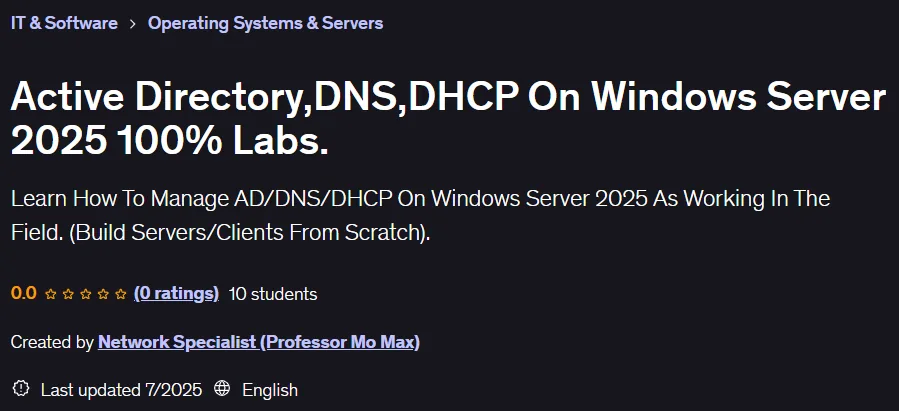
Active Directory, DNS, DHCP On Windows Server 2025 100% Labs Course.. This course is a fully hands-on, lab-based program designed to provide real-world experience working with Active Directory, DNS, and DHCP in a Windows Server 2025 environment. All course content is hands-on, and PowerPoint slides are not used to provide an accurate simulation of the real-world environment. The course also includes subtenancy training so that participants can mentally perform subnetting calculations. This short course is designed to be equivalent to two years of work experience as a network administrator in a company and is valuable experience to include on a resume. Participants will see and implement each part of Active Directory, DNS, and DHCP in a hands-on, real-world setting. Fifteen hours of hands-on practice in this class will strengthen participants’ skills in using tools such as Active Directory Users and Computers, Active Directory Domains and Trusts, Active Directory Sites and Services, DHCP, and especially DNS, which is the backbone of the network. In this course, participants do not just learn theory, but also carry out all the steps in person and in conditions similar to a real work environment.
What you will learn
- How to set up DNS before installing your first DC (domain controller), including creating the appropriate zone for the domain.
- How to set up AD on the first server and then set up AD as a replica on the second server for fault tolerance.
- How to create, delete, and deactivate user accounts, including resetting and changing passwords.
- How to create Roaming Profiles, including Home Directories for users.
- How to create, delete, and manage groups and understand the differences between group types and scopes.
- How to join client PCs to the domain (the first domain is called the parent domain and the forest).
- How to create an OU (Organizational Unit) and its purpose.
- Install, configure, and manage a DHCP Server in terms of creating Scopes, Reservations, Filtering, Leases, Fault Tolerance, and Performance, as well as how to manage the DHCP Server from a client computer.
- How to establish trust between two separate forests.
- How to manage replication through AD Sites And Services.
- How to backup and restore AD using Windows Server Backup and the AD Recycle Bin via the AD Administrative Center.
- How to delegate control to lower-level network administrators for specific tasks in AD, such as resetting passwords or creating, deleting, and managing user and group objects using the client operating system.
- FSMO (Flexible Single Master Operations) roles and the purpose of each role.
- Subnetting in TCP/IP.
- Forward and Reverse lookup Zones, including all Resource Records such as A, PTR, CNAME, SRV, SOA, MX, and others.
- Install Windows 11 and Windows Server 2025 using VMware, VirtualBox, or Hyper-V.
- Classful and Classless Networks in TCP/IP (Subnetting).
- How to create forward and backward search zones and their importance.
- Primary, Secondary, Stub, and AD zones and when each is used.
- All resource records such as A, PTR, SOA, MX, CNAME, SRV.
- How to analyze DNS using Wireshark and the Hosts file.
This course is suitable for people who:
- Want to become a Network Administrator.
- They want to feel confident about their IT skills.
- They are IT support specialists.
- Anyone who wants to enter the IT field.
- They want to enter the IT field with real-world experience.
Course details Active Directory DNS DHCP On Windows Server 2025 100% Labs
- Publisher: Udemy
- Instructor: Network Specialist (Professor Mo Max)
- Training level: Beginner to advanced
- Training duration: 14 hours and 43 minutes
- Number of lessons: 138
Course headings

Prerequisites for the Active Directory DNS DHCP On Windows Server 2025 100% Labs course.
- To perform all the labs that I am doing so you would have the actual understanding of how it works.
- A computer with at least 16 GB of RAM.
- Anyone who wants to put at least 15 Hours of their Life to learn, enhance and sharpen there Network Skills
Course images

Sample course video
Installation Guide
After Extract, view with your favorite player.
Subtitles: None
Quality: 720p
Download link
Downloadly
Rapidgator link
File(s) password: www.downloadly.ir
File size
6.1 GB