Description
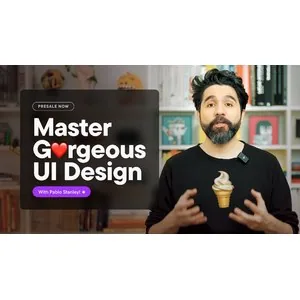
Master Gorgeous UI Design Course. This course teaches you the skills needed to create beautiful and distinctive user interfaces using artistic principles and specialized techniques. This course believes that user interface design in today’s era is the art of creating effective visual communication between humans and the digital space. Its goal is to empower designers to create captivating works and differentiate them in a competitive market. The course content is structured in a way that helps each student discover and cultivate their own visual voice and personal style. During the training, you will learn how to use visual elements for storytelling and think beyond technical issues to the psychological impact of design. This course provides a detailed analysis of layout types, their impact on the user experience, and the vital role of color coordination in creating visual integrity. Becoming a successful professional in this field requires mastering structural foundations and injecting creativity and innovation into your work. This course provides all the tools and knowledge needed to achieve these professional standards and execute world-class projects. In the end, you will not only have expanded your technical knowledge, but you will also be able to create unique and attractive visual identities for different brands and programs with an artistic eye.
What you will learn
- UI Fundamentals: Understand the fundamental principles of UI design for a solid start.
- Typography as an art form: Learn how to creatively use fonts and text to elevate your design.
- Strong layout skills: Mastery of creating solid visual structures that facilitate user navigation.
- Color coordination in UI: Exploring color psychology and creating attractive and harmonious color palettes.
- Adding style and personal expression: Ways to inject a designer’s identity and taste into professional work.
- Visual Storytelling: Conveying complex concepts and messages through graphic elements.
- Creating UI Elements: Skill in meticulously designing buttons, menus, and all interactive elements.
- Becoming a Professional: Learning the etiquette and skills necessary to enter the professional world of work.
- Maintaining unique and different creativity (Bonus): Learning techniques to have a new and unique look at design.
This course is suitable for people who:
- Beginner designers: People who want to start their professional path in the world of user interface design with strength.
- Graphic designers: Professionals who want to transfer their artistic knowledge to the field of digital products and applications.
- Creative enthusiasts: Those looking for a tool to unleash their artistic potential in the form of modern projects.
- Web and mobile developers: People who want to bring the appearance of their software to a professional and stunning level.
- Differentiation Seekers: Designers who are tired of repetitive designs and are looking to create a personal style in their portfolios.
Master Gorgeous UI Design Course Details
- Publisher : Togetherart
- Instructor: Pablo Stanley
- Training level: Beginner to advanced
- Number of lessons: 37
- Training duration: 5 hours 26 minutes
Course headings
- Welcome to the Course
- What is the Design Process?
- Tools of the trade
- Where to find inspiration
- What is product design?
- Staying Updated and Continuous Learning
- Design Principles
- Simple Language (Tesler’s Law)
- Clarity Over Choices (Hick’s Law)
- Consistency and Familiarity (Jakob’s Law)
- User Control (Postel’s Law)
- Feedback (Peak-End Rule)
- Clear Hierarchy (Von Restorff Effect)
- Grouping (Miller’s Law)
- Accessibility (Fitts’ Law)
- Confirm Before Acting (Postel’s Law)
- Exploring Hero Section Designs for the Filmo Web App
- Exploring Visual Elements Iterations of the Hero
- Exploring Dark Text on Bright Images
- Designing a Photo Grid
- Exploring Overlapping Components with Fun Composition
- Boxception Revealing the Bento Box Universe
- Designing a Simple but Nice-Looking Signup Page
- Stylish Sign Up Form
- LIVE Design Principles Chat
- Anatomy of a Type
- Type Classification
- Text Styles and Type-scales
- Text Line Height and Length
- Text Hierarchy
- Text Alignment
- Text Contrast with Images
- Text and Letter Spacing
- Text Variables
- Color Intro
- Color Semantics Enhancing Accessibility Beyond Contrast
- Color Hierarchy
Course images
Sample course video
Installation Guide
After Extract, view with your favorite player.
Subtitles: None
Quality: 1080p
Download link
Downloadly
Rapidgator link
File(s) password: www.downloadly.ir
File size
4.03 GB