Descriptions
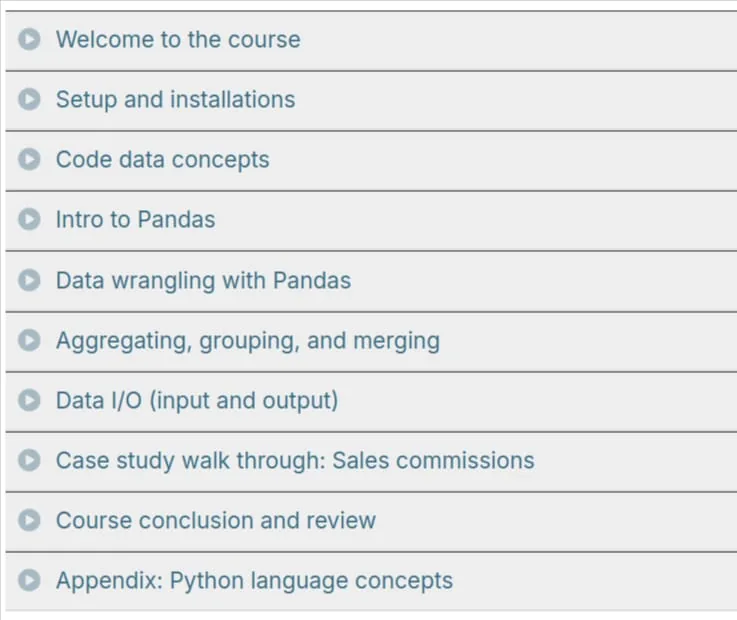
Move from Excel to Python with Pandas Course, This course will teach you how to use Python to replace your tedious and error-prone Excel actions. This course is designed to quickly build your Python and pandas knowledge so that you can leverage the power and efficiency of Python in your day to day work. This course is unique in that it shows common Excel tasks and translates them to Python code.If you have ever been curious about how Python can immediately impact your daily job but have been unsure where to start – this course is for you! While exploring a topic interactively with demos and live code is very engaging, it can mean losing the forest for the trees. That’s why when we hit a new topic, we stop and discuss it with concise and clear visuals. This course is heavy on practical applications. We will not spend much time talking about language theory. We want to get you up and running with Python quickly. Many of the concepts we cover have natural analogies to processes with Excel which we will use to speed up the learning process. In this course, we’ll develop a lot of code using pandas using the Jupyter notebook environment in a way that you can leverage for your own business problems. Each course comes with subtitles and full transcripts. The transcripts are available as a separate searchable page for each lecture. They also are available in course-wide search results to help you find just the right lecture.
What you’ll learn
- Learn about the typical challenges with Excel and how Python is a better alternative for many tasks
- See all steps needed to install Python and setup your workspace
- Create and use Conda environments
- Learn about Windows specific-tricks for efficiently working with Python
- See how the Jupyter notebook can be a streamlined environment for working with data
- Learn about the pandas DataFrame and how to use it for data analysis
- Use pandas to read in CSV and Excel files
- Efficiently clean and manipulate large sets of data
- Perform mathematical operations with pandas
- Discover how to work with dates and other data types in pandas
- Group and summarize large data sets using powerful pandas commands such as groupby and pivot_table
- Combine data by merging and concatenating multiple DataFrames
- Read multiple file types and create formatted Excel workbooks
- And much more
Specificatoin of Move from Excel to Python with Pandas Course
- Publisher : Talk Python
- Teacher : Chris Moffitt
- Language : English
- Level : All Levels
- Number of Course : 116
- Duration : 3 hours and 32 minutes
Content of Move from Excel to Python with Pandas Course

Pictures

Sample Clip
Installation Guide
Extract the files and watch with your favorite player
Subtitle : English
Quality: 720p
Download Links
Password file(s): www.downloadly.ir
File size
794 MB