Description
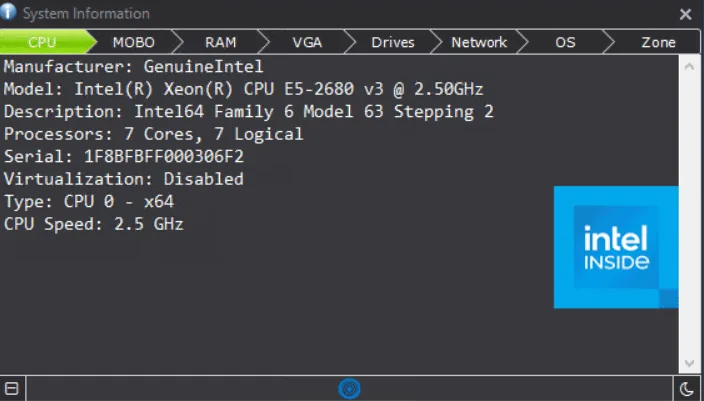
System Info is a simple application that displays various information about your system, including hardware, operating system, and more. Knowing more about your system can be useful in some cases, and while it is very simple for an experienced user, a less experienced user may have trouble finding all the information they need. In these situations, having a software that presents everything in a single interface and allows you to copy and share data can be very convenient and useful for the average user. That is exactly what System Info does: it provides you with various data about your system, including hardware specifications, operating system, network information, and more, without the need for installation. This application is a simple and straightforward option for anyone interested in learning more about their computer. While a more specialized tool would likely provide you with more comprehensive data, the simplicity of this program is also a plus, making it a very useful tool for someone who isn’t very familiar with their computer.
Program features and functions
- Initially, you will be shown information about your CPU , Motherboard , Memory , and Graphics card . One thing that is missing is the lack of temperature display for these hardware components, but considering that this tool is designed for a general audience, this is somewhat understandable. Users can also view their computer’s drives and network adapters through this tool.
- Some quick data about your OS and time zone is also available. One feature that some users appreciate is the ability to copy information with just a few clicks. To do this, simply go to the desired tab, click the blue icon at the bottom of the interface, then click the green Clipboard Copy icon on the left. You can also choose to have the program save all your data to a text file to make your job even easier.
System requirements
OS: Microsoft Windows 7, 8, 8.1, 10, and 11, all in Professional or Enterprise editions
Pictures

Installation Guide and Tips
The software is active and does not require cracking.
Download link
File(s) password: www.downloadly.ir
File size
2 MB