Description
Secure-PDF is a comprehensive PDF security toolkit that includes encryption and digital signature capabilities . The PDF format is used worldwide to distribute graphic design documents. However, editing these documents often comes with high costs, as high-quality PDF editors are very expensive. On the other hand, cheaper or free versions lack important functions for securing PDF files; for example, they lack features such as encryption, digital signatures, or adding watermarks.
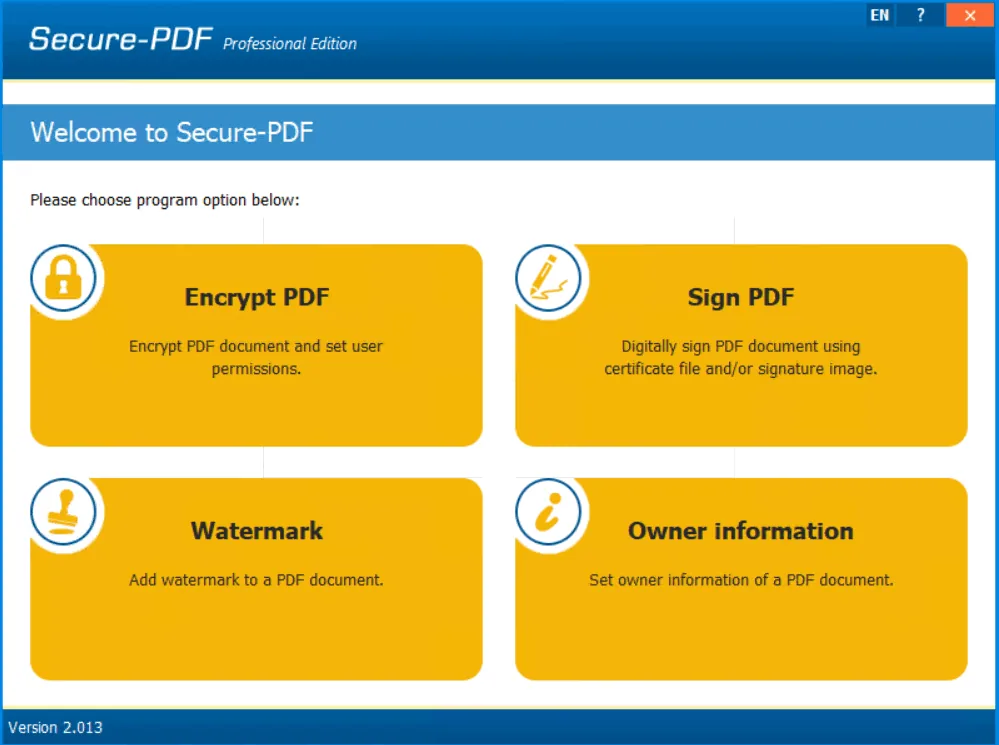
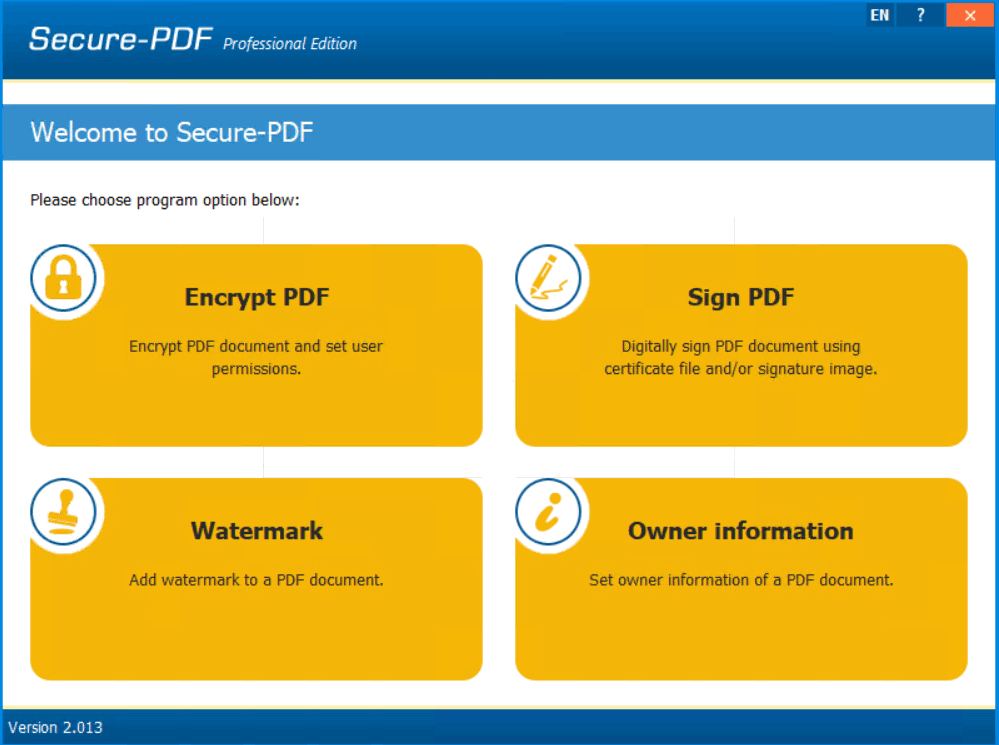
Secure-PDF addresses these shortcomings. The software allows the user to encrypt their own or others’ PDF documents with a key strength of up to 256 bits (AES) . A password can also be set to open the file so that users can only view the encrypted document by entering the correct password. This feature ensures that only authorized people can access the document content.
Program features and functions
- This software allows you to encrypt PDF documents using the strong AES standard and up to 256-bit key strength .
- The user can set a Password to Open to access the document content . This significantly increases the document security level and prevents unauthorized people from viewing the document.
- The security created for documents makes their distribution process more reliable, both in work environments and in personal exchanges.
- To ensure the authenticity and non-tampering of PDF documents after sending, a digital signature capability is included in Secure-PDF.
- This feature assures recipients of PDF documents that the document is original and has not been tampered with later.
- The user can append their digital signature to the document using a PKCS#12 certificate .
- In addition to certificate-based digital signatures, the program also allows the user to sign a PDF file using just a signature image . This option is useful for situations where a simpler visual signature is needed.
- Secure-PDF can watermark documents. Watermarks can be used to indicate the status of a document (such as “draft” or “confidential”) or to increase visual security.
- In addition to watermarking, this software is also able to set and apply the Owner Information of the PDF document.
- All of these operations can be performed by the user even without prior knowledge of how to work with PDF documents, which makes the program very easy to use .
System requirements
- Processor: Not specified, but a modern processor is assumed for compatibility.
- Memory: 2 GB minimum, 4 GB recommended.
- Hard Disk Space: 50 MB.
- Operating System: Windows 11, 10, 8.1, 8, 7, and Windows Server 2022, 2016, 2019, 2012 (both 32-bit and 64-bit).
Pictures
Installation Guide and Tips
It is included in the Readme file.
Download link
Download Secure-PDF Professional 2.013 Multilingual
File(s) password: www.downloadly.ir
File size
7 MB