Description
Debugging Sites with Chrome DevTools is a course on mastering the tools built into Google Chrome for diagnosing, debugging, and optimizing websites, published by Pluralsight Online Academy. This is a hands-on course designed to help web developers master the tools built into Google Chrome for diagnosing, debugging, and optimizing websites. This course teaches you how to effectively inspect HTML, CSS, and JavaScript, track performance issues, and fix bugs using the powerful features of DevTools. This course teaches you how to use Google Chrome’s powerful built-in tools to debug websites. You’ll learn how to troubleshoot and fix issues with a site’s HTML, CSS, and JavaScript.
This course provides an in-depth look at Chrome DevTools, showing people how to inspect and manipulate DOM elements, debug JavaScript using breakpoints and watchdogs, and monitor network requests to optimize load times. This course covers analyzing layout and rendering issues through the Elements and Styles panels, using the Console for real-time testing, and identifying performance bottlenecks with the Performance and Lighthouse tools. Students will also explore memory profiling to detect leaks, understanding security alerts, and simulating different devices for responsive testing. By the end, students will gain the confidence and skills to troubleshoot, fix, and improve any website directly in Chrome DevTools, making their debugging process faster and more effective.
What you will learn in Debugging Sites with Chrome DevTools:
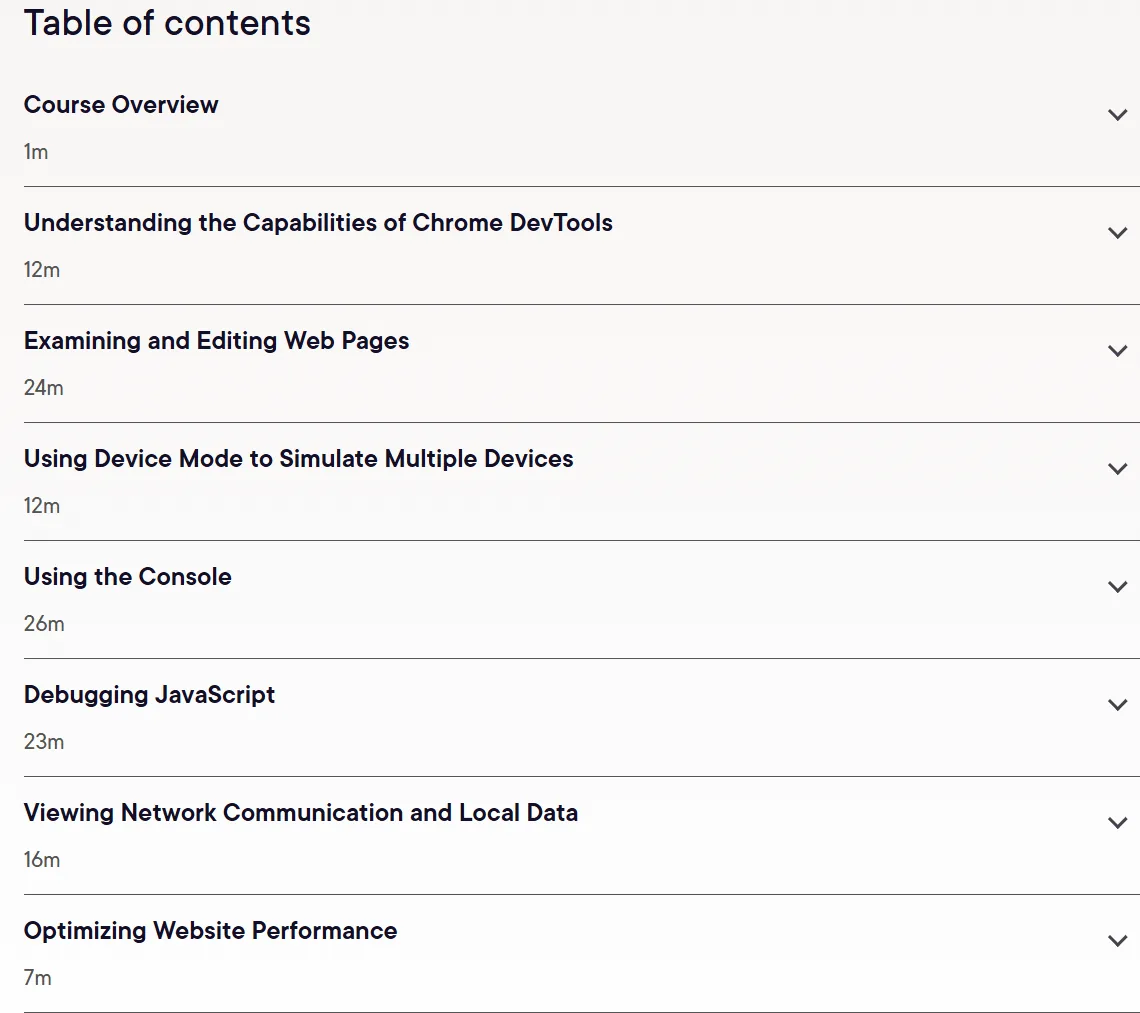
- Understanding the capabilities of Chrome Developer Tools
- Reviewing and editing web pages
- Using device mode to simulate multiple devices
- Using the console
- Debugging JavaScript
- Viewing network connections and local data
- Optimizing website performance
- And…
Course specifications
Publisher: Pluralsight
Instructors: Brice Wilson
Language: English
Level: Advanced
Number of Lessons: 22
Duration: 2h 6m
Course topics

Debugging Sites with Chrome DevTools Prerequisites
None
Pictures

Debugging Sites with Chrome DevTools introduction video
Installation guide
After Extract, watch with your favorite Player.
English subtitle
Quality: 720p
Downloadly link
Rapidgator link
File password (s): www.downloadly.ir
Size
355 MB