Descriptions
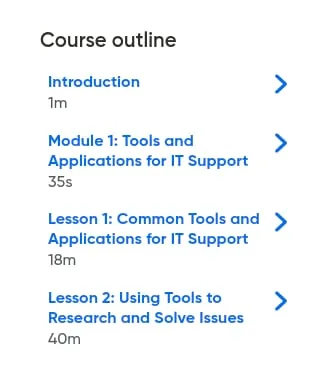
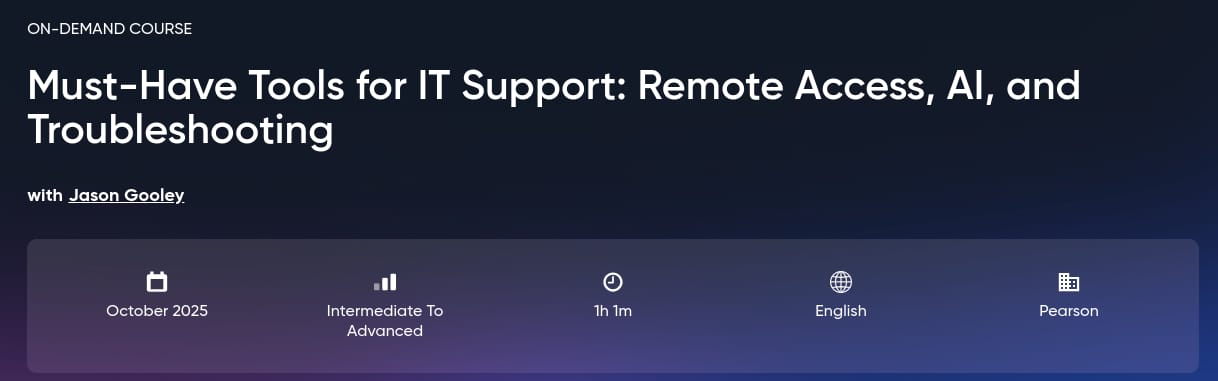
Must-Have Tools for IT Support: Remote Access, AI, and Troubleshooting, Equip yourself with the top remote access, AI, and troubleshooting tools every IT support pro needs to resolve issues faster and smarter. In today’s fast-paced digital world, IT support professionals need both strong technical knowledge and the right tools to deliver fast, secure, and effective support from anywhere. This comprehensive course teaches you the essential IT support tools used by top professionals to manage devices remotely, solve complex issues, and provide real-time support using modern technologies such as Remote Desktop, AI, and advanced troubleshooting platforms. You’ll get hands-on knowledge of popular remote access tools such as RDP (Remote Desktop Protocol), Cisco Webex, TeamViewer, Virtual Network Computing (VNC), and PC Anywhere, and understand how each tool fits different support scenarios. You’ll also learn how to use AI-powered support tools, technical forums, and search engines to research and resolve IT problems faster. This course explores narrow AI, predictive AI, and generative AI to help you understand how artificial intelligence is transforming help desk operations.
What you’ll learn
- Identify essential remote access tools such as RDP, TeamViewer, Cisco Webex, VNC, and PC Anywhere used in IT support environments.
- Explain the setup, use, and differences between remote management solutions for technical support tasks.
- Demonstrate how to initiate and manage remote sessions to troubleshoot and resolve user issues.
- Apply search strategies using knowledge base articles, technical forums, and search engines to diagnose and fix IT problems.
- Analyze the role of artificial intelligence in IT support, including the use of narrow, predictive, and generative AI tools.
- Evaluate the security, privacy, and ethical risks associated with using public data sources and AI for IT troubleshooting.
Who this course is for
- This course is perfect for IT support professionals, help desk technicians, and aspiring IT specialists who want to master remote access tools and AI-driven troubleshooting to provide fast and secure technical support.
Specificatoin of Must-Have Tools for IT Support: Remote Access, AI, and Troubleshooting
- Publisher : Oreilly
- Teacher : Jason Gooley
- Language : English
- Level : All Levels
- Duration : 1 hours and 1 minutes
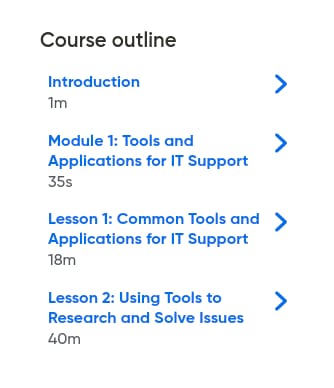
Content of Must-Have Tools for IT Support: Remote Access, AI, and Troubleshooting
Pictures
Sample Clip
Installation Guide
Extract the files and watch with your favorite player
Subtitle : English
Quality: 720p
Download Links
Downloadly
Rapidgator
Password file(s): www.downloadly.ir
File size
200 MB