Description
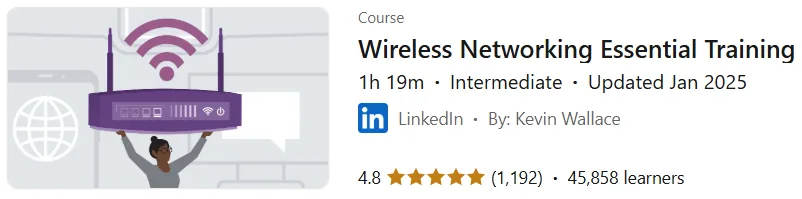
Wireless Networking Essential Training. This course provides a practical overview of how these networks work and the detailed steps involved in setting them up. Led by instructor Kevin Wallace, this course provides a comprehensive review of the fundamentals of wireless local area networks, covering design options, common standards, and important security considerations. A key part of the course is a hands-on demonstration of two different network configurations. In one scenario, you will be shown how to set up a network using standard consumer routers, and in the other, you will be shown how to implement a network using specialized, professional hardware. This dual approach allows participants to become familiar with a wide range of equipment and gain a clear understanding of the practical differences between consumer-based and enterprise-grade solutions. The ultimate goal of this course is to provide a broad yet practical perspective that will equip the audience with the essential skills to design and deploy a wireless network. This educational content is useful for all enthusiasts and people who need a fundamental and practical understanding of wireless networking, providing them with the knowledge necessary to work with a variety of hardware, from basic to advanced levels.
What you will learn
- Wireless LAN Designs:
- Understand the types of Wireless LAN designs such as Ad hoc, Infrastructure, and Mesh.
- Understanding the difference between Autonomous APs and Lightweight Access Points.
- Selecting Wi-Fi channels:
- Familiarity with the channels available in the 2.4 GHz, 5 GHz, and 6 GHz bands.
- Service Sets:
- Understand concepts such as IBSS (Independent Basic Service Set), SSID (Service Set ID), BSSID (Basic Service Set ID), ESSID (Extended Service Set ID), and MBSSID (Multiple Basic Service Set ID).
- Wi-Fi radio technologies:
- Learn about transmission technologies such as DSSS (Direct-Sequence Spread Spectrum), FDM (Frequency Division Multiplexing), OFDM (Orthogonal Frequency Division Multiplexing), QAM (Quadrature Amplitude Modulation).
- Understand concepts such as Channel bonding, Beamforming, MU-MIMO, and OFDMA (Orthogonal Frequency Division Multiple Access).
- Wi-Fi standards:
- Familiarity with IEEE 802.11 standards, including 802.11n (Wi-Fi 4), 802.11ac (Wi-Fi 5), 802.11ax (Wi-Fi 6), 802.11be (Wi-Fi 7), and 802.11bn (Wi-Fi 8).
- Wireless Security:
- Understand the need for wireless security.
- Familiarity with security protocols such as WEP (Wired Equivalent Privacy).
- Learn about key distribution modes and advanced cryptographic and security protocols.
- Installing and configuring access points (APs):
- Ability to set up a Linksys wireless router (standalone AP example).
- Ability to install Ubiquiti UniFi controller and add lightweight APs.
- Gain skills in configuring channels and security settings in both types of wireless networks.
This course is suitable for people who:
- People looking for a broad overview of how wireless networks work.
- Students or IT professionals who want to learn the essential concepts of wireless networking.
- People who plan to set up a wireless network at home or work and want to understand the different hardware methods.
- Anyone looking to understand the standards, technologies, and security associated with Wi-Fi.
Wireless Networking Essential Training Course Specifications
- Publisher: LinkedIn
- Instructor: Kevin Wallace
- Education level: Intermediate
- Training duration: 1 hour and 19 minutes
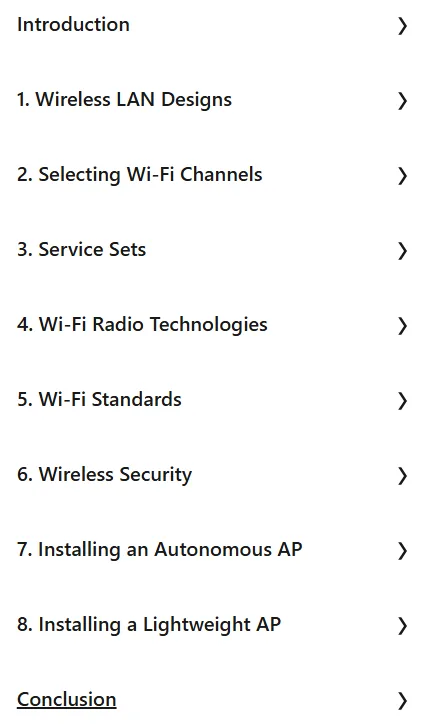
Course headings

Course images

Sample course video
Installation Guide
After Extract, view with your favorite player.
Subtitles: English
Quality: 720p
Download link
Downloadly
Rapidgator link
File(s) password: www.downloadly.ir
File size
199 MB