Descriptions
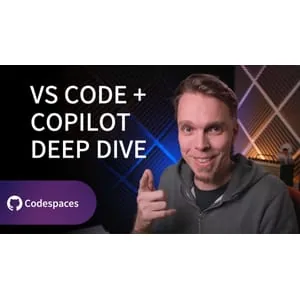
Unboxing AI: Visual Studio Code and GitHub Copilot Deep Dive, VS Code has evolved into a rich “AI workbench,” where GitHub Copilot can do far more than autocomplete. In this course, LinkedIn Learning Principal Instructor Morten Rand-Hendriksen guides you through the most useful (and often overlooked) Copilot integrations inside VS Code—how to shape Copilot behavior with agent instructions and custom instructions, how to use slash commands and promptable actions for common dev tasks, and how to extend Copilot with tools via Model Context Protocol (MCP) servers. You’ll also explore building and using custom agents and skills/scripts/templates to create repeatable, team-friendly workflows—so Copilot becomes a dependable collaborator, not just a chat box.
What you’ll learn
- Unlock the hidden power of GitHub Copilot in VS Code
- Shape Copilot behavior with agent and custom instructions
- Use slash commands and promptable actions for common development tasks
- Extend Copilot with tools via Model Context Protocol (MCP) servers
- Build and use custom agents, skills, scripts, and templates for repeatable workflows
Who this course is for
- Developers and programmers using Visual Studio Code
- Anyone interested in maximizing productivity with GitHub Copilot
- Teams seeking to automate and streamline development workflows with AI
Specificatoin of Unboxing AI: Visual Studio Code and GitHub Copilot Deep Dive
- Publisher : Linkedin
- Teacher : Rand-Hendriksen
- Language : English
- Level : All Levels
- Duration : 30 minutes
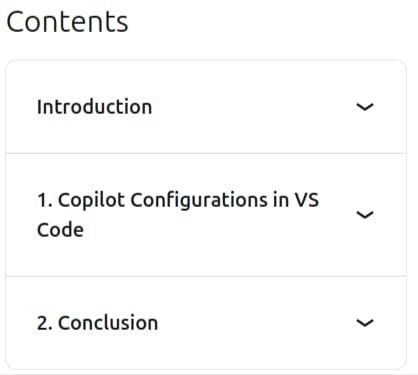
Content of Unboxing AI: Visual Studio Code and GitHub Copilot Deep Dive
Pictures
Sample Clip
Installation Guide
Extract the files and watch with your favorite player
Subtitle : Not Available
Quality: 720p
Download Links
Password file(s): www.downloadly.ir
File size
119 MB