Description
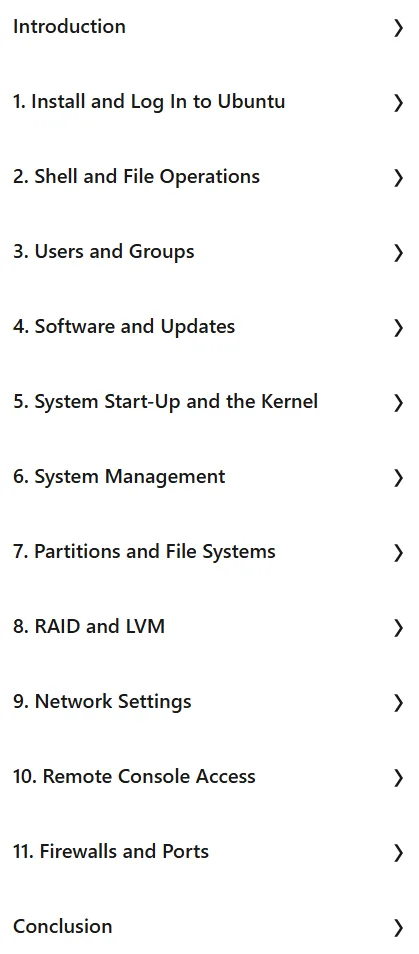
Ubuntu Linux: Essential Commands and System Administration. Taught by Scott Simpson, this course covers the essential basics of managing Ubuntu Linux systems. The course begins with learning how to install Ubuntu and navigate and work in the shell bash environment. It then moves on to file management operations, creating and managing user accounts, setting permissions, and managing software installations and updates. More advanced sections cover topics such as configuring the system boot process, managing partitions and file systems, and implementing RAID and Logical Volume Manager. Other important topics covered in this course include configuring network settings, using SSH for secure remote access, and securing the system with firewalls. The ultimate goal of this course is to equip learners with the skills necessary to perform critical administrative tasks and maintain the optimal and reliable performance of the Ubuntu systems they manage.
What you will learn
- System and Shell Basics:
- How to install Ubuntu Linux.
- How to navigate and work in the Bash shell.
- Efficient execution of file operations.
- User and software management:
- How to create and manage user accounts.
- Setting permissions for files and directories.
- Manage software installation and updates.
- Advanced system configuration:
- System Startup Configuration.
- Manage partitions and file systems.
- How to set up RAID and Logical Volume Manager (LVM).
- Network and Security:
- Configure network settings.
- Use SSH for remote access.
- Securing the system using firewalls.
This course is suitable for people who:
- Looking to learn the basics of Ubuntu Linux system administration.
- Intend to perform essential administrative tasks in the Ubuntu environment.
- Want to gain basic skills in Linux and Ubuntu system administration.
- Seek to understand the commands essential for the smooth operation of Ubuntu systems.
Ubuntu Linux: Essential Commands and System Administration Course Details
- Publisher: LinkedIn
- Instructor: Scott Simpson
- Education level: Intermediate
- Training duration: 4 hours and 54 minutes
Course headings

Course images

Sample course video
Installation Guide
After Extract, view with your favorite player.
Subtitles: English
Quality: 720p
Download link
Downloadly
Rapidgator link
File(s) password: www.downloadly.ir
File size
575 MB