Description
JavaScript Build Tools Course. This course examines the modern tools used in JavaScript development and teaches participants how to use them to improve the development process. While it is still possible to use JavaScript files directly in HTML, most projects today use build tools by default. Once considered complex and specialized, these tools have now become an essential and standard part of software development. Learning these tools requires adapting to two main aspects: first, getting used to a new workflow, and second, understanding the details and numerous options that are available. The course instructor, Morten Rand-Hendriksen, first provides an overview of the process and then teaches four popular and basic build tools with practical and practical examples. The course is fully integrated with GitHub Codespaces, which provides a cloud-ready development environment with no local setup required. This environment includes all the features of a professional code editor and allows you to work practically, from any device, with tools used in real-world work environments.
What you will learn
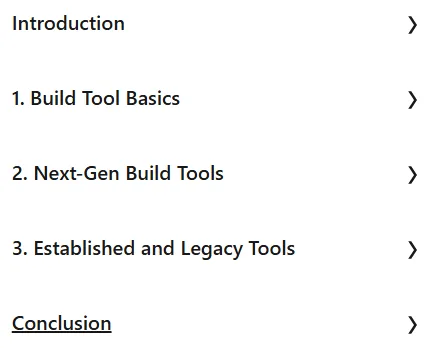
- Basics of construction tools:
- Familiarity with construction tools and why they are needed.
- Understanding the structure of a project using build tools.
- Understanding the three main groups of construction tools.
- Familiarity with the glossary of terms related to construction tools.
- Next-generation construction tools:
- Introduction to new generation construction tools.
- Review practical examples such as Vite and Parcel.
- How to expand Vite’s capabilities.
- Learning when to use new generation tools.
- Established and old tools:
- Understanding the validity of established and legacy tools.
- Review practical examples such as Webpack and Rollup.
- Understanding the advantages and disadvantages of using Webpack and Rollup.
- Learning when to use established tools.
This course is suitable for people who:
- JavaScript developers: People who want to improve their development processes and keep up with modern project standards.
- Beginner programmers: People looking to learn modern software development processes.
- Experienced developers: People looking to optimize and update their knowledge of JavaScript development tools.
- Anyone looking for hands-on learning with an instant cloud developer environment (GitHub Codespaces).
JavaScript Build Tools Course Details
- Publisher: LinkedIn
- Instructor: Morten Rand-Hendriksen
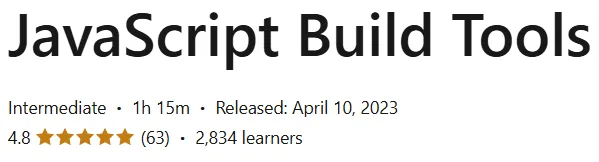
- Education level: Intermediate
- Training duration: 1 hour and 15 minutes
Course headings

Course images

Sample course video
Installation Guide
After Extract, view with your favorite player.
Subtitles: English
Quality: 720p
Download link
File(s) password: www.downloadly.ir
File size
268 MB