Description
Advanced Windows 11 Features: Productivity, Security, and AI Tools. Led by experienced IT instructor Julie Ballou, this course teaches advanced Windows 11 features to increase system performance and security. Participants learn how to personalize the operating system installation using tools such as God Mode and the Microsoft Management Console. They also learn about improved features such as voice dictation, clipboard history, and multitasking with multiple desktops. Other training sections include organizing File Explorer and using the advanced Snipping Tool to capture screenshots. The course explores communication and AI tools such as Teams, search and recall capabilities, and mobile syncing, and teaches how to use duplicates to generate content and solve problems. The security aspect is strengthened with advanced phishing protection, intelligent application control, and Task Manager improvements. The ultimate goal of this course is to master the advanced features of Windows 11 to optimize work processes and secure systems.
What you will learn
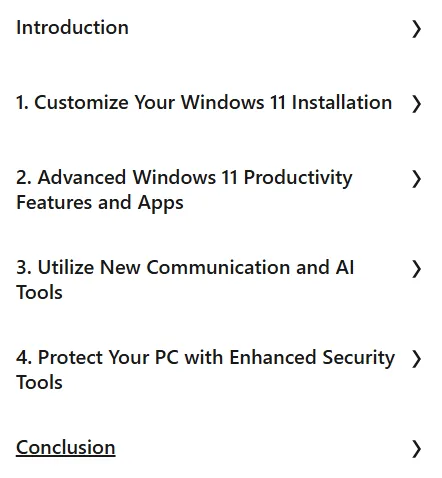
- Customizing Windows 11 installation:
- How to use God Mode.
- Customize the Startup folder.
- Create a Microsoft Management Console.
- Explore Disk Management.
- Differentiating workspace with multiple desktops.
- Windows 11 advanced productivity features and apps:
- Access clipboard history.
- Explore new voice commands and dictation.
- Organize File Explorer using tabs.
- Take screenshots and record videos with the Snipping Tool.
- Using new communication tools and artificial intelligence:
- Communication with Teams.
- Use Recall to locate anything.
- Integrating new Android and Apple smartphone capabilities.
- Create, research, and problem solve with Copilot on the web.
- Create and analyze with Microsoft Copilot on Windows 11.
- Protect your PC with advanced security tools:
- Use Enhanced Phishing Protection to secure data.
- Use Smart App Control to secure systems.
- Explore new Task Manager tools.
- Microsoft Pluton review for hardware-based security.
This course is suitable for people who:
- Want to significantly increase their productivity when working with Windows 11.
- Are looking for advanced customization of their Windows 11 installation.
- They are interested in using new communication capabilities and AI tools like Copilot and Recall.
- Want to strengthen their PC security with advanced features like Enhanced Phishing Protection and Smart App Control.
- Need to master advanced Windows 11 capabilities to optimize workflow and secure systems.
Advanced Windows 11 Features: Productivity, Security, and AI Tools Course Details
- Publisher: LinkedIn
- Instructor: Joli Ballew
- Training level: Advanced
- Training duration: 1 hour and 16 minutes
Course headings

Course images

Sample course video
Installation Guide
After Extract, view with your favorite player.
Subtitles: English
Quality: 720p
Download link
Downloadly
Rapidgator link
File(s) password: www.downloadly.ir
File size
143 MB