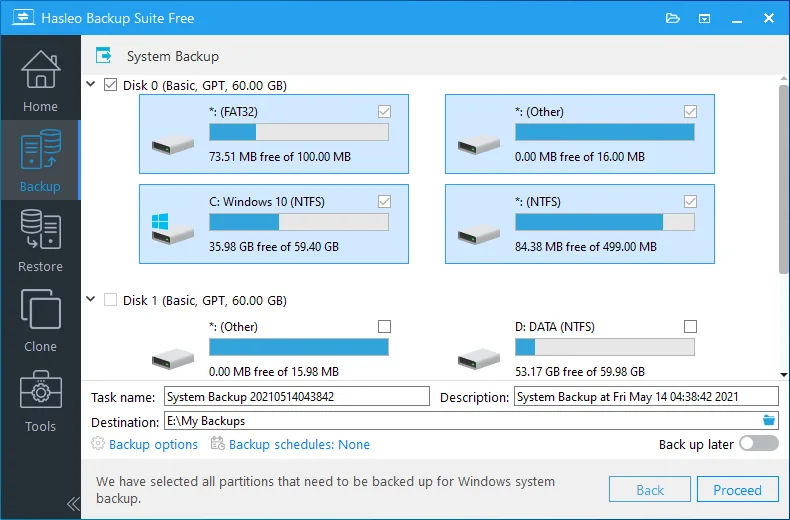
Description
Hasleo Backup Suite is a powerful backup, imaging, cloning and recovery software. It helps users to backup and restore their Windows operating system, disks and partitions. This feature ensures the security of the operating system and users’ personal data. In addition, its cloning feature allows users to move Windows to another disk or easily upgrade their disks to SSD or larger capacity disks. Hasleo Backup Suite provides a bootable ISO file to create a bootable USB. This software can be used for both personal computers and Windows servers.
Program features and functions
- Backup, restore, and clone Windows operating system, disks, and partitions.
- Supports full, incremental, and differential backup modes.
- Supports compression, encryption, and splitting of backup image files.
- Centralized management of backup tasks and sending notifications via email.
- Add/Remove Boot Menu.
- Completely erase the drive (Wipe Drive).
- MBR rebuild.
- Full compatibility with GPT and UEFI.
System requirements
- Operating Systems: Windows Vista/Server 2008 or later (32-bit and 64-bit editions).
- CPU: Intel® Pentium® compatible processors (32-bit or 64-bit) or ARM64 processors (1GHz or above).
- RAM: 1 GB or more (2 GB recommended).
- Disk Space: 500 MB and above free space.
- Supported File Systems: FAT12, FAT16, FAT32, NTFS, and others (in sector-by-sector mode).
Pictures

Installation Guide and Tips
The software is active and does not require cracking.
Download link
Download Hasleo Backup Suite 5.9.2 Multilingual x64
Download Hasleo Backup Suite Enterprise 5.9.2 WinPE
File(s) password: www.downloadly.ir
File size
40 + 751 MB