Description
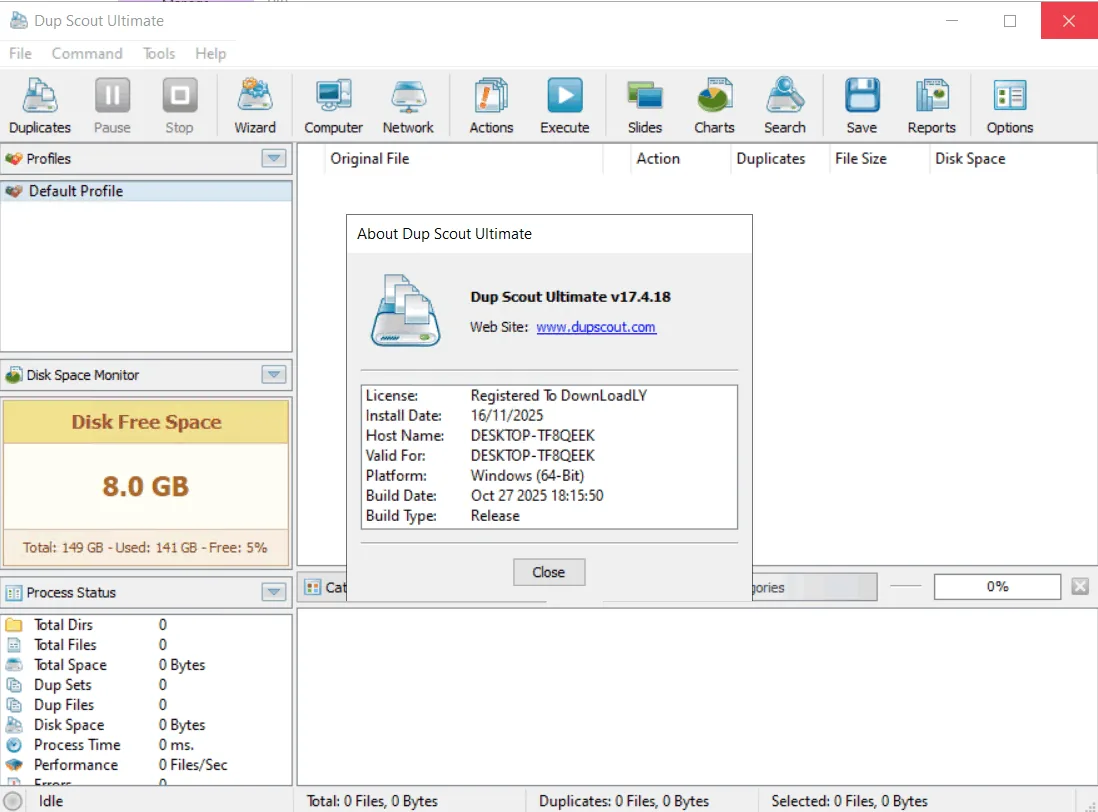
Dup Scout is a comprehensive software solution for searching and removing duplicate files that enables users to identify these files on local disks, specified directories, network shares or network-attached storage (NAS) devices. The program is designed to optimize storage space and data management. The user can review the found duplicate files and take various actions to manage them. These actions include replacing duplicate files with shortcuts or hard links , moving them to another directory, compressing and moving them, or permanently deleting all duplicate files. Advanced reporting tools are also provided to users that facilitate data history analysis and management.
Program features and functions
- DupScout allows users to save duplicate file search reports in multiple formats such as HTML, PDF, Excel, Text, CSV, and XML . For more advanced users, there is the ability to export reports from multiple servers to a centralized SQL database and then perform History Trend Analysis on the data history. The program is also able to provide visual displays such as pie charts of disk space occupied by duplicate files based on their extensions.
- This software enables users to scan the network , discover network servers and NAS devices, automatically identify all accessible network shares , and search for duplicate files across hundreds of servers and NAS devices. The user can also export the list of discovered servers and NAS devices (including the list of shares for each server) in HTML, PDF, text, and CSV formats . To search the network, the user clicks the “Network” option from the main toolbar, and after the scan is complete and the list of servers is displayed, the user selects the desired servers and starts the duplicate file search operation.
- In addition to the desktop application, the DupScout Ultimate and DupScout Server versions offer a command line utility . This tool allows users to automate duplicate file search and removal operations or control one or more DupScout Servers over a network. The utility provides capabilities such as searching files, saving reports in various formats (HTML, PDF, Excel, etc.), exporting duplicate data to a SQL database, and executing duplicate file removal actions. This allows for extensive customization of the search operations based on specific user needs and hardware configurations.
System requirements
- Operating System: Windows 7, Windows 8, Windows 10, Windows 11 (32-bit and 64-bit versions supported).
- RAM: Minimum of 4 GB.
- Disk Space: Minimum of 200 MB of free space for installation.
Pictures

Installation Guide and Tips
It is included in the Readme file in the Crack folder.
Download link
Download Dup Scout 18.2.14 All Editions
File(s) password: www.downloadly.ir
File size
86 MB