Description
Company ANSYS Inc is one of the top developers of software / CAE stands for Computer-Aided Engineering and able engineering using computers) industry. This set contains several tools for simulation and analysis of various branches of engineering science such as electromagnetism, etc., electrostatic, etc. of electronics, mechanics of solids and fluids, transmission of heat, dynamics and… used. This set into two parts, the overall Simulation Technology that includes tools, a powerful simulation and analysis, and the Workflow Technology is to communicate between different parts of the analysis parallel to the diverse issues used.
Features and properties of set software ANSYS :
– Detailed analysis of issues and different engineering
– The use of the finite element method (Finite Element Method or the abbreviation FEM)
– Perform analysis of linear and non-linear static and dynamic analysis
– Ability to analyze various types of structures like bridges, etc., dams, etc., tanks and also structures of steel or concrete
– Ability to perform analysis simultaneously, such as analysis of solids and fluids
– Capability of coding and programming language available in the software
– Debriefing of the project and save as a photo and film
– Coordination with software, various analytical and design engineering, such as CATIA, etc. Autodesk Inventor, etc., SolidWorks., the NX (Unigraphics), for Solid Edge
And…
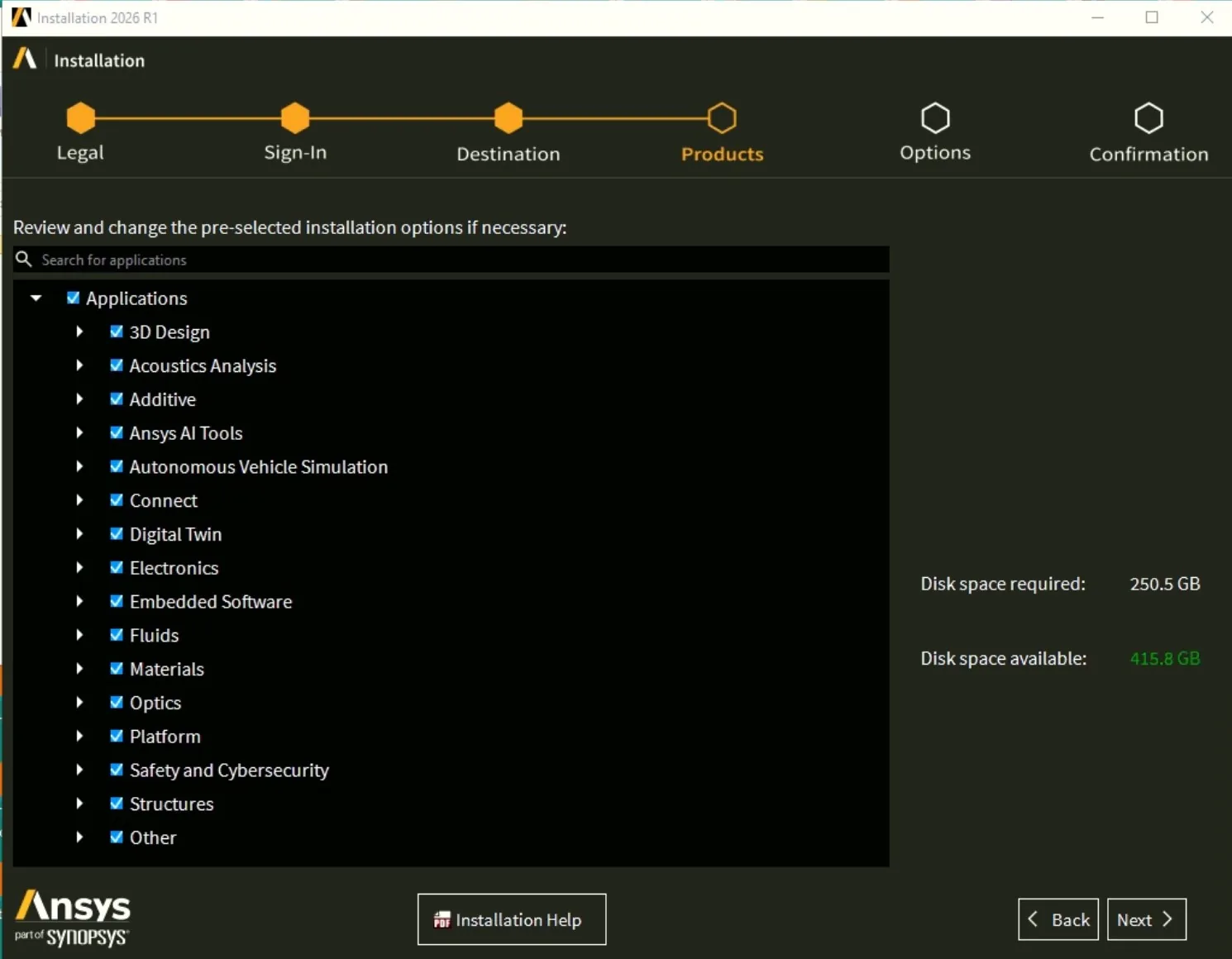
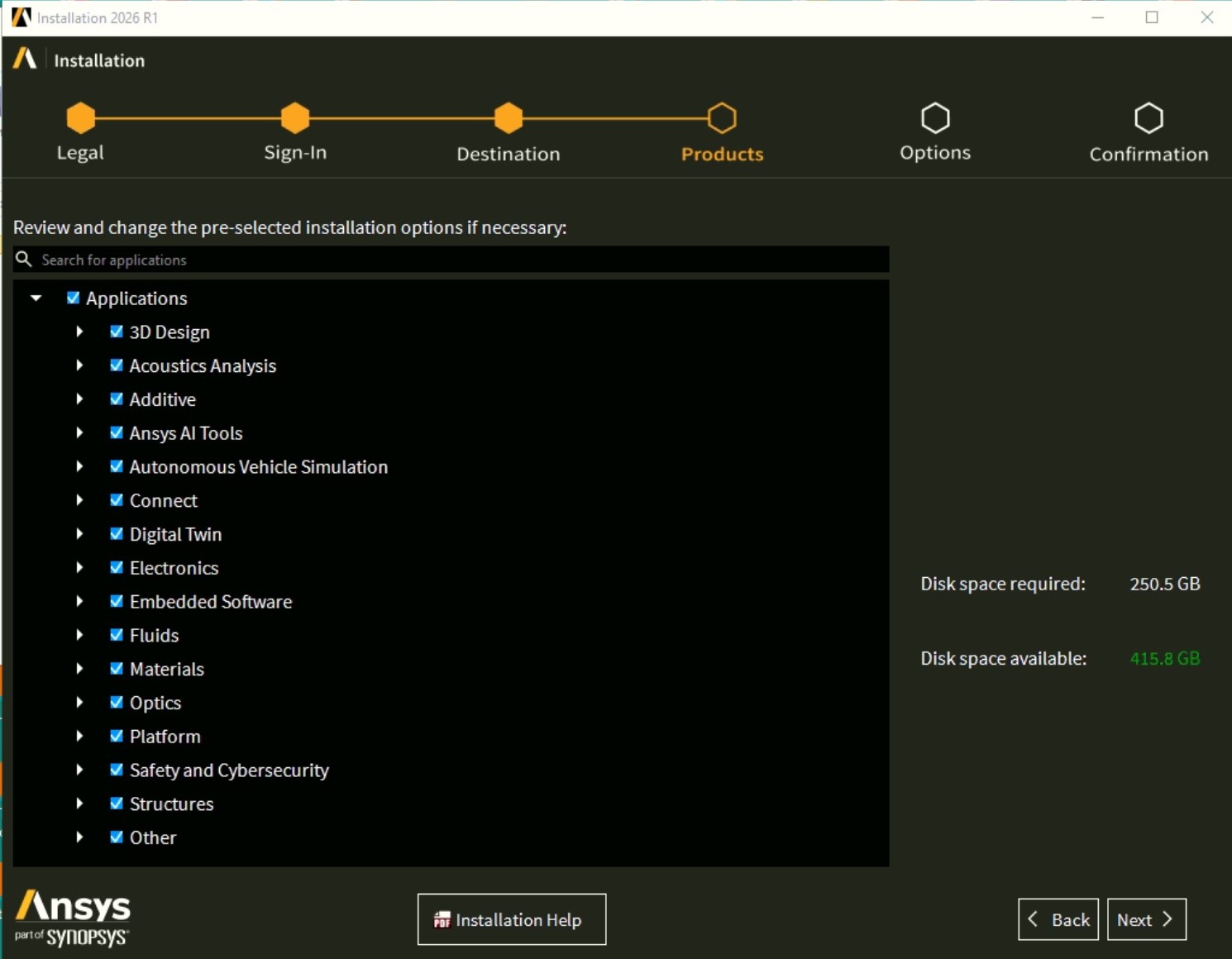
Version 26 includes the following applications:
3D Design: Discovery (reduced install) / Discovery (full install) / Geometry Service (PyAnsysGeometry)
Acoustics Analysis: Sound – SAS / Sound – JLT / Sound – CSS / Sound – VRS / Sound – ASDforEV
Additive: Additive
Ansys AI Tools: Actionable Language Interface (AALI) / Embedding Model BGE-M3
Autonomous Vehicle Simulation: AVxcelerate Sensors / AVxcelerate Sensors Library for CarMaker / AVxcelerate Headlamp / AVxcelerate Headlamp Library for CarMaker / AVxcelerate Headlamp Library for SCANeR
Connect: optiSLang Core / optiSLang Core UI / optiSLang AI optiSLang / App Generation / Behavior Execution Engine / ModelCenter / ModelCenter Remote Execution / ModelCenter MBSE Connector for Ansys SAM / ModelCenter MBSE Connector for Capella / ModelCenter MBSE Connector for Cameo 2019 / ModelCenter MBSE Connector for Cameo 2021-2024 / ModelCenter MBSE Connector for GENESYS / ModelCenter MBSE Connector for Rhapsody / System Architecture Modeler (Desktop tools for SAM Enterprise)
Digital Twin: TwinAI / Twin Builder
Electronics: Electromagnetics Suite / Electromagnetics RSM / Motor-CAD / PerceiveEM
Embedded Software: Scade One / SCADE Rapid Prototyper
Fluids: BladeModeler / CFD-Post only / CFX (includes CFD-Post) / Chemkin / EnSight / FENSAP-ICE / Fluent (includes CFD-Post) / Forte (includes EnSight) / ICEM CFD / Model Fuel Library (Encrypted) / Polyflow (includes CFD-Post) / RBF Morph Fluids – Fluent AddOn / Reaction Workbench / Rocky / Thermal Desktop: AutoCAD / Thermal Desktop: Thermal Desktop and TD Designer / Thermal Desktop: Sinda Solver / TurboGrid
Materials: Granta EduPack / Granta Selector
Optics: Lumerical / Lumerical-RPM / Optics Launcher / Speos / Speos HPC / Speos RPC / Speos for Creo Parametric 9 / Speos for Creo Parametric 10 / Speos for Creo Parametric 11 / Speos for Creo Parametric 12 / Speos for NX 2406 / Speos for NX 2412 / Speos for NX 2506 / Speos for NX 2512 / Speos Libraries / Zemax OpticStudio
Platform: Dynamic Reporting / Remote Solve Manager Standalone Services
Safety and Cybersecurity: medini analyze / medini analyze QKit
Structures: Aqwa / Autodyn / Customization Files for User Programmable Features / ICEM CFD / LS-DYNA / Material Calibration App / Material Designer / Mechanical Products / Motion / RBF Morph Structures – ACT AddOn / Sherlock / Sound – SAS
Geometry Interfaces: Catia, Version 4 Geometry Interface / Catia, Version 6 Geometry Interface / Discovery Geometry Interface / JTOpen Geometry Interface
– Usually two methods of activation by team MAGNiTUDE/LND and SSQ or SolidSQUAD provided that the method of SSQ fuller, but with the interval, the more will be released.
System requirements
Version 2024:
System Requirements:
Windows 10 (64-bit Professional, Enterprise and Education editions)
Windows Server 2012 R2 Standard Edition (64-bit)
Space:60 GB hard disk, multiprocessing,
RAM:memory> 2 GB
Version 16.2, and 17.2 and 18.2 and 19:
System requirements:
Windows 7 (64-bit Professional and Enterprise versions)
Windows 8.1 (64-bit Professional and Enterprise versions)
Windows 10 (64-bit Professional and Enterprise versions)
Windows Server 2008 R2 Standard Edition (64-bit), Windows HPC Server 2008 R2 (64-bit)
Windows Server 2012 R2 Standard Edition
22 GB on the hard drive, multiprocessing, memory> 2 GB more> http://www.ansys.com/Support/Platform+Support
Red Hat Enterprise 6(6.8 & 6.9)
Red Hat Enterprise 7 (7.2 & 7.3)
SuSE Linux Enterprise Server 11 (SP3 & SP4)
SuSE Linux Enterprise Server & Desktop 12 (SP1 & SP2)
Images


Installation guide
Visual Installation Guide of version 2021 R2 is placed in corresponding download section
Method common versions 16 to 19:
The two methods provided that the method first need to install the license lead, and the second method without the need to install that, the second method is explained in …
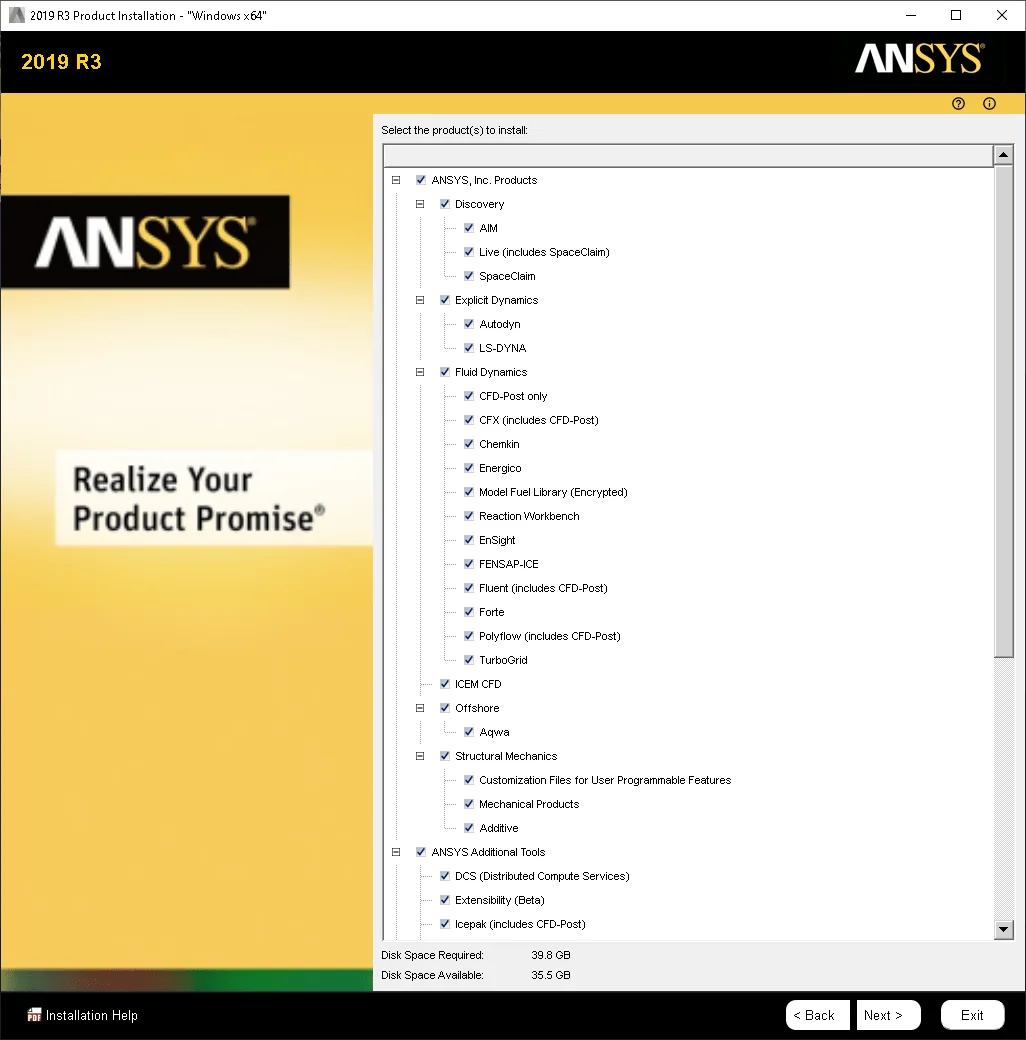
Beginning with software like DAEMON Tools , or UltraISO or PowerISO and through the virtual drive, etc. disk 1 software to Mount and run the file setup.exe and then choose the option Install the ANSYS Products installation to begin and complete. The ANSYS License Manager will not install and in as install also from stage license with your choice …Skip pass.
Finally, the contents of the folder Local license in the folder Crack in the default path below was a complete copy and replace:
C:\Program Files\ANSYS Inc
! If there is no install program in the default path, you must file ansyslmd.ini file available in the path Crack\Shared Files\Licensing with Notepad the default path to license to the OEM switch.
Version Linux also includes two methods above is that the process it in the Readme file to come.
Version 15.0.7:
The two methods, provided that the first method use the License Generator and the second method, the use of the license and the crack is
To do the first method, first, the file ANSYS 15.0 Calculator_DownLoadLy.iR.exe easing interaction with run as administrator to run. Then the letter Y, type the and Enter the. License fit your computer in the form of a file with a name license.txt is made. With the use of the software UltraISO or PowerISO or DAEMON Tools, etc., Disc 1, Mount and file setup.exe run. In the window the initial install on Install ANSYS License Manager, click tools, manage license to install. After the end of the installation on the Next button and wait until the window License Wizard is displayed; the option first, and default (default) select the Continue button. Then file license.txt made in the stage prior to the program and several times on the Continue button. After confirming the license and the end of the work out of the application and in the pages of the initial installation by selecting option Install the ANSYS Products, software required to install.
In the second method, start to install the program and license leads not to install. After installing the two files like a jungle in the following location copy and replace:
C:\Program Files\ANSYS Inc\Shared Files\Licensing
If you installed the software in the local non-drive, by default, have it’s address in the file ansyslmd.ini edit.
Version 2023 R1 has been installed and successfully activated on 19 January 2023 in Windows 10 64-bit edition.
Download link
ANSYS Products 2026 R1 Multilingual x64
Download ANSYS Products 2026 R1.02 (SP2) Multilingual x64 (Update Only)
ANSYS Products 2026 R1 Multilingual Linux64
Download ANSYS Products 2026 R1.01 (SP1) Multilingual Linux64 (Update Only)
ANSYS Products 2025 R2 Multilingual x64
Download ANSYS Products 2025 R2.04 (SP4) Update Only Multilingual x64
Download ANSYS Products 2025 R2 Multilingual x64 (Crack Only) (SSQ)
Download ANSYS Products 2025 R2 Local Help x64
Download ANSYS Products 2025 R2 PDF Doc x64
ANSYS Products 2025 R1 Multilingual Linux64
Download ANSYS Products 2025 R1.02 (SP2) Multilingual Linux64 (Update Only)
Download ANSYS Products 2025 R1.02 (SP2) Multilingual Linux64 (Crack Only) (SSQ)
ANSYS Products 2024 R2 Multilingual x64
Download ANSYS Products 2024 R2.04 Multilingual Update Only x64
Download ANSYS Products 2024 R2 x64 Local Help
Download ANSYS Products 2024 R2 x64 PDF Doc
Download ANSYS Products 2024 R2 Multilingual x64 (Crack Only)
Download ANSYS Products 2024 R2 Multilingual x64 (Crack Only) (SSQ)
ANSYS Products 2024 R1 Multilanguage Linux
Download ANSYS Products 2024 R1.02 (SP2) Multilanguage Update Only Linux
ANSYS Products 2023 R2 x64 Multilingual
Download ANSYS Products 2023 R2 x64 Multilingual Crack Only
ANSYS Products 2023 R1 x64 Multilingual
Download ANSYS Products 2023 R1 x64 Multilingual Crack Only
ANSYS Products 2023 R1 Linux64 Multilingual
Download ANSYS Products 2023 R1 Linux64 Multilingual Crack Only
ANSYS Products 2022 R2 x64 Multilingual incl. New Crack
Download ANSYS Products 2022 R2 x64 Local Help
Download ANSYS Products 2022 R2 x64 PDF DOC
Download ANSYS Products 2022 R2 x64 New Crack Only
ANSYS Products 2022 R1 x64 Multilingual (for ANSYS optiSLang 2022 R1)
Download ANSYS optiSLang 2022 R1 x64 Fixed Crack
ANSYS Products 2022 R1 Documentation
Download ANSYS Products 2022 R1 Local Help x64
Download ANSYS Products 2022 R1 PDF Documentation
ANSYS Products 2022 R1 Linux64
Download Ansys_Products 2022 R1 Linux64 Crack Only
Download ANSYS_Products 2022 R1 Local Help Linux64
ANSYS Products 2021 R2 x64
Download ANSYS Products 2021 R2 x64 New Crack
Download version 2021 R2 Visual Installation Guide
ANSYS Products 2021 R2 Documentation
Download ANSYS Products 2021 R2 Local Help x64
Download ANSYS Products 2021 R2 PDF Documentation
Download ANSYS Products 2021 R1 PDF Doc
ANSYS Products 2021 R1 Linux64
Download Ansys_Products 2021 R1 Linux64 Crack Only
Download ANSYS Products 2021 R1 Local Help Linux64
ANSYS Products 2020 R2 x64 Multilingual
Download Ansys_Products 2020 R2 Win64 Crack Only
Ansys Products 2020 R2 Linux64
Download Ansys_Products 2020 R2 Linux64 Crack Only
ANSYS Products 2019 R3 v19.5 Win64
Download ANSYS Products 2019 R3 Win64 Crack Only
Download Algoryx Momentum 2.0.4
ANSYS Products 2019 R3 Documentation
Download ANSYS Products 2019, R3, Local, Help, Win64
Download ANSYS Products 2019 R3 PDF Doc
ANSYS Products 2019 R3 v19.5 Linux64
ANSYS Products 2019 R1 Verification Models
ANSYS Products 19.2 x64
Download ANSYS_Products 19.2 x64 Crack Only
Download Ansys_Products 19.2 x64 Crack Only SSQ
Download Ansys_Products 19.2 Local Help
ANSYS Products 19.2 Linux
Download ANSYS_Products 19.2 Linux Crack Only
ANSYS_Products 18.2 x64 SSQ
Download ANSYS_Products 18.2.2 Update Only Windows
Download Ansys_Products 18.2 Win64 Crack Only
ANSYS PRODUCTS 17.2 Win64 – MAGNiTUDE/LND
Download Ansys_Products 17.2 Win64 SSQ CrackFix
ANSYS Products 17.0 Tutorials
Download Cadfem FKM 18.20170313.222150 Inside Ansys 17.2-18.1 x64
ANSYS Products 16.2 Win64
Download ANSYS_Workbench Framework SDK 16.0 x64
ANSYS Products 15.0.7 x86 (latest version, 32-bit)
Download ANSYS_Composite PrepPost 15.0 x86
Password file(s): www.downloadly.ir
File size
Version of Windows: 88.9 GB
Version of Linux: 99.5 GB