Description
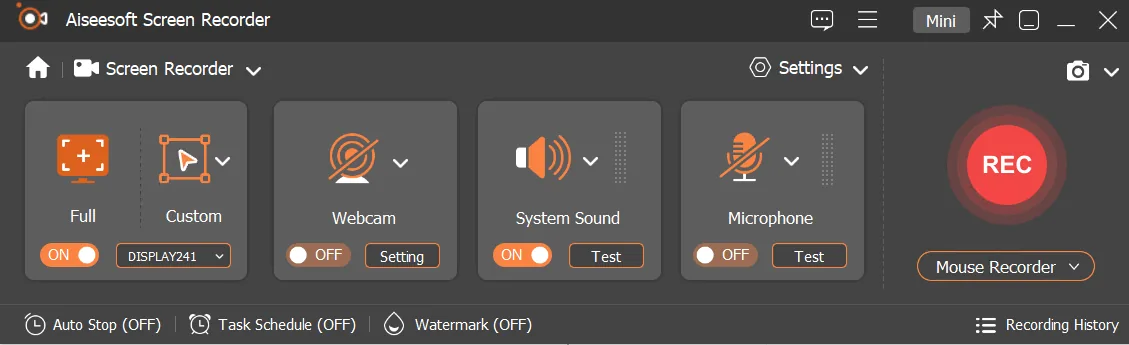
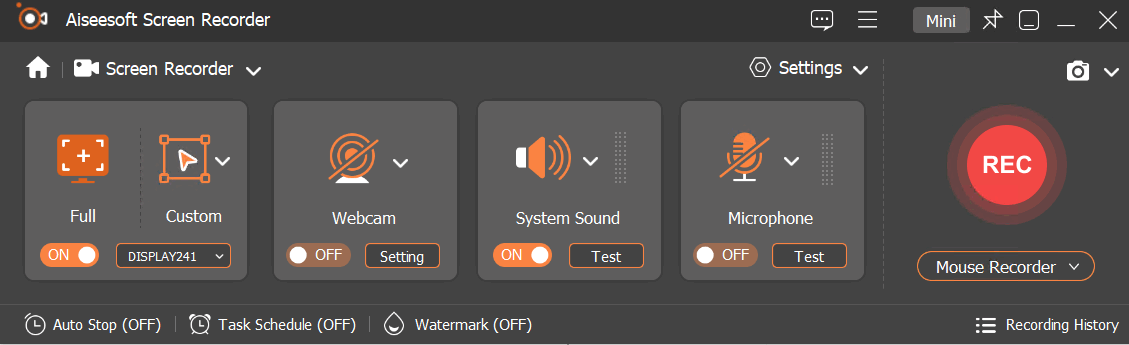
Aiseesoft Screen Recorder is a powerful screen recording and snapshot software that allows users to record any activity on Mac or Windows computers professionally. It serves as an efficient tool for recording video games, Skype calls, YouTube videos, and more, and can capture any part of the screen.
While recording, the user can edit the video or snapshot and add new markers to the output file. With its extensive capabilities, this software allows users to record and share their desired content in high quality and easily. Also, this program has additional features such as recording system and microphone sound and advanced snapshot tools, which make it a comprehensive tool for various needs.
Program features and functions
- As a powerful software, Aiseesoft Screen Recorder enables users to record any screen video easily. It is applicable to record online YouTube videos, games, podcasts, webinars, lectures, online conferences and Skype calls in full screen or customized size. During recording, users can highlight the cursor movement to make it easier to track. In addition, the real-time HD video encoding “Blue-light” technology ensures excellent image and sound quality. The Lock window capture feature allows users to keep the recording fixed on a specific window, so the screen recording will not interfere with other operations. The recorded video is saved in MP4, WMV, MOV, AVI, GIF, TS, etc. formats for easy playback and sharing.
- Aiseesoft Screen Recorder can only record the internal audio of the computer. This feature enables users to record all kinds of music, radio or online audio without downloading, in MP3, WMA, AAC, M4A, FLAC, Ogg and Opus formats for easy playback. Also, this tool allows recording streaming audio from the audio system to maintain the original sound quality. It also allows users to save online audio including audio tracks in MV or audio in educational videos. To record microphone audio, the system sound can be muted to add verbal explanations to the presented video.
- Taking a snapshot is an easy and useful way to quickly save important information. This screen recorder can act as a powerful snapshot app and help users capture anything on their screen and save it as an image. Users can easily adjust the snapshot area and add personalized labels such as rectangle, arrow, line and text to the output image. They can also save the snapshot in PNG, JPEG, BMP, GIF, TIFF, etc. formats.
System requirements
- Operating System: Windows 11, 10, 8.1, 8, 7, Vista, XP (SP2 or later)
- Processor: 1GHz Intel/AMD CPU or above
- Memory (RAM): 1G RAM or more
- Recommended: A 2GHz or better multicore processor and 4GB of RAM for optimal performance.
Pictures
Installation Guide and Tips
It is listed in the info file in the Crack folder.
Download link
Download Aiseesoft Screen Recorder 3.1.36 (x64) Multilingual
File(s) password: www.downloadly.ir
File size
145 MB