Descriptions
Visual Studio Essential Training, Integrated development environments (IDE) make it faster and easier to write high-quality code. Visual Studio, the IDE from Microsoft, has every tool you need to be a productive developer—regardless of your language, programming style, or project type. This course offers a comprehensive introduction to Visual Studio, allowing you to explore the tools and features and configure Visual Studio to support your needs. Microsoft MVP Walt Ritscher shows how to install and configure Visual Studio, work with files and projects, add a project to Git, configure editor settings, change tracking code, and more. Plus, learn about debugging code, as well as how to add extensions to enhance Visual Studio.
What you’ll learn
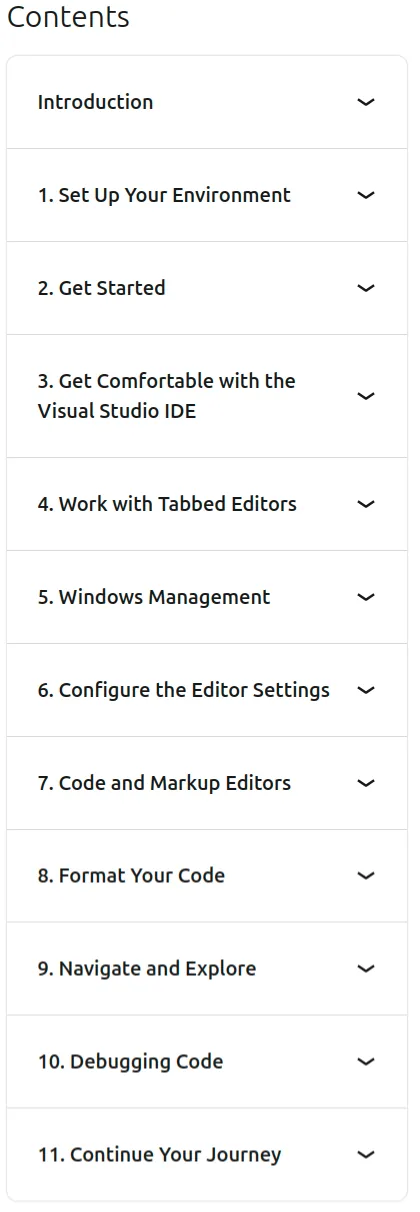
- Set Up Your Environment
- Get Comfortable with the Visual Studio IDE
- Work with Tabbed Editors
- Windows Management
- Configure the Editor Settings
Specificatoin of Visual Studio Essential Training
- Publisher : LinkedIn
- Teacher : Walt Ritscher
- Language : English
- Level : All Levels
- Number of Course : 95
- Duration : 4 hours and 47 minutes
Content of Visual Studio Essential Training

Pictures

Sample Clip
Installation Guide
Extract the files and watch with your favorite player
Subtitle : English
Quality: 720p
Download Links
Password file(s): www.downloadly.ir
File size
688 MB