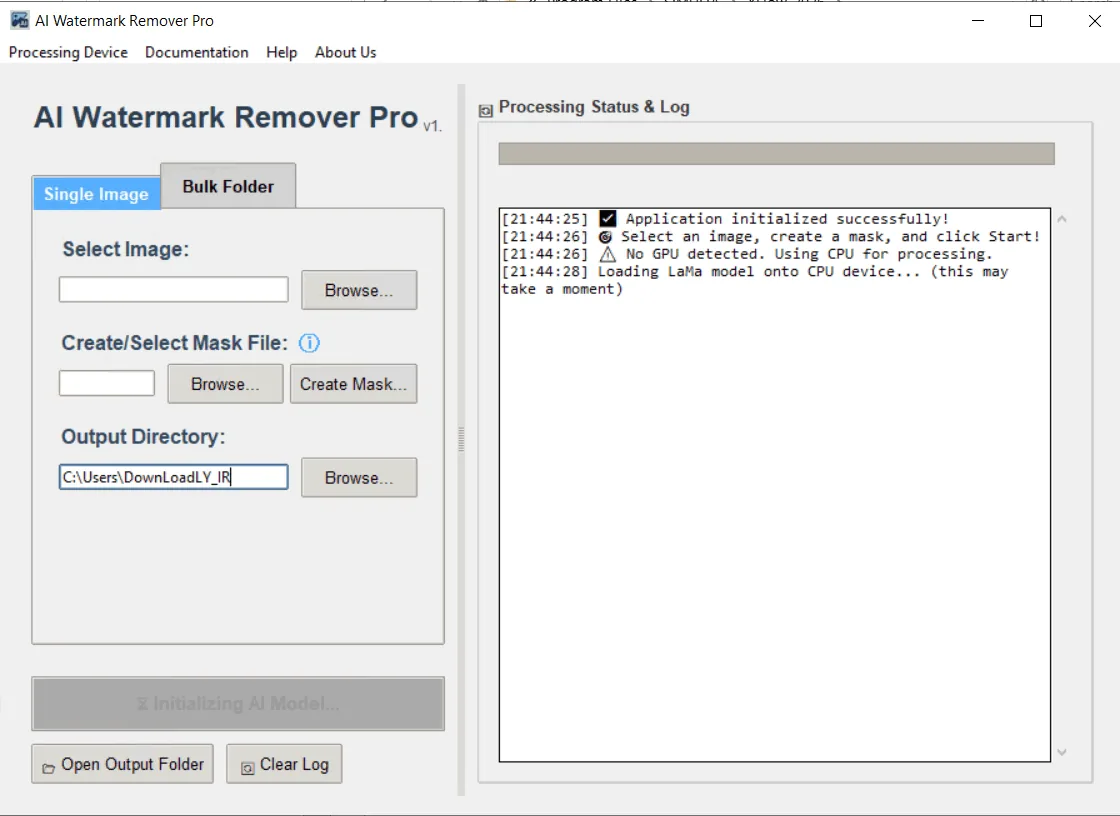
Description
AI Image Watermark Remover Pro is the ultimate solution for users who are tired of their images being cluttered with annoying watermarks, logos, texts, or unwanted objects and are looking to create clean, professional-looking photos. Powered by advanced AI-powered “inpainting” technology, the program intelligently removes any unwanted elements and reconstructs the background with stunning accuracy, as if the element never existed.
Whether you’re a photographer editing a portfolio, a designer preparing files, or someone simply looking to restore a precious memory, the app’s intuitive tools allow for pixel-precise control. Simply draw a mask over the object you want to remove and the AI will work its magic.
In addition to removing watermarks and logos, the program can also remove unwanted objects and people, such as tourists or background elements. It can also easily erase extra text or date stamps. In addition, it is a powerful tool for restoring older photos by removing scratches, blemishes, and skin blemishes. The powerful Mask Editor allows the user to zoom in on the image for more precise work, adjust the brush size, and use the eraser for maximum accuracy. The best feature of this software is that it completely preserves the user’s privacy; all processing is done locally on the PC and the images are never uploaded to the cloud, making it completely usable offline.
Program features and functions
- AI-powered content filling: This feature intelligently removes unwanted objects and realistically reconstructs the background.
- Precise Masking Tools: The user can precisely mask watermarks, text, people, or blemishes using a brush and visual eraser.
- Bulk watermark removal: This feature allows the user to apply an overlay to an entire folder of images, thus automatically processing hundreds of photos.
- Completely offline: User privacy is a priority. No internet connection is required for processing and images never leave the PC.
- GPU Acceleration: Uses NVIDIA CUDA technology-compatible graphics processors to significantly increase performance speed.
- Wide format support: Compatible with all popular image formats including PNG, JPEG, BMP, WEBP, and TIFF.
- Watermark and logo removal: Any type of watermark, from delicate text to complex logos, can be easily removed.
- Object and person removal: People, tourists, or distracting objects from the background are seamlessly removed.
System requirements
- Operating System: Windows 10 version 17763.0 or higher
- RAM: 8 GB
- Video Memory: 1 GB
- Processor: x64 architecture, Quad-core processor
Pictures

Installation Guide and Tips
It is included in the Readme file.
Download link
File(s) password: www.downloadly.ir
File size
2.2 GB