Description
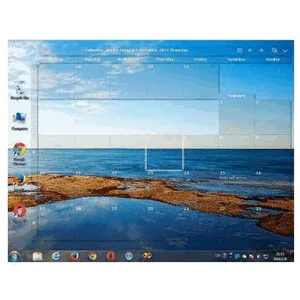
Desktop Calendar, also known as CalendarTask, is an application that puts a complete calendar right on the user’s Windows desktop. It allows users to easily record and manage their notes, appointments, to-do lists, and schedules by simply double-clicking on the desktop. This is a very convenient and fast way to improve daily planning and task management.
In addition to its main function as a calendar and planner, this software also displays information about public holidays, common occasions and anniversaries. With a multilingual design, Desktop Calendar strives to provide a comprehensive yet visually appealing organizing tool for the Windows operating system so that users can organize their workspace and always be aware of upcoming events.
Program features and functions
-
Display an interactive calendar directly on the Windows desktop.
-
Ability to quickly and easily record notes and events with a double click on the desktop.
-
Manage appointments, schedules, and to-do lists.
-
Providing information about common celebrations, holidays, and anniversaries.
-
Multi-language support for users around the world.
-
Small size and compatible with different versions of the Windows operating system.
System requirements
Operating System: Windows XP, 7, 8, 10, 11.
Size: Approximately 6.77 MB.
Installation Guide and Tips
The software is active and does not require cracking.
Download link
Download Desktop Calendar 3.29.285.8979
File(s) password: www.downloadly.ir
File size
7 MB