Description
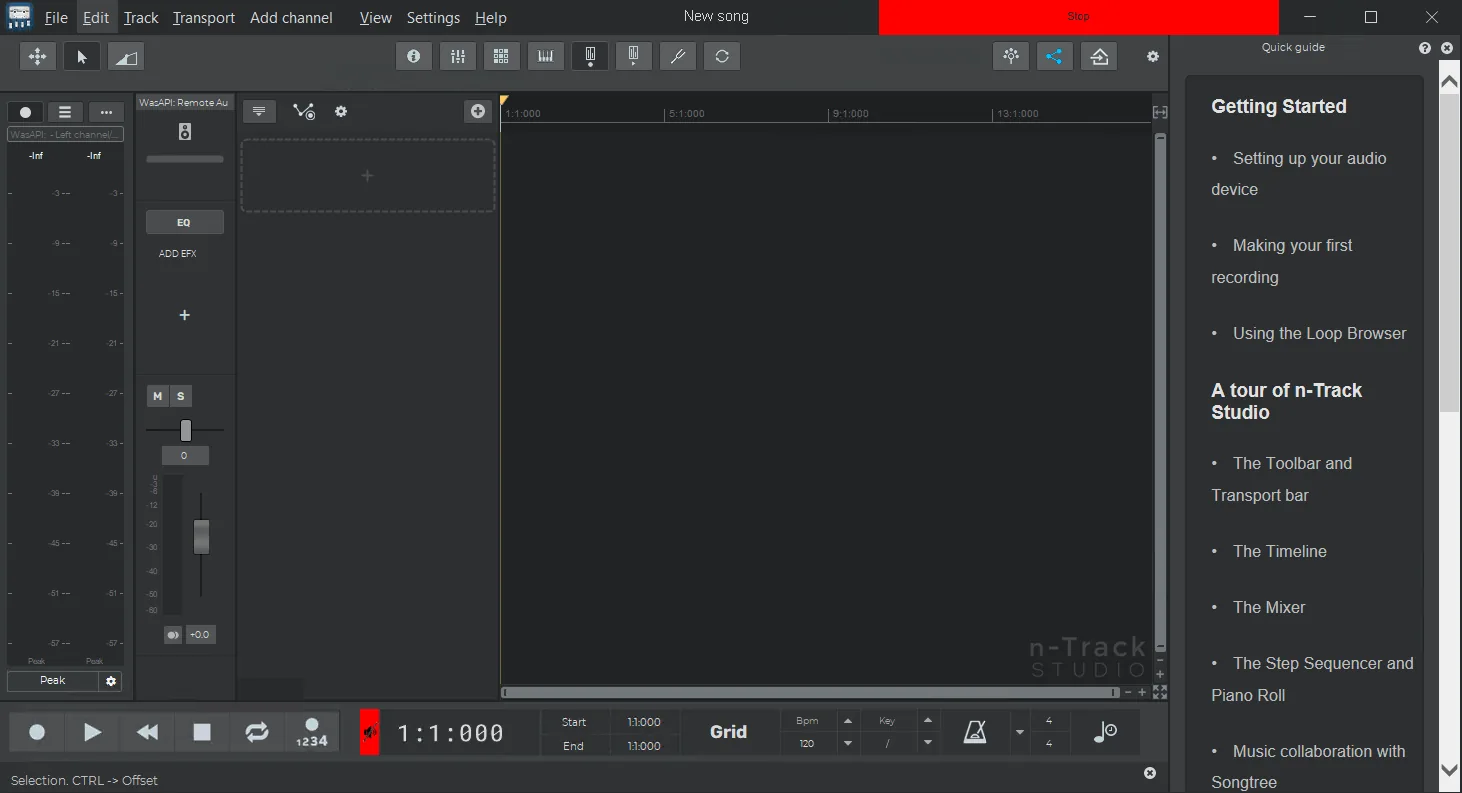
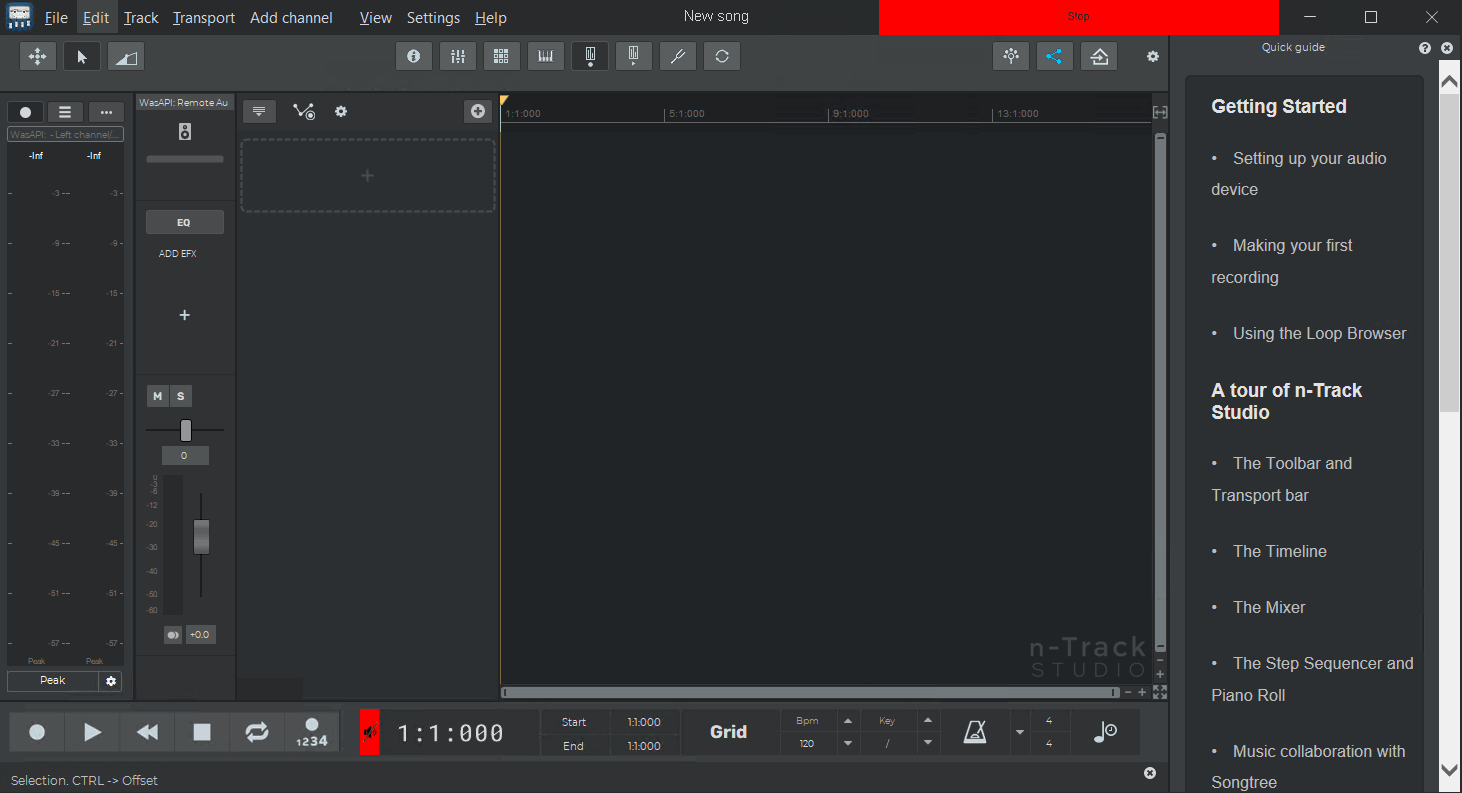
n-Track Studio Suite turns your computer into an easy-to-use multitrack recording studio. It is the perfect tool for recording, encoding, mixing and editing professional-quality audio. With it, you can record, edit and overdub your audio tracks, apply various effects, process live input, do the final mix, and then burn audio CDs or create MP3 files.
n-Track Studio is a Digital Multitrack Recorder for audio and MIDI that turns your computer into a powerful recording studio. It allows you to record, play, and overdub your audio tracks using the flexibility and power of today’s computers. Features include applying effects, realtime input processing, automatic aux channel send and return, and destructive and non-destructive Wave editing. It supports 24bit-192khz recording, 64bit mixing, multichannel sound cards, live input processing, CD burning, MP3 encoding, and more.
Program features and functions
- n-Track Studio provides users with several core features that make it a powerful tool for recording and editing audio. The program allows recording and playback of almost unlimited audio and MIDI tracks. DirectX, VST and ReWire effects can be added to each channel or track. The program’s built-in effects include Reverb, Compression, Parametric and Graphic EQ, Echo, Auto-volume, Pitch Shift, Chorus, Multiband Compression, Spectrum analyzer.
- The software is compatible with 16-bit and 24-bit sound cards (single-channel and multi-channel) with sampling frequencies up to 192 kHz. This compatibility is made possible through Asio, WaveRT, WDM, MME, and DirectSound audio drivers. The program also supports VST Instruments and DirectX Instruments as synth plugins.
- Sample-accurate MIDI tracks can be sent to VSTi and DXi software synths, eliminating the need for expensive hardware synths. Users can tweak effects settings and hear the results in real time. Third-party DirectX, VST 2.0, and ReWire plug-ins are also supported.
- Realtime audio effects can be added to each channel, and Input processing allows the user to process live signals using plug-ins. It is possible to record a dry signal and then reprocess it later. For example, you could play a guitar through a distortion plug-in and change the distortion after recording.
System requirements
- Operating System: Windows 7 or later (including Windows 11)
- Processor: Any PC with a Windows 7 or later operating system
- RAM: At least 512 MB
- Soundcard: Any audio device that accepts a microphone or line input
- Storage: Hard drive space
Pictures
Installation Guide and Tips
Copy and replace the contents of the crack folder in the program installation path according to the installed version (32 or 64 bit).
Download link
Download n-Track Studio Suite 10.2.3.10395 Multilingual
Download n-Track Studio Suite 10.2.3.10380 Multilingual macOS (INTEL)
Download n-Track Studio Suite 10.2.3.10380 Multilingual macOS (Apple Silicon)
File(s) password: www.downloadly.ir
File size
546 MB