Descriptions
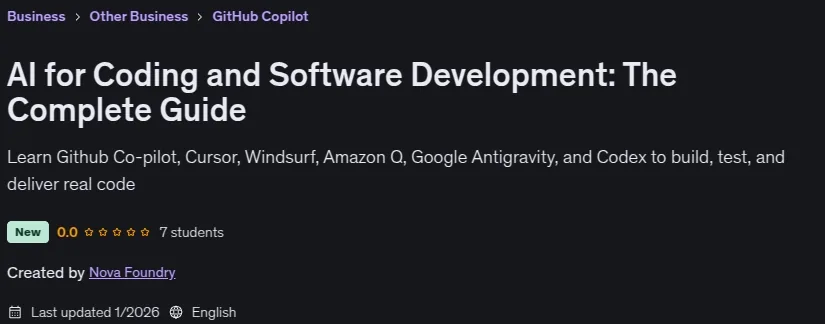
AI for Coding and Software Development: The Complete Guide, Build real software faster and safer using AI coding tools inside Visual Studio Code. This course is demo-first and hands-on. Each lesson is a practical scenario you will see on real teams: a flaky PR, a risky refactor, a failing test suite, a dependency swap, a small feature from a spec, and an end-to-end deploy and verification flow. You will learn how to use modern AI assistants as a daily partner while still keeping the engineering bar high.
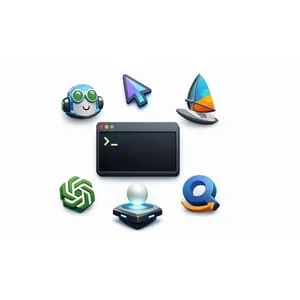
What you will do in this course Debug real bugs, make safe fixes, and prove them with tests. Turn short specs into shippable changes with clean commits and PR-ready summaries. Refactor confidently using contract tests and review checklists. Generate useful docs and mini runbooks that match the code. Learn how to work within tool limits by batching prompts and keeping context tight. Practice safe workflows for edits and command running (you stay in control). Tools you will learn (in real workflows): Visual Studio Code, GitHub Copilot, Cursor, Google Antigravity, Amazon Q Developer, Windsurf, OpenAI Codex (VS Code). What you get: Step-by-step demos you can follow in your own editor. Downloadable project files for the exercises. Student prompt packs you can reuse to practice the same workflow again. Who this course is for: Developers who can already read and edit code (Python or JavaScript) and want practical, repeatable AI-assisted workflows for shipping features, fixing bugs, writing tests, and reviewing PRs. Prerequisites: VS Code, Python (3.10+ recommended), Node.js (LTS recommended), Git, a GitHub account. ChatGPT Plus is optional and only needed for the Codex section. By the end, you will have a clear workflow you can use at work to build, change, and ship code with more confidence using AI tools.
What you’ll learn
- Set up a reliable AI coding workspace in VS Code (Python, Node.js, Git) and run sanity checks so every demo works.
- Use AI coding tools to debug real bugs, make safe fixes, and prove changes with automated tests.
- Turn a short spec into a shippable change using small commits, clear diffs, and a PR-ready summary.
- Refactor code safely by protecting public behavior with contract tests and review checklists.
- Generate practical project docs (run instructions, troubleshooting steps, and mini runbooks) that match the code.
- Use AI tool limits wisely by batching prompts, reusing context, and avoiding prompt churn.
- Upgrade or transform code safely (for example Java or dependency changes) and verify results with tests.
- Ship a small app end to end with smoke checks, basic rollout notes, and a rollback plan.
Who this course is for
- Software developers who want to use AI coding tools in real projects (debugging, refactors, tests, docs, and PRs).
- Junior to mid-level engineers who want a repeatable workflow for shipping changes with confidence.
- Senior engineers and engineering managers who want practical techniques for code review, risk checks, and rollout notes using AI tools.
- Developers who already write some Python or JavaScript and want hands-on, demo-first practice inside VS Code and modern IDEs.
- Learners who prefer learning by doing with small projects, tests, and step-by-step prompts, not theory-heavy lessons.
- Not for complete beginners who have never coded before. You should be able to read and edit code.
- Not for people looking for deep machine learning or LLM training content. This course is about using AI tools to build and maintain software.
Specificatoin of AI for Coding and Software Development: The Complete Guide
- Publisher : Udemy
- Teacher : Nova Foundry
- Language : English
- Level : All Levels
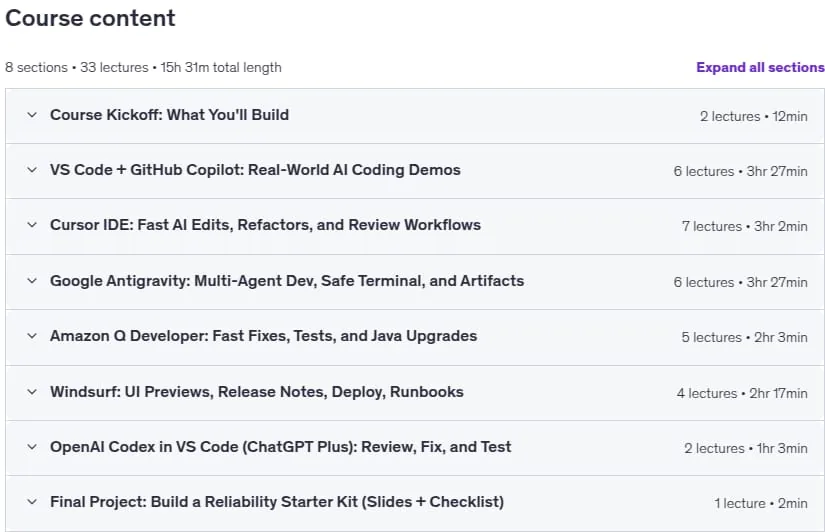
- Number of Course : 33
- Duration : 15 hours and 31 minutes
Content of AI for Coding and Software Development: The Complete Guide

Requirements
- Basic programming experience (comfortable reading and editing code in Python or JavaScript).
- A computer running Windows, macOS, or Linux with internet access.
- Visual Studio Code installed.
- Python installed (3.10+ recommended) and able to run python and pip from a terminal.
- Node.js installed (LTS recommended) and able to run node and npm.
- Git installed (able to run git from a terminal).
- A GitHub account (for Copilot and repo workflows).
- Optional but helpful: ChatGPT Plus for the OpenAI Codex section (the rest of the course does not require it).
Pictures

Sample Clip
Installation Guide
Extract the files and watch with your favorite player
Subtitle : Not Available
Quality: 1080p
Download Links
Password file(s): www.downloadly.ir
File size
8.48 GB