Description
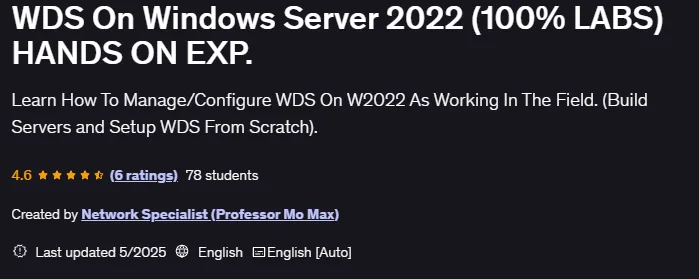
WDS On Windows Server 2022 (100% LABS) HANDS ON EXP. Deploying and Managing Windows Deployment Services (WDS) on Windows Server 2022 is a training course published by Udemy Online Academy. This course is a fully hands-on, lab-based guide to deploying and managing Windows Deployment Services (WDS) on Windows Server 2022. This course is designed for IT professionals and system administrators who want to gain real-world experience setting up automated operating system deployments in enterprise environments. Learners work through step-by-step hands-on labs to configure WDS, integrate it with Active Directory, and deploy Windows images over the network, gaining confidence in building efficient and scalable deployment solutions.
This short course will act as if you have been working as a network administrator for a company for at least 2 years. This class will act as if you were setting up a WDS server in a real-world environment. In this course, you don’t just learn, you actually do it yourself, as if you were in a real company, and here are the key topics you’ll gain from this class. This course teaches you how to install and configure Windows Deployment Services on Windows Server 2022, integrate WDS with Active Directory, DHCP, and DNS, create and manage boot and installation images, deploy Windows operating systems over the network using PXE, automate and customize deployment processes, troubleshoot common WDS issues, and apply best practices for enterprise-level operating system deployment environments.
What you will learn in WDS On Windows Server 2022 (100% LABS) HANDS ON EXP.:
- Setting up WDS from scratch.
- Create and configure a boot image and capture
- Configure a boot image to deploy only the operating system (client and server) over the network to PXE Client PCs.
- Configure a capture image to create an image of Windows (client and server) with custom applications and roles, and then deploy the image over the network.
- Understand the difference between a Unicast image and a Multicast image, and deploy both types.
- Configure a Client-Server (AD) network with DNS configuration.
- Install and configure a DHCP server to issue IP addresses to PXE clients.
- TCP/IP classes and subnetting
- And …
Course specifications
Publisher: Udemy
Instructors: Network Specialist (Professor Mo Max)
Language: English
Level: Introductory to Advanced
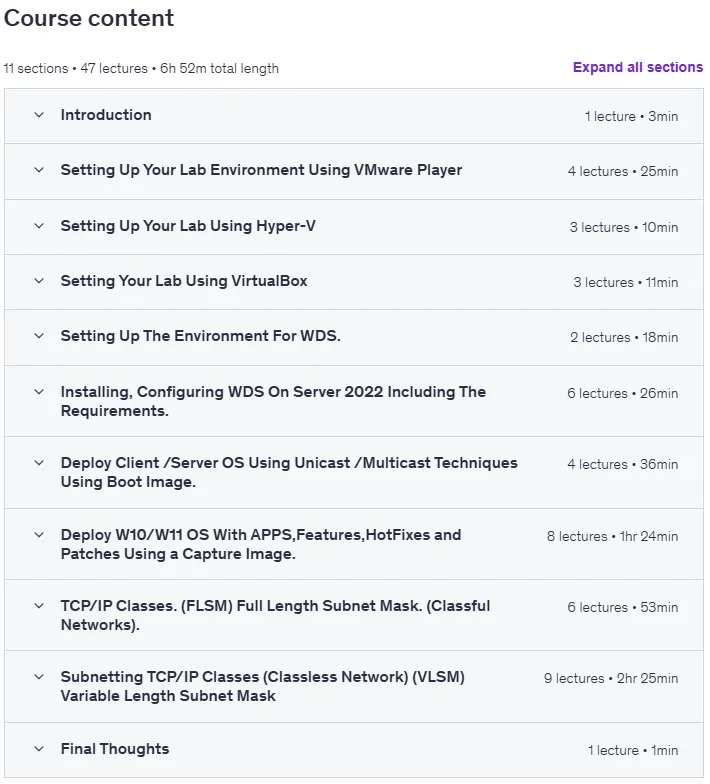
Number of Lessons: 47
Duration: 6 hours and 52 minutes
Course topics

WDS On Windows Server 2022 (100% LABS) HANDS ON EXP. Prerequisites
To Perform All The Labs that i am doing so You would have the actual understanding of How It Works.
A Computer With at Least 16 GB Of RAM.
Anyone that want to put at least 7 Hours of their Life to learn, enhance and sharpen there Networking Skills
Pictures

WDS On Windows Server 2022 (100% LABS) HANDS ON EXP. introduction video
Installation guide
After Extract, watch with your favorite Player.
English subtitle
Quality: 1080p
Downloadly link
Rapidgator link
File password (s): www.downloadly.ir
Size
2 GB