Descriptions
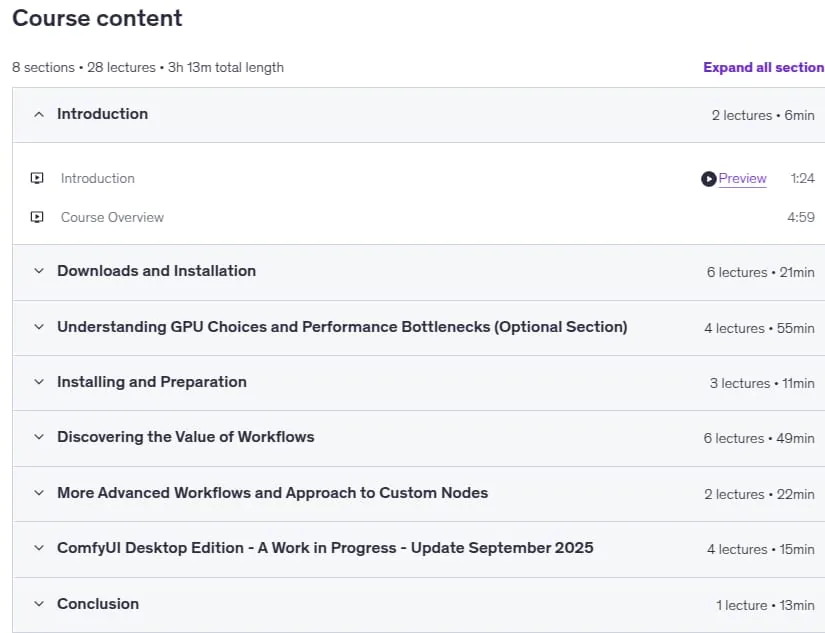
ComfyUI – Technical Introduction to Learning AI Workflows, By engaging with this course, participants will embark on a transformative journey, equipping themselves with the technical expertise to harness the full potential of ComfyUI in their AI-driven creative endeavors. Course Outline: 1. Introduction to ComfyUI: Overview of ComfyUI and its applications in AI-driven image generation, understanding the node-based interface and workflow construction. 2. Installation and Setup: System requirements, compatibility, step-by-step installation on various platforms, and environment configuration for optimal performance. 3. Optional: Making Smart Hardware Choices for ComfyUI: Evaluating GPU cost-to-performance, understanding specs for AI workflows, and avoiding common hardware mistakes. 4. Navigating the ComfyUI Interface: Detailed exploration of UI components and workspace customization. 5. Core Features and Functionalities: Using built-in nodes for image generation and processing, implementing Stable Diffusion models. 6. Workflow Construction and Management: Building and optimizing image generation workflows, saving, exporting, and sharing. 7. Integrating Custom Nodes and Extensions: Using ComfyUI Manager, installing and configuring additional nodes. 8. Advanced Techniques and Applications: Image-to-image transformations and prompt engineering. 9. Practical Projects and Case Studies: Hands-on tutorials for real-world scenarios. 10. Troubleshooting and Optimization: Resolving workflow challenges and accessing community resources.
What you’ll learn
- Confidently navigate and utilize the ComfyUI interface for AI-driven image generation.
- Integrate and configure custom nodes to extend the functionality of ComfyUI.
- Apply simple and intermediate techniques for image processing.
- Troubleshoot and optimize workflows for enhanced performance and efficiency.
Who this course is for
- This is very much a beginner’s course and prior experience is not required
Specificatoin of ComfyUI – Technical Introduction to Learning AI Workflows
- Publisher : Udemy
- Teacher : Pixovert Studio
- Language : English
- Level : Beginner
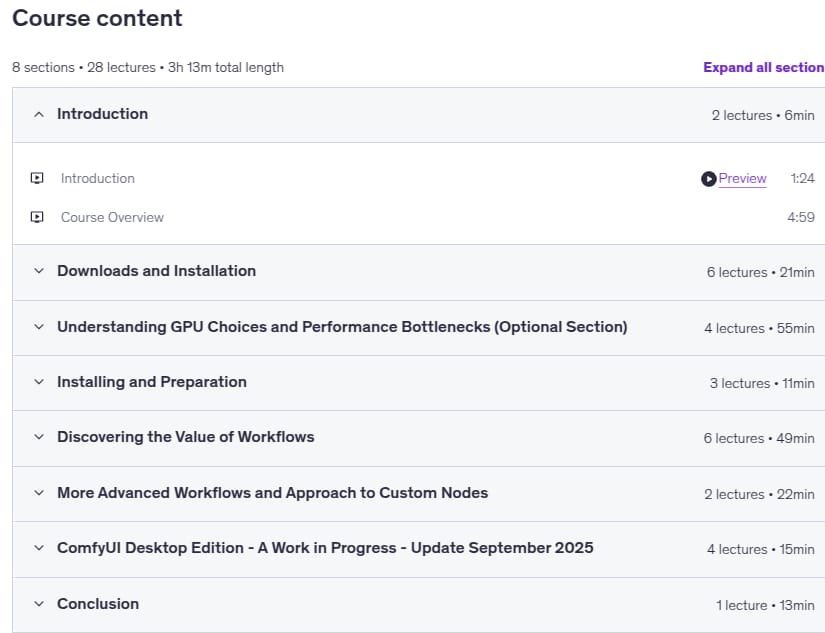
- Number of Course : 28
- Duration : 3 hours and 13 minutes
Content of ComfyUI – Technical Introduction to Learning AI Workflows
Requirements
- Prior to enrolling, participants are encouraged to review the system requirements and ensure compatibility with their hardware and software configurations.
- System Requirements: A Windows 10 or 11 PC with Nvidia RTX Graphics Card with at least 8 GB of VRAM
- A strong capability in learning technical computing techniques and methods
Pictures

Sample Clip
Installation Guide
Extract the files and watch with your favorite player
Subtitle : English
Quality: 720p
Download Links
Downloadly
Rapidgator
Password file(s): www.downloadly.ir
File size
3 GB