Description
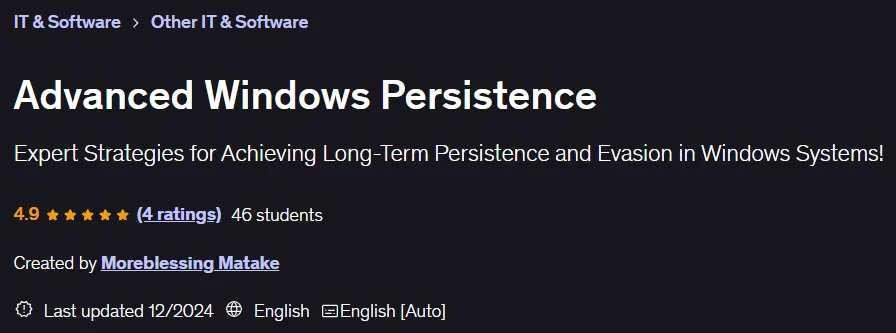
Advanced Windows Persistence Course. This course teaches cybersecurity professionals and penetration testers complex techniques for establishing long-term, stealthy access to Windows operating systems. Understanding these mechanisms is essential for effective defense, detection, and response to security incidents as attackers use these methods to maintain persistent control over target systems. Course topics include techniques such as registry manipulation, creating scheduled tasks, and exploiting Windows services. It also covers the practical use of malware, backdoors, and rootkits to ensure persistent access, and techniques for bypassing antivirus software and surveillance systems. This course explores practical applications in penetration testing, where real-world attacks are simulated to assess the resilience of systems. Through hands-on labs, participants practice installing and diagnosing access control mechanisms in a secure environment, which strengthens the skills needed to proactively defend against complex and persistent threats. This course is designed to enhance the ability of security professionals, penetration testers, and incident response teams to secure Windows environments against advanced attacks.
What you will learn
- Understand the various Windows access preservation techniques.
- Implement registry modifications to maintain access.
- Create and manage scheduled tasks to maintain access.
- Use Windows services for permanent access.
- Using malware, backdoors, and rootkits for persistent access.
- Avoid detection by antivirus software.
- Bypassing security monitoring tools.
- Discover and mitigate access preservation mechanisms.
- Eliminate methods of maintaining unauthorized access.
- Applying techniques in ethical hacking scenarios.
- Conduct penetration tests with a focus on maintaining access.
- Understanding the implications of maintaining access in cybersecurity.
- Hands-on labs for practical experience.
- Simulate real attacks to evaluate system defenses.
- Increase skills in active system defense and incident response.
- Easily maintain access to target systems.
- System maintenance and patch updates.
- Information collection and monitoring.
- Continued exploitation and lateral movement.
- Control over the system.
- Creating a Persistent Backdoor.
- Data mining (theft of sensitive information).
This course is suitable for people who:
- Red Teams who want to improve their cyber skills to maintain access to target systems.
- Blue Teams who want to learn how threat actors operate and move in the real environment so they can better defend, protect their systems, and train their colleagues for better security.
- Anyone in the cybersecurity field who just wants to learn or understand how threat actors operate in a real-world environment.
Course details
- Publisher: Udemy
- Instructor: Moreblessing Matake
- Training level: Beginner to advanced
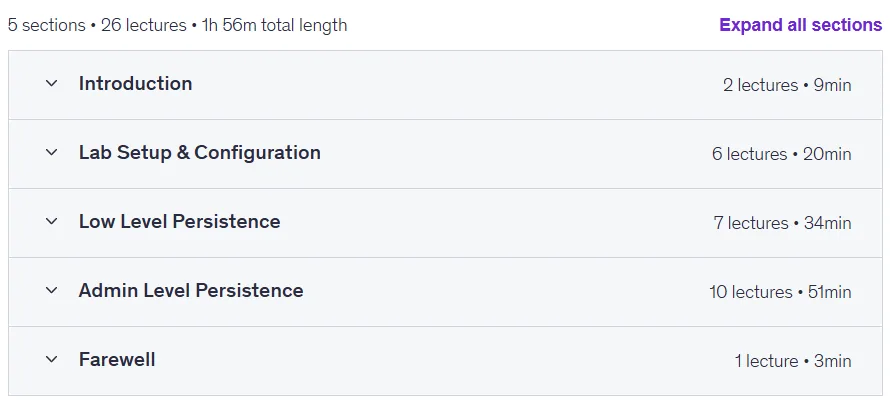
- Training duration: 1 hour and 56 minutes
- Number of lessons: 26
Course headings

Advanced Windows Persistence Course Prerequisites
- A computer with 8GB ram to support 2 VMs running at the same time
- Basic understanding of operating systems
- Strong will to learn & creative mindset
- If you like Hands-On, well this is the course for you, we do Hands-On here
Course images

Sample course video
Installation Guide
After Extract, view with your favorite player.
Subtitles: None
Quality: 720p
Download link
Downloadly
Rapidgator link
File(s) password: www.downloadly.ir
File size
856 MB