Descriptions
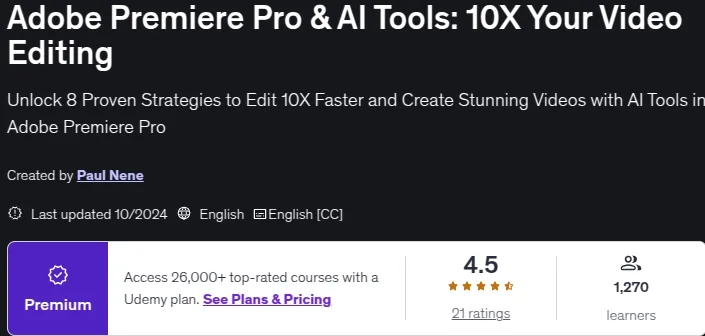
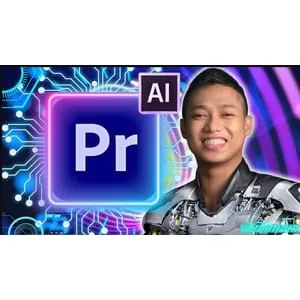
Adobe Premiere Pro & AI Tools: 10X Your Video Editing, Are You Ready to Transform Your Video Editing Skills? If you’re tired of spending countless hours editing videos or struggling with clunky workflows, this course is designed specifically for you. With the rise of AI in video editing, mastering Adobe Premiere Pro has never been easier—or faster. In this course, you will learn how to edit 10X faster by harnessing cutting-edge AI tools within Adobe Premiere Pro, create professional-level videos that captivate your audience, speed up your workflow with automation techniques used by top creators, enhance your videos with stunning effects, transitions, and color grading, and master AI-powered features to make video editing seamless and intuitive. This isn’t your standard Adobe Premiere Pro course. This is the course that will take your video editing skills to the next level by focusing on efficiency and advanced AI techniques that make your workflow faster and smarter. Perfect for content creators, YouTubers, freelancers, and anyone looking to unlock the full power of video editing. You’ll get over 30 high-quality lessons with step-by-step video tutorials, lifetime access to all materials, real-world projects to build a standout portfolio, and mastery of the latest AI tools inside Adobe Premiere Pro. The course is focused on delivering real, measurable results, whether you’re a beginner or an experienced editor looking to supercharge your workflow. You’ll learn AI-enhanced editing to automate repetitive tasks, work on projects alongside expert instructors, and discover how to cut your editing time in half while maintaining high-quality results. Enroll now and get lifetime access to all lessons, projects, and updates. Start mastering Premiere Pro with AI and create professional-level videos today.
What you’ll learn
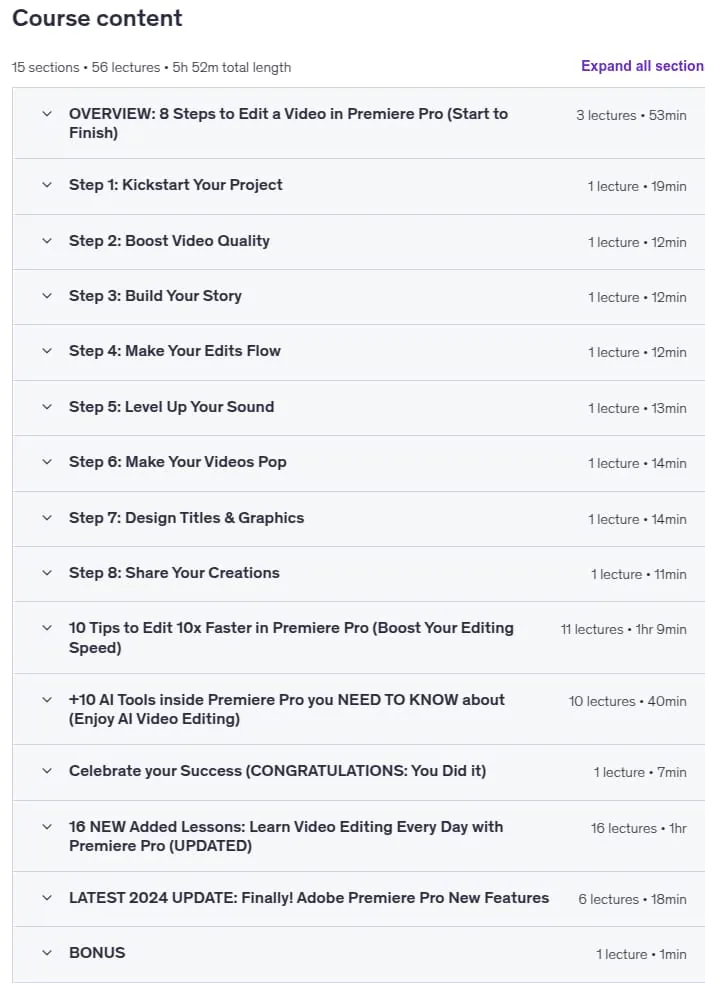
- Start Your Video Editing Adventure: Adobe Premiere Pro for Beginners 2024 – Everything You need to You NEED to KNOW
- Get Started Now: Make Your First Video in 3 Easy Steps
- Kickstart Your Project: 5 Easy Steps for a Smooth Import in Premiere Pro
- Boost Video Quality: 5 Steps for Sequence Settings & Export Settings in Premiere Pro
- Build Your Story: How to Trim and Cut Video with 7 Shortcuts – Basic Editing for Beginners
- Make Your Edits Flow: 5 Steps for Smooth Transitions & Preset Imports In Premiere Pro
- Level Up Your Sound – MASSIVELY Improve Your Audio (5 Effects in Premiere Pro)
- Make Your Videos Pop: Color Grading in Premiere Pro – Get Pro Film Look (5 Simple Tips)
- Create CINEMATIC TITLE Text & Graphics: 5 Easy steps in Premiere Pro
- Share Your Creations: How to Save and Export Your Video Projects in Premiere Pro (6 Simple Steps)
- Boost Your Editing Speed: 10 Tips to Edit 10x Faster in Premiere Pro
- Speed Up Your Editing: 10 Shortcuts I Use Every time I open Premiere Pro
- Tell Your Story Quickly: 5 Easy Steps to Set in and Out Points in Adobe Premiere Pro
- Save Hours Editing: Discover How RIPPLE EDIT tools in Premiere Pro Can save you time in 3 Simple Steps
- EDIT FAST: How to use PROXY Files to Edit SUPER FAST in Premiere Pro
- Edit Smarter: Speed Up Your Workflow with 5 Clip MARKERS in Premiere Pro
- Level Up Your Editing: Master Multi-Camera Editing with 3 Simple Steps in Adobe Premiere Pro
- Enhance Your Sound the EASY WAY: 5 Steps to Audio Mixing in Adobe Premiere Pro
- Supercharge Your Editing: 3 Reasons Why NESTED Sequence Matter in Premiere Pro
- Maximize Your Efficiency: 3 Steps to Master AUTO REFRAME in Premiere Pro
- Export Videos Faster: Batch Export in 3 Simple Steps! Adobe Premiere Pro
- Enjoy AI Video Editing: 10 Tools inside Premiere Pro you NEED TO KNOW about
Who this course is for
- Beginner video editors curious to learn Adobe Premiere Pro the easy way
- Beginners looking to learn video editing from scratch.
Specificatoin of Adobe Premiere Pro & AI Tools: 10X Your Video Editing
- Publisher : Udemy
- Teacher : Paul Nene
- Language : English
- Level : Beginner
- Number of Course : 56
- Duration : 5 hours and 52 minutes
Content of Adobe Premiere Pro & AI Tools: 10X Your Video Editing

Requirements
- No video editing experience needed. You will learn everything you need to
- Basic computer skills and familiarity with operating systems.
- Access to Adobe Premiere Pro software (subscription or trial version).
- A computer capable of running Premiere Pro with stable internet connection.
Pictures

Sample Clip
Installation Guide
Extract the files and watch with your favorite player
Subtitle : English
Quality: 720
Download Links
Downloadly
Rapidgator
Password file(s): www.downloadly.ir
File size
4.27 GB