Description
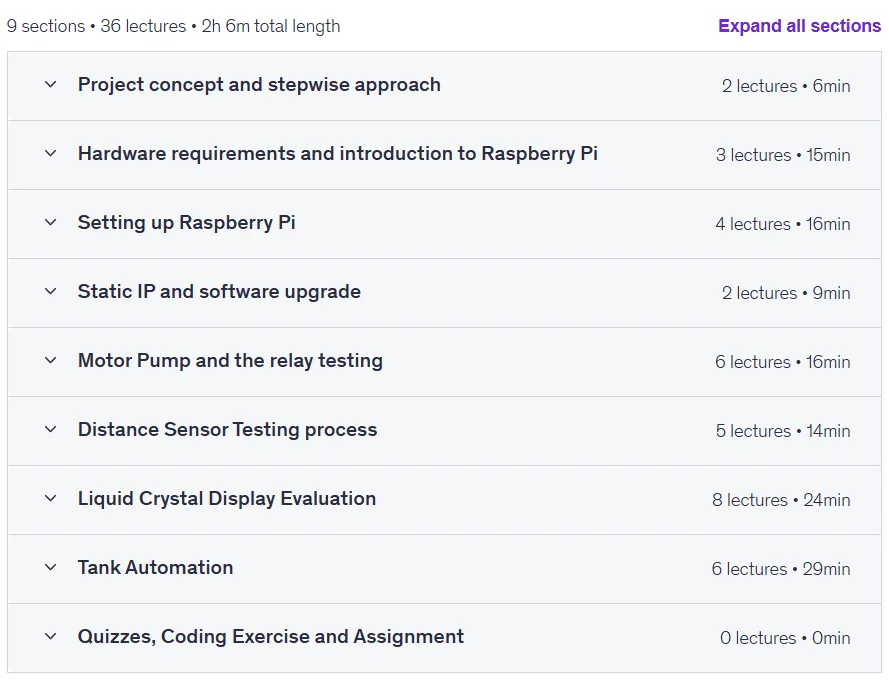
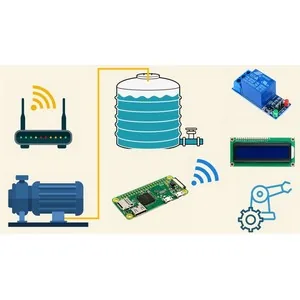
Build your own Water Tank Automation using Raspberry Pi 2025 course. This course teaches a complete, practical project from start to finish that requires no specialized background other than basic computer skills. The course is presented in eight structured sections: familiarization with the project outline and step-by-step method, introduction to the necessary hardware and specifications of the Raspberry Pi, installation of the operating system and communication with the board, configuration of a fixed IP address and updating the required libraries, testing hardware modules such as a pump and relay, working with a distance measurement sensor, familiarization with the LCD display and the I2C protocol, and finally the complete implementation of the automation project. This project is compatible with all versions of the Raspberry Pi and all its lessons have English subtitles. By completing this course, you will gain a solid foundational knowledge of working with the Raspberry Pi, distance sensor, and LCD display, which will provide a platform for carrying out more complex projects in the future.
What you will learn
- Basic concepts and project approach:
- Understanding the project concept and how to solve a real problem by developing this project, along with a step-by-step development approach.
- Raspberry Pi hardware and configuration:
- Learn about the complete hardware modules needed to build the project and the individual uses of each piece of hardware.
- Introduction to Raspberry Pi and its complete specifications.
- How to install the latest operating system on a Micro SD card and establish a connection via Putty terminal after finding a dynamic IP address.
- Network settings and updates:
- How to assign a static IP address to Raspberry Pi to fix the problem of changing dynamic IP address.
- Updating software libraries before project development.
- Testing hardware modules:
- Testing each module individually, including the motor pump and relay, to understand their function and operating principle, along with testing the relay’s performance with a basic project.
- Proximity sensor and display:
- Understand the working principle of the distance measurement module and establish a connection between the Pi and the sensor.
- Write a program to measure distance and check the accuracy of the returned values.
- Familiarity with the liquid crystal display (LCD) and understanding the circuit diagram for connecting it to the Raspberry Pi.
- Learn the I2C protocol and how to identify I2C devices through Python libraries and commands.
- Writing code to display sentences on the LCD screen to ensure the device is functioning properly.
- Final automation project:
- Build the final water tank automation project by following a standard circuit diagram to connect all modules.
- Understand the code used to run the project and see a real-time view of the project.
- Gain a strong foundation in Raspberry Pi, distance sensor module, LCD module, etc., which will make it easy to build other projects of your choice.
This course is suitable for people who:
- It is ideal for those interested in learning physical computing and building Internet of Things (IoT)-based automation projects.
- It’s great for beginners who want to work with the Raspberry Pi and hardware components like relays, sensors, and motors.
- Suitable for anyone looking to develop practical skills in reservoir automation and real-time monitoring systems.
Course details
- Publisher: Udemy
- Instructor: Stepwise Learning , Technical Support Team
- Training level: Beginner to advanced
- Training duration: 2 hours and 7 minutes
- Number of lessons: 36
Course syllabus as of 2025/4

Prerequisites for the Build your own Water Tank Automation using Raspberry Pi 2025 course
- Newbies can also take this course using any version of the Raspberry Pi. Basic knowledge of any programming language is enough to understand the course.
Course images

Sample course video
Installation Guide
After Extract, view with your favorite player.
Subtitles: None
Quality: 1080p
Download link
Downloadly
Rapidgator link
File(s) password: www.downloadly.ir
File size
2.4 GB